
Business Workflow Automation Software for Growing Teams
Business workflow automation software helps growing teams eliminate repetitive manual tasks by automating workflows across tools and departments. It connects systems, assigns tasks automatically, syncs data in real time, and improves team efficiency. This blog explains how workflow automation works, key features, real-world use cases, benefits, and popular tools like Zapier, Make, n8n, Gumloop, and Exenra.ai. It also highlights how businesses can scale faster by replacing manual processes with automated workflows.
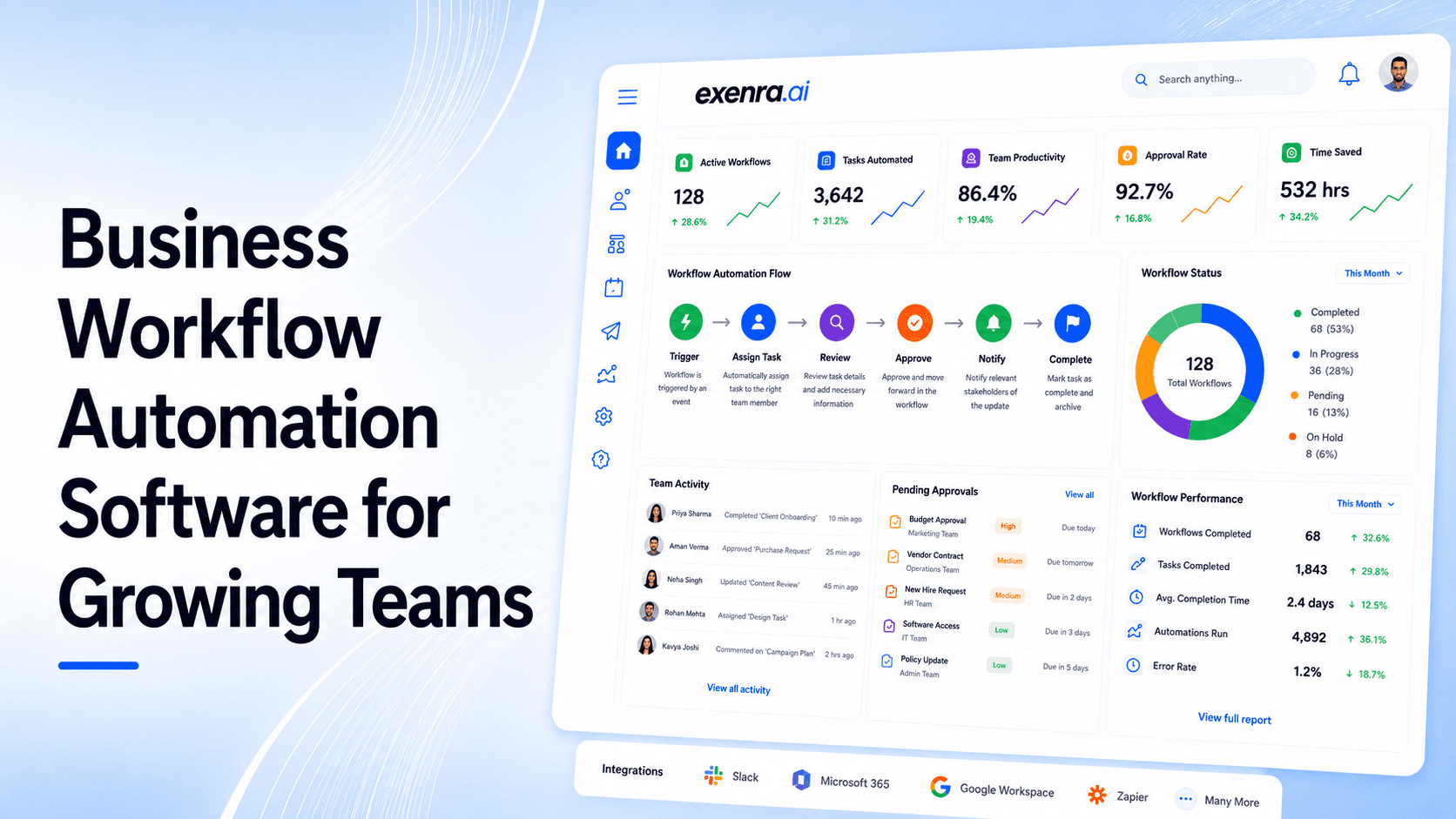
Growing a business sounds exciting on paper, but in reality, it often comes with increasing operational chaos.
As teams expand, so does the number of repetitive tasks—updating CRMs, assigning work, following up with leads, syncing data between tools, and managing communication across multiple platforms.
At a small scale, these tasks are manageable. But once a business starts growing, manual work becomes a bottleneck.
Things get delayed. Leads get missed. Teams get confused about responsibilities. And valuable time gets spent on work that doesn’t directly generate revenue.
This is exactly where businessworkflow automation software becomes essential.
It helps businesses remove repetitive manual work by automatically connecting tools, routing tasks, syncing data, and triggering actions across different systems.
Instead of people managing every step, the system handles it automatically in the background.
What Is Business Workflow Automation Software?
Business workflow automation software is a system that automates repetitive processes across different business tools and teams.
It uses rules and logic to move data and tasks automatically without human involvement.
In simple terms:
When something happens → the system automatically does the next step.
Example:
A customer fills a form
The system captures data
Assigns a sales representative
Sends a follow-up email
Creates a CRM entry
Notifies the team
All of this happens instantly without manual effort.
Why Growing Teams Need Workflow Automation
As companies scale, manual operations start breaking down.
Here are the most common problems growing teams face:
1. Repetitive manual work slows everything down
Employees spend hours doing tasks that could easily be automated.
2. Leads and tasks get missed
Without automation, follow-ups depend on memory and manual tracking.
3. Lack of ownership
It becomes unclear who is responsible for each task or lead.
4. Disconnected tools
Data is scattered across spreadsheets, CRMs, chat tools, and emails.
5. Scaling becomes difficult
The more the business grows, the harder it becomes to manage operations.
Workflow automation solves these problems by creating a structured system that runs consistently.
How Workflow Automation Works
Every workflow automation system is built on three simple elements:
1. Trigger
An event that starts the workflow
Example: New lead is submitted
2. Condition
Rules that define what happens
Example: If lead source is Facebook Ads
3. Action
What the system does automatically
Example: Assign lead + send email + notify sales team
Real Example of Workflow Automation
A real business workflow might look like this:
A lead submits a form on the website
The system checks lead source and priority
Lead is assigned to a sales representative
CRM is updated automatically
Slack notification is sent to the team
Follow-up task is created
Email sequence starts
This entire process happens in seconds without human involvement.
Types of Workflow Automation Software
Different tools serve different business needs.
1. App Integration Tools
These connect multiple apps together.
Examples:
Zapier
Make
Pabbly Connect
Best for simple automation like moving data between apps.
2. Developer Automation Platforms
These tools are highly customizable but require technical knowledge.
Example:
n8n
Best for engineering teams who need full control.
3. AI-Powered Automation Tools
These tools use AI to build intelligent workflows.
Example:
Gumloop
Best for advanced data processing and AI workflows.
4. Business Workflow Systems
These platforms are designed for real business operations, not just app connections.
They focus on:
Leads
Tasks
Teams
Follow-ups
Sales pipelines
Key Features of Workflow Automation Software
A strong workflow automation platform should include:
No-code workflow builder
Multi-step automation support
Lead routing and assignment
Real-time data syncing
Task automation
Team notifications
Reporting and analytics
Simple daily usability
If the system is too complex, teams stop using it—so simplicity matters.
Use Cases of Workflow Automation
Workflow automation is used across many business functions.
1. Lead Management
Capture leads automatically
Assign to sales reps
Trigger follow-ups
Track status
2. Sales Automation
Move leads through pipeline
Send reminders
Update deal stages
Track conversions
3. Customer Support
Assign tickets
Notify agents
Track resolution
Send updates
4. Marketing Automation
Start email sequences
Update CRM
Track campaign performance
Segment users
5. Internal Operations
Assign tasks
Set deadlines
Send reminders
Track progress
Benefits of Workflow Automation
1. Faster execution
Tasks happen instantly instead of manually.
2. Reduced errors
Automation eliminates human mistakes in repetitive tasks.
3. Better team coordination
Everyone knows what needs to be done.
4. Higher productivity
Teams focus on meaningful work instead of repetitive tasks.
5. Scalable operations
Businesses can grow without increasing workload linearly.
Manual Work vs Workflow Automation
Manual Work
Workflow Automation
Slow execution
Instant processing
High error risk
Consistent accuracy
Scattered data
Centralized system
Hard to scale
Easily scalable
Depends on humans
Runs automatically
Why Businesses Are Moving Toward Automation
Modern businesses cannot rely on manual systems anymore.
Speed, accuracy, and consistency are now critical for growth.
Companies that automate workflows:
Respond faster to leads
Reduce operational delays
Improve team accountability
Increase revenue efficiency
Workflow automation is no longer optional—it is a core business requirement.
How Helps With Workflow Automation
Most tools focus only on connecting apps.
Exenra.ai focuses on complete business execution workflows.
It helps businesses:
Capture leads from multiple sources
Assign leads automatically
Manage follow-ups
Track sales pipelines
Monitor team performance
Improve visibility across operations
Instead of just moving data, it helps businesses manage real outcomes.
Conclusion
Business workflow automation software is transforming how modern teams operate.
Instead of relying on manual work, businesses can now automate entire processes—from lead capture to follow-ups and team management.
This not only saves time but also improves accuracy, speed, and scalability.
In 2026 and beyond, businesses that embrace workflow automation will grow faster and operate more efficiently than those still depending on manual systems.
FAQsWhat is business workflow automation software?
It is software that automates repetitive tasks like data entry, lead assignment, notifications, and process management across business tools.
Why is workflow automation important for growing teams?
Because it reduces manual work, prevents errors, improves speed, and helps teams scale efficiently without increasing workload.
What are examples of workflow automation tools?
Popular tools include Zapier, Make, n8n, Gumloop, and business-focused platforms like Exenra.ai.
Is workflow automation difficult to use?
Most modern tools are no-code and designed for non-technical users, making them easy to use.
What is the difference between Zapier and workflow automation platforms?
Zapier mainly connects apps, while full workflow automation platforms manage entire business processes like leads, tasks, and team workflows.
Can workflow automation improve sales?
Yes. It improves response time, ensures consistent follow-ups, and helps teams manage leads more effectively.
Which businesses should use workflow automation?
Any growing business that handles leads, customers, or internal processes can benefit from workflow automation, especially small and mid-sized teams.
Start your 7-day free trial with Exenra.ai and automate your first lead workflow without coding, Zapier, or an expensive CRM.
Comments
0 publishedComments are not open for this article yet.