
Facebook Lead Ads Follow-Up Automation: Complete Guide
This blog explains how businesses can automate follow-ups after receiving leads from Facebook Lead Ads. It covers why fast response matters, how to deliver the promised item, assign leads to team members, create follow-up reminders, use social proof, track pipeline stages, and measure campaign results. The blog also shows how Exenra.ai helps businesses manage Facebook leads from first enquiry to final outcome with better visibility, automation, and team accountability.
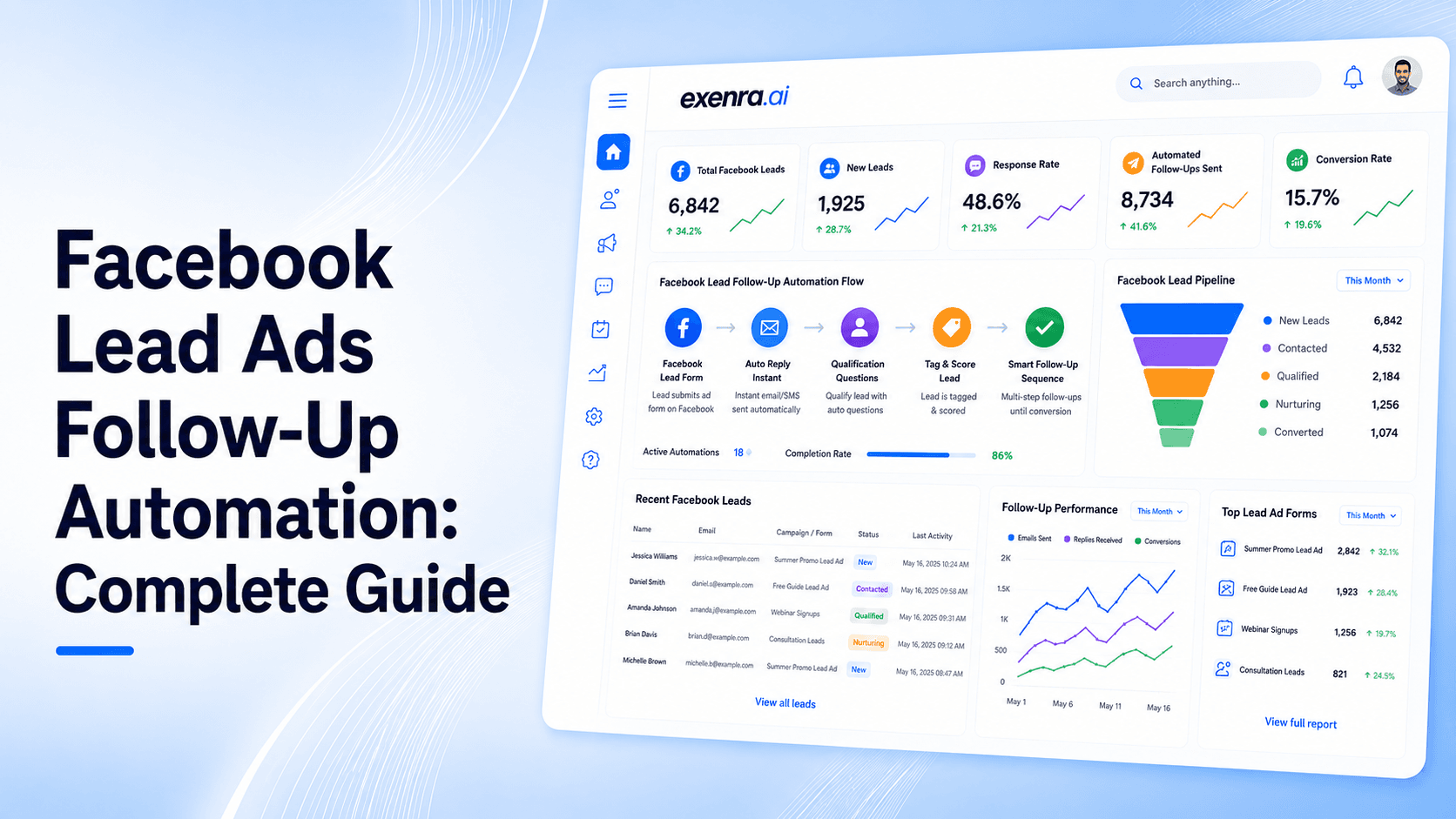
Facebook Lead Ads can bring in new enquiries quickly. Someone sees your ad, opens the form, shares their details, and becomes a lead without leaving Facebook.
That part is simple.
The real challenge starts after the form is submitted.
If your team replies late, forgets to follow up, sends a generic first message, or does not know who is responsible for the lead, that opportunity can go cold fast. A Facebook lead is usually interested at the moment they submit the form. If your business does not respond quickly, the customer may forget the ad, lose interest, or choose another company.
That is why Facebook Lead Ads follow-up automation matters.
Follow-up automation helps businesses respond faster, deliver what was promised in the ad, assign leads to the right team member, schedule reminders, track pipeline progress, and measure which leads actually turn into customers.
Exenra.ai helps businesses manage this complete process from new Facebook lead to follow-up, team assignment, pipeline tracking, and final result without relying on scattered spreadsheets or manual updates.
The Problem: Facebook Leads Are Easy to Generate but Easy to Lose
Facebook Lead Ads make it easy for people to share their information. That is one of the biggest advantages of using them.
But easy form submissions also mean businesses need a strong follow-up process.
Many businesses collect leads from Facebook but lose them because the next steps are unclear.
Common problems include:
Leads stay inside Meta before anyone checks them.
Leads are downloaded manually too late.
The sales team does not receive instant alerts.
No one knows who owns the lead.
The first reply is slow or too generic.
The promised guide, offer, quote, or callback is not delivered quickly.
Follow-ups are forgotten after the first message.
Lead status is not updated.
Campaign performance is measured only by lead volume, not real conversions.
This is where many Facebook campaigns lose value.
The ad may be strong. The targeting may be right. The offer may be attractive. But if the follow-up process is slow or disorganized, the business can still lose good leads.
Why Fast Follow-Up Matters After Facebook Lead Ads
A Facebook lead is usually warm when they submit the form.
They have just seen your ad and decided to share their details. That moment is important. If your business waits too long, the lead may not remember the offer clearly or may move on to another option.
Fast follow-up helps your business:
Confirm that the enquiry was received.
Remind the person why they submitted the form.
Deliver the promised item or information.
Start a real conversation.
Ask one simple next-step question.
Move the lead into a proper sales process.
The first follow-up does not need to be pushy. It should be helpful, clear, and connected to the ad they responded to.
A good first message should answer three simple questions:
Who are you?
Why are you contacting them?
What should they do next?
The Solution: Automate the Follow-Up Journey, Not Just Lead Transfer
Many businesses think Facebook Lead Ads automation only means sending new leads to a spreadsheet or CRM.
That is only the first step.
Real follow-up automation should manage what happens after the lead arrives.
A good process should:
Capture the lead automatically.
Save the campaign and form source.
Notify the right team member.
Assign the lead to an owner.
Prepare or send the first response.
Deliver the promised item or confirm receipt.
Create follow-up reminders.
Move the lead through pipeline stages.
Track team activity.
Measure conversions and lost reasons.
This is the difference between basic integration and complete lead follow-up automation.
Moving a lead into another tool is useful, but it does not guarantee that the lead will be handled properly. Your team still needs ownership, follow-ups, status tracking, and reporting.
That is where Exenra.ai gives businesses a more complete lead management process.
What Facebook Lead Ads Follow-Up Automation Means
Facebook Lead Ads follow-up automation is the process of managing what happens after someone submits a Facebook lead form.
It is not only about collecting contact details.
It is about making sure the lead receives the right response at the right time.
A strong follow-up automation system should help businesses:
Capture new Facebook leads.
Identify the campaign or form source.
Route the lead to the right person.
Trigger a first response or internal notification.
Create follow-up tasks.
Track conversations and lead statuses.
Move the lead through a sales pipeline.
Monitor team activity.
Measure campaign outcomes.
The goal is simple: no Facebook lead should sit unnoticed, unassigned, or unfollowed.
Use Cases: When Facebook Lead Ads Follow-Up Automation Helps
Facebook Lead Ads follow-up automation is useful for any business that collects leads through Meta campaigns.
1. Service Businesses
Service businesses often use Facebook Lead Ads for quotes, bookings, consultations, and appointment requests.
Automation helps make sure every enquiry is assigned, contacted, and followed up with properly.
2. Agencies Managing Client Campaigns
Agencies running Facebook campaigns for clients need to know what happens after the lead is generated.
A proper system helps agencies track source, campaign, assignment, status, and follow-up activity.
This makes client reporting clearer and more useful.
3. Real Estate Teams
Real estate businesses often get buyer, seller, rental, and property enquiry leads from Facebook.
Automation helps assign leads to agents and track which enquiries are active, followed up, won, or lost.
4. Software and SaaS Companies
Software businesses may use Facebook Lead Ads for demos, consultations, free trials, or product guides.
Follow-up automation helps route demo leads quickly and prevents high-intent prospects from going cold.
5. Education and Training Providers
Education businesses often collect leads for course information, admissions, webinars, and consultation calls.
Automation helps send quick responses and schedule follow-ups before the lead loses interest.
6. Clinics, Salons, and Local Businesses
Local businesses often need fast replies for appointments, bookings, and service enquiries.
Follow-up automation helps reduce missed bookings and improves customer response.
Feature Breakdown: What a Strong Follow-Up System Should Include
A Facebook Lead Ads follow-up system should include more than basic notifications.
1. Instant Lead Capture
New Facebook leads should be captured as quickly as possible.
Your team should not have to depend on manual CSV downloads or delayed checks.
2. Campaign and Form Source Tracking
Every lead should show where it came from.
This may include:
Facebook campaign
Ad set
Ad creative
Lead form
Offer
Service category
This helps your business understand which campaigns are producing better opportunities.
3. Lead Assignment
Every lead should have a clear owner.
Assignment can be based on:
Team member
Location
Service type
Campaign
Lead quality
Client account
Availability
Clear ownership helps prevent missed leads.
4. Instant Team Alerts
The right person should know when a new lead arrives.
A delay of even a few hours can reduce the chance of conversion.
5. First Response Template
Your first response should be fast and relevant.
A strong first response should:
Mention who you are.
Confirm the lead request.
Reference the ad or offer.
Deliver the promised item or explain the next step.
Ask one simple question.
Make it easy for the customer to respond.
6. Promised Item Delivery
If the ad promised a guide, checklist, quote, callback, demo, coupon, consultation, or brochure, the follow-up should deliver it or clearly explain how the lead will receive it.
This builds trust.
Example:
“Thanks for requesting the pricing guide. I’m sending it over now. After you review it, would you like us to suggest the best option based on your requirements?”
7. Low-Friction Next Step
Do not make the first follow-up too heavy.
Instead of pushing for a sale immediately, offer a simple next step.
Examples:
Would you prefer details by message or a quick call?
What time works best for a callback?
Should I send the basic or premium option first?
Can you share your location so we can confirm availability?
Would you like a quick demo link?
Small steps make it easier for leads to respond.
8. Follow-Up Reminder Sequence
Not every lead replies to the first message.
A good system should help schedule follow-ups so the team does not depend on memory.
A simple follow-up flow may look like this:
Immediate response after form submission
Follow-up after a few hours if there is no reply
Second follow-up the next day
Social proof or case study message
Final helpful reminder
Mark as cold if there is still no response
The goal is to stay helpful, not aggressive.
9. Social Proof Follow-Up
If the lead does not respond, change the angle.
Instead of repeating the same message, share something useful.
You can send:
A short client result
A relevant case study
A testimonial
A before-and-after example
A common customer question
A quick benefit reminder
Example:
Just sharing this in case it helps. One of our recent clients had the same issue and improved response handling by organizing leads and follow-ups in one place. Would you like me to show you how that workflow works?
This keeps the conversation useful and gives the lead another reason to respond.
10. Pipeline Tracking
Each lead should move through clear stages.
Simple stages may include:
New lead
Contacted
Asset delivered
Follow-up scheduled
Interested
Proposal sent
Won
Lost
Cold
This helps businesses understand what is happening with every Facebook lead.
11. Team Performance Tracking
Managers should be able to see:
Who handled the lead
How quickly they responded
Which follow-ups are pending
Which leads are overdue
Which leads converted
Which leads were lost
This helps improve accountability without micromanaging.
12. Reporting and Conversion Tracking
Lead volume alone is not enough.
A good system should track:
Total Facebook leads
Contacted leads
Follow-up completion
Qualified leads
Won leads
Lost leads
Conversion rate
Campaign performance
Team activity
Lost lead reasons
This helps you improve both your ads and your sales process.
Recommended Facebook Lead Ads Follow-Up Flow
Here is a simple follow-up framework businesses can use.
Step 1: Immediate Confirmation
Send a quick message confirming that the form was received.
Example:
Hi, thanks for requesting details through our Facebook ad. We received your enquiry and our team is reviewing it now.
Step 2: Deliver the Promised Item
If the ad promised something, deliver it or confirm how they will get it.
Examples:
Here is the guide you requested.
I’m sending the pricing details now.
Your consultation request has been received.
We can help with this. Can you share your preferred time for a call?
Step 3: Ask One Easy Question
Keep the next step simple.
Examples:
Would you prefer a call or message?
What time works best today?
Which service are you most interested in?
Can you share your location?
Are you looking for this for yourself or your team?
Step 4: Assign the Lead Internally
Make sure someone owns the lead.
Do not leave it sitting in a shared inbox or spreadsheet.
Step 5: Schedule Follow-Up
If there is no reply, create a reminder.
Follow-up should be planned, not left to memory.
Step 6: Shift the Angle With Social Proof
If the lead does not respond after the first follow-up, send something useful.
Examples:
Here is a quick result from a similar customer.
Many businesses ask this before choosing a solution.
This is how other teams solve the same problem.
Step 7: Mark the Outcome
Every lead should eventually have an outcome.
It may be:
Won
Lost
Cold
Not qualified
Follow-up later
This keeps your reporting clean.
Comparison: Manual Follow-Up vs Zapier vs Exenra.ai
Manual Follow-Up
Manual follow-up usually depends on checking Meta, downloading leads, copying data into a spreadsheet, and reminding the team manually.
It may work for a few leads, but it becomes risky as volume grows.
Common issues include:
Slow response
Missed leads
No clear owner
Forgotten follow-ups
Weak reporting
Too much manual admin
Zapier-Based Follow-Up
Zapier is useful for connecting Facebook Lead Ads with other apps.
It can send leads to a CRM, spreadsheet, email tool, SMS app, or notification system.
This is helpful for lead transfer, but businesses still need to manage what happens after the lead arrives.
If the lead is sent to a spreadsheet but no one follows up, the automation is incomplete.
Exenra.ai Follow-Up Automation
Exenra.ai focuses on the full lead journey.
It helps businesses manage:
Lead capture
Source tracking
Team assignment
Follow-up reminders
Pipeline movement
Team visibility
Conversion outcomes
Sales activity
The difference is simple:
Manual follow-up depends on people remembering everything.
Zapier helps move leads between apps.
Exenra.ai helps manage leads from first enquiry to final outcome.
How Exenra.ai Helps With Facebook Lead Ads Follow-Up Automation
Exenra.ai helps businesses create a clearer and more reliable Facebook lead follow-up process.
Instead of leaving leads inside Meta, spreadsheets, email alerts, or scattered tools, Exenra.ai helps teams manage leads in one practical workflow.
Exenra.ai helps with:
Capturing Facebook leads
Tracking campaign source
Assigning leads to team members
Creating follow-up reminders
Managing lead status
Tracking pipeline stages
Monitoring team activity
Reducing missed opportunities
Improving response time
Understanding campaign outcomes
This gives businesses better control after the Facebook form is submitted.
How Exenra.ai Helps Teams Respond Faster
Speed matters with Facebook leads.
Exenra.ai helps teams see new leads more clearly and assign them to the right person.
This reduces delays and helps the team start the conversation while the lead is still interested.
How Exenra.ai Helps Deliver Better Follow-Ups
Good follow-ups should feel relevant.
Exenra.ai helps teams track what the lead requested, what source they came from, and what action should happen next.
This makes follow-up messages more useful and less random.
How Exenra.ai Helps Track Ownership
Every lead needs a clear owner.
Exenra.ai helps assign leads so team members know which opportunities they are responsible for.
This improves accountability and reduces confusion.
How Exenra.ai Helps With Pipeline Visibility
Exenra.ai helps businesses track where each Facebook lead stands.
This helps managers see which leads are new, contacted, followed up, interested, won, lost, or cold.
Pipeline visibility makes the sales process easier to manage.
How Exenra.ai Helps Improve Campaign Results
Facebook campaigns should not be judged only by the number of leads.
They should be judged by what happens after the lead arrives.
Exenra.ai helps businesses track follow-ups, conversions, lost leads, and team activity so they can understand which campaigns are producing real opportunities.
Common Mistakes to Avoid
Many businesses lose Facebook leads because of avoidable mistakes.
Avoid these common issues:
Waiting too long to respond
Not delivering the promised item
Sending generic follow-ups
Asking too much too soon
Not assigning the lead to a team member
Forgetting second and third follow-ups
Not tracking campaign source
Measuring only lead volume
Not recording lost lead reasons
Leaving leads in spreadsheets without action
A strong follow-up system helps prevent these problems.
FAQs
What is Facebook Lead Ads follow-up automation?
Facebook Lead Ads follow-up automation is the process of automatically managing what happens after someone submits a Facebook lead form, including lead capture, team assignment, first response, follow-up reminders, pipeline tracking, and reporting.
Why is follow-up important for Facebook Lead Ads?
Follow-up is important because Facebook leads are often warm at the time of submission. If your business replies late or forgets to follow up, the lead may lose interest or choose a competitor.
What should the first follow-up message include?
The first follow-up should confirm receipt, state who you are, reference the ad or request, deliver the promised item if needed, and suggest one simple next step.
How fast should businesses follow up with Facebook leads?
Businesses should follow up as quickly as possible while the lead still remembers the ad and has active interest. Faster responses usually create better chances of starting a conversation.
Is Zapier enough for Facebook Lead Ads follow-up?
Zapier can help move Facebook leads to other apps, but businesses still need a system to manage ownership, follow-ups, pipeline stages, and conversion tracking.
How does Exenra.ai help with Facebook Lead Ads follow-up?
Exenra.ai helps businesses capture Facebook leads, assign them to team members, track statuses, automate follow-up reminders, monitor team activity, and measure outcomes.
What should businesses track for Facebook leads?
Businesses should track lead source, campaign, form, customer details, assigned team member, first response, follow-up date, status, pipeline stage, and final result.
Should follow-ups include social proof?
Yes. If a lead does not respond, sharing a relevant case study, testimonial, or client result can help restart the conversation in a helpful way.
What is a good Facebook lead follow-up sequence?
A good sequence includes immediate confirmation, promised item delivery, one easy next-step question, follow-up reminder, social proof message, final reminder, and outcome tracking.
Can Exenra.ai replace manual Facebook lead tracking?
Yes. Exenra.ai helps businesses move away from manual Facebook lead tracking by organizing leads, assigning ownership, tracking follow-ups, and showing campaign outcomes.
CTA: Automate Facebook Lead Follow-Ups With Exenra.ai
Facebook Lead Ads can generate enquiries, but follow-up is what turns those enquiries into real opportunities.
If your team is still checking leads manually, copying data into spreadsheets, or relying on memory for follow-ups, leads may be slipping away.
Exenra.ai helps businesses automate Facebook Lead Ads follow-up by organizing leads, assigning team members, tracking pipeline stages, and keeping follow-ups visible.
Start managing Facebook leads with faster response, better follow-ups, and clearer sales visibility with Exenra.ai.
Start your 7-day free trial with Exenra.ai and automate your first lead workflow without coding, Zapier, or an expensive CRM.
Comments
0 publishedComments are not open for this article yet.