
How Businesses Can Automate Follow-Ups Without Coding
This blog explains how businesses can automate follow-ups without coding using no-code automation tools. It covers common problems like missed follow-ups, slow response time, and manual workload, and shows how automated workflows can improve lead management. The blog also explains real use cases like WhatsApp, Facebook, and website lead follow-ups, compares manual vs automated systems, and highlights how Exenra.ai helps businesses manage complete follow-up automation, lead assignment, and performance tracking in one platform.
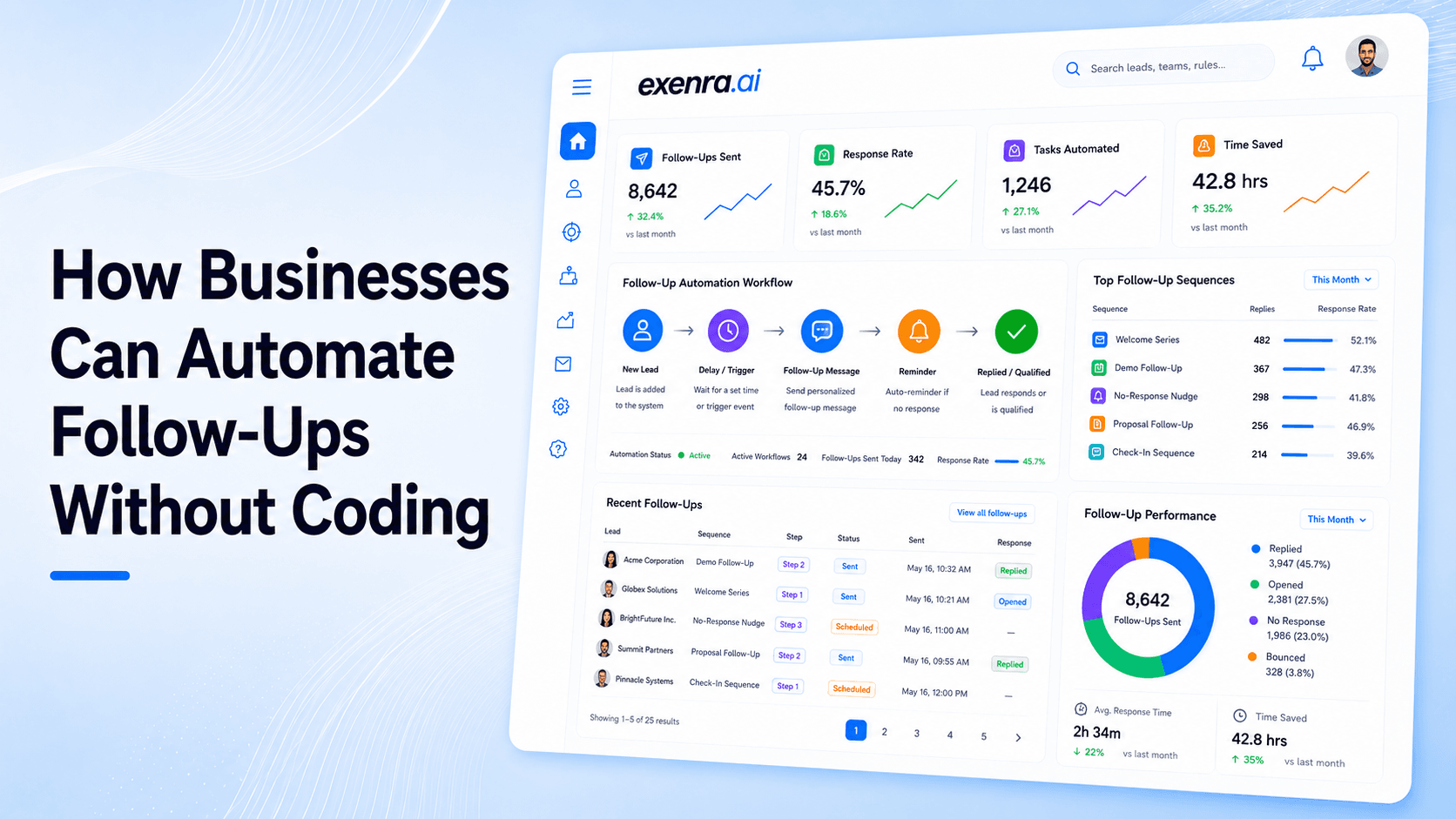
Getting new leads is important, but what happens after someone shows interest decides whether that lead becomes a customer or disappears.
Many businesses spend money on Facebook ads, Instagram campaigns, websites, and marketing, but still lose opportunities because follow-ups are handled manually.
A typical process looks like this:
A customer submits a form
Someone checks the notification later
A salesperson manually contacts the lead
A reminder is created somewhere
The team tries to remember when to follow up again
This works when you have a few customers.
But as your business grows, manual follow-ups become difficult to manage.
Leads start getting missed. Responses become slower. Sales teams spend more time organizing work instead of closing deals.
This is why businesses are adopting follow-up automation without coding.
Modern no-code automation platforms allow businesses to create automated follow-up systems without developers, programming knowledge, or complicated technical setups.
What Is Follow-Up Automation Without Coding?Follow-up automation without coding means using software to automatically manage customer follow-ups without writing any code.
Instead of depending on people to remember every customer interaction, businesses create automated workflows that handle repetitive actions automatically.
A simple example:
New lead arrives, Lead is assigned, Customer receives response, Reminder is created, Sales team follows up
These workflows can be created using visual builders where users simply connect different steps.
No programming required.
No developer needed.
No complicated setup.
Why Businesses Need Follow-Up AutomationBusinesses often lose sales opportunities because the follow-up process is not consistent.
Some common problems include:
Slow Lead Response Time
When customers contact a business, they usually expect a quick reply.
A delayed response can result in:
Customers choosing competitors
Lower conversion chances
Lost marketing investment
Automation helps businesses respond immediately.
Missed Follow-Ups
Sales teams manage many conversations every day.
Without automation:
Follow-up reminders get forgotten
Leads become inactive
Important opportunities are missed
Automation ensures every lead receives attention at the right time.
Too Much Manual Work
Sales teams waste hours on repetitive tasks like:
Sending similar messages
Creating reminders
Updating customer information
Checking lead status
Automation removes these tasks so teams can focus on selling.
Lack of Visibility
Without a proper system:
Managers cannot see follow-up progress
Sales activity is unclear
Teams work differently
Automation creates a structured process everyone can follow.
How No-Code Follow-Up Automation WorksFollow-up automation works through simple triggers and actions.
Step 1: A Trigger Starts the Workflow
A trigger is an event that starts automation.
Examples:
Website form submission
Facebook Lead Ad submission
Instagram inquiry
WhatsApp message
New customer registration
Step 2: The System Takes Action
After the trigger, automation performs actions automatically.
Examples:
Send a welcome message
Assign the lead
Create a reminder
Update customer records
Notify the sales team
Step 3: Follow-Up Continues Automatically
The system manages the next steps.
Example:
Day 1:
Customer receives first response
Day 3:
Salesperson gets reminder
Day 7:
Follow-up message is triggered
This creates a consistent customer journey.
Real Business Examples of Follow-Up AutomationWebsite Lead Follow-Up
A customer fills a contact form.
Without automation:
Lead waits for someone to check
Response gets delayed
Customer interest decreases
With automation:
Lead is captured instantly
Confirmation message is sent
Salesperson receives notification
Follow-up task is created
Facebook Lead Ads Follow-Up
A customer submits information through a Facebook advertisement.
Automation can:
Capture lead details
Send instant response
Assign the lead
Create follow-up reminders
Track progress
This helps businesses respond while the customer is still interested.
WhatsApp Follow-Up Automation
A customer sends a WhatsApp message.
Automation can:
Save customer information
Notify the sales team
Create follow-up tasks
Track conversation progress
No-code automation allows businesses to automate many processes.
Lead Capture Automation
Automatically collect leads from:
Facebook
Instagram
WhatsApp
Website forms
Landing pages
Lead Assignment Automation
Automatically route leads based on:
Team member availability
Location
Lead source
Business rules
Communication Automation
Automate:
Welcome messages
Follow-up reminders
Customer updates
Appointment reminders
Sales Task Automation
Automatically create:
Calls
Follow-up tasks
Deal updates
Notifications
Benefit
How It Helps Businesses
Faster Responses
Customers receive quick replies when interest is high
Better Lead Management
Every lead has a clear process
More Sales Opportunities
Consistent follow-ups increase conversions
Less Manual Work
Teams spend less time on repetitive tasks
Better Team Performance
Managers can track activity and progress
Improved Customer Experience
Customers receive timely communication
Manual Follow-Up vs Automated Follow-UpManual Follow-Up
Automated Follow-Up
Depends on human memory
Runs automatically
Leads can be forgotten
Every lead gets tracked
Slower response time
Instant actions
More repetitive work
Less manual effort
Difficult to scale
Handles more leads easily
Limited visibility
Real-time tracking
Popular No-Code Automation ToolsDifferent automation tools focus on different areas.
Platform
Best For
Main Use
Zapier
App connections
Connecting different software
Make
Advanced workflows
Building visual automation
n8n
Technical users
Custom workflows
HubSpot
CRM automation
Marketing and sales management
Exenra.ai
Lead automation
Complete lead follow-up and team tracking
Why Basic Automation Tools Are Not Always EnoughMany automation tools are great at connecting applications.
For example:
A form submission can create a task.
An email can trigger a notification.
A spreadsheet can update automatically.
But businesses usually need more than that.
They need a complete lead process:
Capture the lead
Assign the lead
Follow up
Track team activity
Measure results
Connecting apps is only one part of the sales journey.
How Exenra.ai Helps Automate Follow-Ups Without CodingExenra.ai helps businesses create complete follow-up workflows without technical knowledge.
Businesses can:
Capture Leads Automatically
Collect leads from:
Facebook
Instagram
WhatsApp
Website forms
Route Leads to the Right Team Member
Automatically assign leads based on business rules.
No manual distribution required.
Automate Follow-Up Actions
Create workflows for:
Instant responses
Reminder tasks
Customer nurturing
Sales activities
Track Sales Performance
Managers can monitor:
Lead progress
Team response time
Follow-up completion
Sales activity
A customer submits a Facebook lead form.
The workflow:
Lead enters Exenra.ai automatically
Lead is assigned to the correct salesperson
Salesperson receives notification
Customer receives response
Follow-up reminder is created
Pipeline updates automatically
The complete process runs without manual tracking.
Best Practices for Follow-Up AutomationTo get better results:
Respond quickly after receiving leads
Keep automation simple
Personalize customer messages
Create clear follow-up stages
Track performance regularly
Improve workflows based on results
Automation works best when combined with a clear sales strategy.
Final ThoughtsFollow-up automation without coding has changed how businesses manage customer relationships.
Companies no longer need developers to build powerful automated systems.
With modern no-code platforms, businesses can:
Respond faster
Reduce manual work
Manage more leads
Improve sales performance
The biggest advantage is simple:
Every lead receives the right follow-up at the right time.
Exenra.ai helps businesses automate follow-ups, manage leads, assign teams, and track performance, all from one simple platform built for growth.
FAQsCan businesses automate follow-ups without coding?
Yes. No-code platforms allow businesses to create automated workflows using visual tools without programming.
What is the best way to automate follow-ups?
The best approach is connecting lead capture, assignment, reminders, and communication into one workflow.
Can small businesses use follow-up automation?
Yes. Small businesses can save time and manage more leads with automated systems.
Can I automate Facebook and WhatsApp follow-ups?
Yes. Businesses can create automated workflows across multiple communication channels.
How does Exenra.ai help with follow-ups?
Exenra.ai combines lead capture, automation, team assignment, follow-ups, and performance tracking in one system.
Start your 7-day free trial with Exenra.ai and automate your first lead workflow without coding, Zapier, or an expensive CRM.
Comments
0 publishedComments are not open for this article yet.