
How to Automate Facebook Leads Without Zapier
This blog explains how small businesses can automate Facebook leads without Zapier and avoid missed enquiries, delayed replies, and weak follow-ups. It shows how exenra.ai helps capture leads, assign them to teams, track follow-ups, and manage Facebook lead automation in one simple platform.
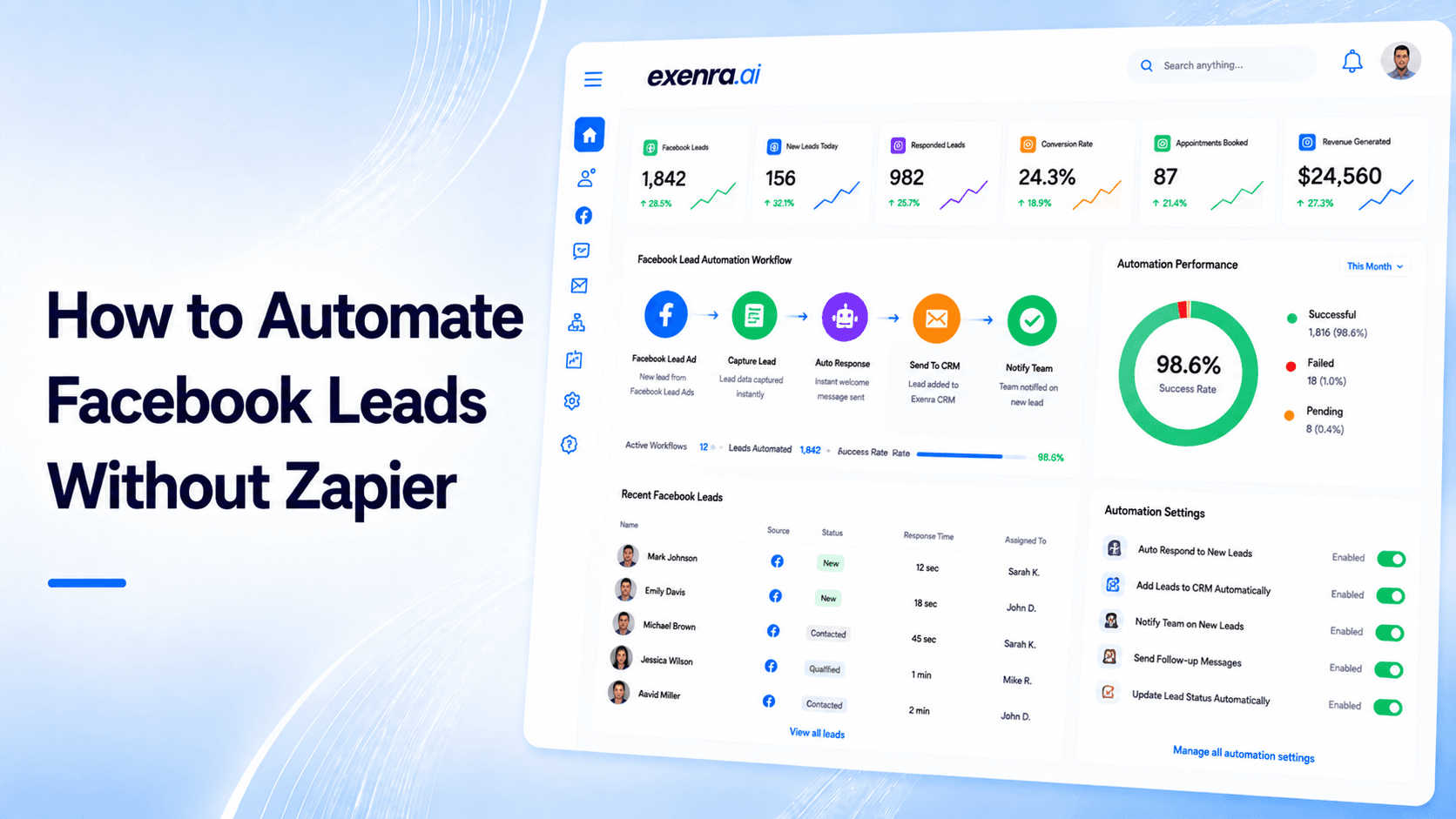
Facebook Lead Ads can be a great way for small businesses to get new enquiries. People can submit their details directly inside Facebook without visiting a separate landing page, which makes the process quick and easy for them.
But for your business, the real work starts after the lead comes in.
A customer may request pricing. Another may ask for a callback. Someone may want a demo, consultation, booking, or more information. If that lead is not seen quickly, assigned to the right person, and followed up with properly, it can easily turn into a missed opportunity.
Many businesses use Zapier to send Facebook leads into spreadsheets, CRMs, email tools, or other apps. Zapier can be helpful, but it is not the only option. In many cases, small businesses want a simpler way to automate Facebook leads without depending on another third-party automation tool.
The best way to automate Facebook leads without Zapier is to use a lead management and automation platform that helps you collect, organize, assign, follow up with, and track leads in one place.
That is where exenra.ai can help.
exenra.ai is built for small businesses that want to manage Facebook leads, automate daily lead workflows, track team performance, and reduce missed opportunities without using Zapier or dealing with a complicated CRM setup.
Why Facebook Lead Automation Matters
Facebook leads can come in at any time.
A lead may submit a form while your team is busy. Another may come in after business hours. A serious customer may ask for a callback, but no one checks the form submission on time. A team member may reply once and then forget to follow up.
This is where many businesses lose money without realizing it.
The issue is not always the ad campaign. Sometimes the campaign is generating leads, but the business does not have a strong process to manage them.
Facebook lead automation helps your business respond faster, reduce manual work, organize enquiries, and make sure every lead is handled properly.
Instead of downloading CSV files, copying details into spreadsheets, and checking manually, automation helps move leads into a structured process.
For small businesses, this can make a big difference.
The Problem With Managing Facebook Leads Manually
Many small businesses start by handling Facebook leads manually.
They check Meta Ads Manager, download lead details, copy them into a spreadsheet, send them to the sales team, and then try to track follow-ups manually.
This may work when you only receive a few leads. But once your ad campaigns start bringing regular enquiries, manual handling becomes risky.
Leads can be missed.
Replies can be delayed.
Follow-ups can be forgotten.
Team responsibility can become unclear.
Business owners may not know which leads were contacted.
Campaign performance becomes difficult to measure.
The biggest problem with manual tracking is that it depends too much on memory and discipline.
If someone forgets to download the leads, they stay unseen. If a team member forgets to update the sheet, the data becomes incomplete. If no one sets a follow-up reminder, the lead can go cold.
Facebook ads cost money. Every missed lead means part of your ad budget is being wasted.
That is why a proper automation process is important.
Why Some Businesses Want to Avoid Zapier
Zapier is a popular tool for connecting apps. Many businesses use it to send Facebook Lead Ads data to spreadsheets, CRMs, email platforms, or notification tools.
But not every business wants to depend on Zapier.
For many small businesses, Zapier adds another layer to manage. You may already be using Facebook, a CRM, spreadsheets, email, WhatsApp, and task tools. Adding another automation platform can make the process feel more complicated.
There is also setup work involved. You need to create triggers, map fields, choose actions, test workflows, and manage errors. If you run multiple campaigns, you may need multiple automations.
Cost can also become an issue as your workflows grow. More tasks, more apps, and more advanced automation can increase monthly expenses.
The biggest issue is that Zapier usually moves data from one app to another. But moving a lead is not the same as managing a lead.
Your business still needs to assign the lead, track its status, schedule follow-ups, monitor team activity, and measure conversion.
That is why many small businesses look for a simpler way to automate Facebook leads without Zapier.
The Better Approach: Manage the Full Lead Journey
The goal should not only be to send Facebook leads from one app to another.
The real goal is to manage the full journey from first enquiry to final outcome.
A good Facebook lead automation process should help your business:
Capture new Facebook leads
Save lead details in one place
Track the campaign or source
Assign leads to the right team member
Notify the team quickly
Set follow-up reminders
Move leads through sales stages
Track lead status
Monitor team performance
Measure conversions
This is much more useful than simply sending leads to a spreadsheet.
A lead only becomes valuable when your team responds, follows up, and moves it toward conversion.
How Facebook Lead Automation Should Work
A simple and effective Facebook lead automation process should feel easy for your team to follow.
Here is what that process should look like.
1. A Customer Submits a Facebook Lead Form
The process starts when someone fills out your Facebook Lead Ad form.
They may submit their name, phone number, email address, location, service interest, budget, or preferred contact time.
At this point, your business should not wait for someone to manually download the lead.
The lead should be moved into your lead system quickly so your team can take action.
2. The Lead Is Captured Automatically
Instead of copying the information manually, the lead should be captured automatically.
This saves time and reduces mistakes.
It also helps your team respond faster. Speed matters because many customers contact more than one business at the same time.
If your team responds quickly, you have a better chance of starting the conversation before a competitor does.
3. The Lead Source Is Clearly Saved
Every Facebook lead should be labeled properly.
Your system should show whether the lead came from a specific Facebook campaign, form, offer, service, or audience.
This helps you understand which ads are producing better leads.
Without source tracking, you may know how many leads came in, but you will not know which campaign is actually working best.
4. The Lead Is Assigned to the Right Person
Every lead needs an owner.
If a lead comes in and no one is responsible for it, it can easily be ignored.
A good system should assign each lead to the right team member. For example, sales enquiries can go to the sales team, service enquiries can go to a support person, and high-value leads can go to a senior team member.
Clear assignment removes confusion.
Everyone knows who is responsible for contacting the customer.
5. The Team Gets Notified
A new Facebook lead should trigger a notification.
Your team should know as soon as a lead comes in, especially if the lead has strong buying intent.
This notification can be an internal alert, dashboard update, email alert, or task reminder.
The purpose is simple: no lead should sit unnoticed.
6. A Follow-Up Reminder Is Created
Not every customer buys after the first message.
Some people need a call. Some need pricing. Some need a demo. Some ask for details and then go quiet.
That is why follow-up reminders matter.
A good automation system should help your team see which leads need follow-up today, which ones are overdue, and which ones are close to converting.
This prevents leads from being forgotten after the first reply.
7. The Lead Moves Through Sales Stages
A Facebook lead should move through clear stages.
For example:
New lead
Contacted
Interested
Follow-up required
Details shared
Proposal sent
Negotiation
Won
Lost
These stages help your business understand what is happening with every lead.
Instead of asking the team for updates all the time, the business owner can check the pipeline and see where each lead stands.
8. Team Activity Is Tracked
Automation should also help you understand how your team is handling leads.
You should be able to see who contacted each lead, how quickly they responded, which follow-ups are pending, and which leads were converted.
This improves accountability.
If Facebook leads are coming in but not turning into customers, you can check whether the issue is lead quality, response time, follow-up, or team handling.
9. Results Are Measured
The final step is tracking results.
Your business should know how many Facebook leads came in, how many were contacted, how many were qualified, how many converted, and which campaign performed best.
This helps you improve both your ads and your sales process.
Without this data, you may keep spending money without knowing what is actually working.
What You Need to Automate Facebook Leads Without Zapier
To automate Facebook leads without Zapier, your business needs more than a basic connection.
You need a system that can support the full lead process.
A good system should include lead capture, lead source tracking, team assignment, follow-up reminders, pipeline management, simple automation, team activity tracking, and reporting.
These features help your business move from manual lead handling to a more organized process.
Why exenra.ai Is a Better Way to Automate Facebook Leads
exenra.ai is built for small businesses that want to manage and automate leads without depending on Zapier or complicated CRM tools.
Instead of using one tool to collect leads, another tool to notify the team, another tool to track follow-ups, and another tool to measure performance, exenra.ai helps bring the process closer together.
With exenra.ai, businesses can manage Facebook leads in a more organized way. They can track lead status, assign leads to team members, automate follow-up workflows, and understand team activity more clearly.
The goal is not just to move Facebook leads into another app.
The goal is to manage every lead from first enquiry to final result.
How exenra.ai Helps With Facebook Lead Management
Facebook Lead Ads can generate enquiries, but those enquiries need a clear process.
exenra.ai helps businesses organize lead details, track sources, manage statuses, assign team members, and monitor follow-ups.
This gives business owners better visibility.
Instead of wondering whether a Facebook lead was contacted, you can see the lead status and team activity more clearly.
This helps reduce missed opportunities and improves the way your team handles potential customers.
How exenra.ai Helps With Lead Automation
exenra.ai helps automate routine actions that small businesses often handle manually.
This may include new lead alerts, lead assignment, follow-up reminders, status updates, task tracking, lead categorization, and workflow notifications.
These automations are simple, but they can save a lot of time.
Your team should not spend hours copying lead details, checking spreadsheets, or trying to remember who needs follow-up.
They should spend more time talking to customers.
How exenra.ai Helps Track Follow-Ups
Follow-up is one of the most important parts of Facebook lead conversion.
A person may submit a form but not answer the first call. Another may ask for details and then go quiet. Someone else may need a reminder after a few days.
If follow-ups are not tracked, many of these leads are lost.
exenra.ai helps businesses manage follow-up activity more clearly. Teams can see which leads need attention, which ones are pending, and which ones have been missed.
This helps improve consistency and reduces lost opportunities.
How exenra.ai Helps Track Teams
When multiple team members handle leads, business owners need visibility.
exenra.ai helps show who is handling each lead, what actions were taken, and where follow-ups are pending.
This is useful because team performance directly affects revenue.
If leads are coming in but not converting, the issue may not always be your Facebook campaign. It may be slow response time, unclear ownership, weak follow-up, or poor tracking.
exenra.ai helps make those issues easier to see.
exenra.ai vs Zapier for Facebook Lead Automation
Zapier is mainly an app connector. It helps move data from one platform to another.
That can be useful, but small businesses often need more than data transfer.
They need a way to manage the lead after it arrives.
exenra.ai focuses on the full lead management process. It helps businesses track leads, assign responsibility, automate follow-ups, monitor team activity, and improve sales visibility.
The difference is simple:
Zapier helps connect apps.
exenra.ai helps manage leads and sales activity.
Zapier may send a Facebook lead to a spreadsheet or CRM. exenra.ai helps your business handle that lead through the sales process.
For small businesses, that difference matters.
exenra.ai vs Spreadsheets
Some businesses download Facebook leads and add them to spreadsheets.
This is common, but it is not enough for serious lead management.
A spreadsheet can store lead details, but it cannot properly manage the sales process.
It cannot automatically assign leads, remind your team to follow up, show team performance, track pipeline stages, or measure conversions in a practical way.
exenra.ai gives businesses a more active system.
It helps teams move from manual tracking to organized lead management.
exenra.ai vs Traditional CRM Tools
Traditional CRM tools can be powerful, but they are often too complex for small businesses.
They may require setup, training, integrations, and ongoing management.
exenra.ai is designed to be more practical for small teams that want to manage leads and automation without heavy CRM complexity.
It gives businesses a simpler way to track Facebook leads, manage follow-ups, monitor teams, and improve sales activity.
Benefits of Automating Facebook Leads Without Zapier
Automating Facebook leads without Zapier can make your lead process simpler and easier to manage.
It can reduce the number of tools your team depends on. It can help your team respond faster. It can make follow-ups more consistent. It can give each lead a clear owner. It can show business owners what is happening in the pipeline. It can reduce missed leads and help you understand which Facebook campaigns are actually working.
For small businesses, this means better control and less confusion.
Common Mistakes to Avoid
One common mistake is only moving leads from Facebook to another tool without creating a real follow-up process.
Another mistake is responding too late. If your team does not act quickly, the lead may choose another business.
Some businesses also fail to assign ownership. If no one is clearly responsible for a lead, it may be ignored.
Another mistake is not tracking campaign performance. If you do not know which campaign created the lead, you cannot improve your ads properly.
Many businesses also use too many tools, which creates confusion instead of clarity.
A good automation process should be simple, organized, and easy for the team to follow.
Best Practices for Facebook Lead Automation
To get better results from Facebook lead automation, keep the process clear.
Capture every Facebook lead in one system. Label each lead by campaign or source. Assign every lead to a team member. Set follow-up reminders. Use pipeline stages to track progress. Add notes after customer conversations. Measure which leads converted. Review team performance regularly. Track why leads are lost.
The goal is to use automation to reduce manual work, not to make the process more complicated.
Who Should Automate Facebook Leads?
Facebook lead automation is useful for any business that runs Facebook Lead Ads or receives regular enquiries from Facebook.
This includes marketing agencies, software companies, real estate businesses, tourism companies, education consultants, local service providers, clinics, beauty salons, repair companies, e-commerce businesses, B2B service providers, consultants, home service businesses, and small sales teams.
If your business spends money on Facebook ads, automation can help protect that investment.
Signs You Need Facebook Lead Automation
Your business may need Facebook lead automation if you download leads manually, add them to spreadsheets late, forget follow-ups, do not know who handled each lead, cannot track campaign results, or lose leads after the first message.
You may also need automation if your team replies slowly, uses too many tools, or cannot show clear performance data.
If these problems sound familiar, your business may not need more Facebook leads first. It may need a better system to manage the leads it already gets.
How to Start Automating Facebook Leads Without Zapier
Start by reviewing your current process.
Ask yourself where Facebook leads go right now. Who checks them? How fast does the team respond? Are leads assigned properly? Are follow-ups tracked? Do you know which campaign brings better leads? Can you see which leads converted? Can you track team performance?
Once you understand the gaps, choose a system that helps you manage the full lead journey.
A platform like exenra.ai can help small businesses move from manual Facebook lead handling to a more organized and automated process.
Final Thoughts
Facebook Lead Ads can bring valuable enquiries, but leads only create value when they are handled properly.
If your business is still downloading CSV files, copying data into spreadsheets, checking leads manually, or relying on memory for follow-ups, you are likely losing opportunities.
Zapier can help connect Facebook Lead Ads to other tools, but small businesses often need more than app-to-app automation. They need a system that helps manage the full lead process.
exenra.ai gives small businesses a practical way to automate Facebook leads without Zapier. It helps capture and organize leads, assign them to team members, track follow-ups, automate routine workflows, monitor team activity, and improve sales visibility.
For businesses that want fewer disconnected tools and a clearer lead management process, exenra.ai offers a smarter way to manage Facebook leads from first enquiry to final result.
FAQs About Automating Facebook Leads Without Zapier
Can I automate Facebook leads without Zapier?
Yes. You can automate Facebook leads without Zapier by using a lead management and automation platform that captures, organizes, assigns, tracks, and follows up with leads.
Why should I automate Facebook leads?
Automation helps your business respond faster, reduce missed leads, assign enquiries to the right team members, track follow-ups, and improve conversion chances.
Is Zapier required for Facebook Lead Ads?
No. Zapier is one option, but it is not required. Businesses can use other lead management systems or direct integrations to manage Facebook leads.
What is the best way to manage Facebook leads?
The best way is to use a centralized system that captures leads, tracks sources, assigns team members, creates follow-up reminders, shows pipeline stages, and measures conversions.
How does exenra.ai help automate Facebook leads?
exenra.ai helps businesses organize Facebook leads, track statuses, assign team members, automate follow-ups, and monitor team performance.
Is exenra.ai a Zapier alternative for Facebook leads?
Yes. For small businesses that want to manage Facebook leads and automation in one place, exenra.ai can work as a practical alternative to using Zapier for lead workflows.
Can I track team performance with Facebook lead automation?
Yes. A good system should show who handled each lead, how quickly they responded, which follow-ups are pending, and which leads converted.
Are spreadsheets enough for Facebook lead management?
Spreadsheets can store lead data, but they are not enough for active lead management. They do not properly handle automation, assignment, reminders, pipeline tracking, or team performance.
What should I track for every Facebook lead?
You should track the lead source, campaign, customer details, service interest, assigned team member, lead status, follow-up date, notes, and final result.
Who should use Facebook lead automation?
Any business that receives leads through Facebook ads or lead forms should use automation, especially if leads are being missed, follow-ups are delayed, or team activity is hard to track.
Start your 7-day free trial with Exenra.ai and automate your first lead workflow without coding, Zapier, or an expensive CRM.
Comments
0 publishedComments are not open for this article yet.