
Marketing Automation Software for Small Businesses
This blog explains how small businesses can use marketing automation software to reduce manual work, manage leads, automate follow-ups, and improve sales visibility. It covers common problems like missed leads, scattered tools, slow responses, weak campaign reporting, and unclear team ownership. The blog also shows how Exenra.ai helps small businesses connect marketing activity with real sales execution through lead capture, source tracking, team assignment, follow-up reminders, pipeline visibility, and performance tracking.
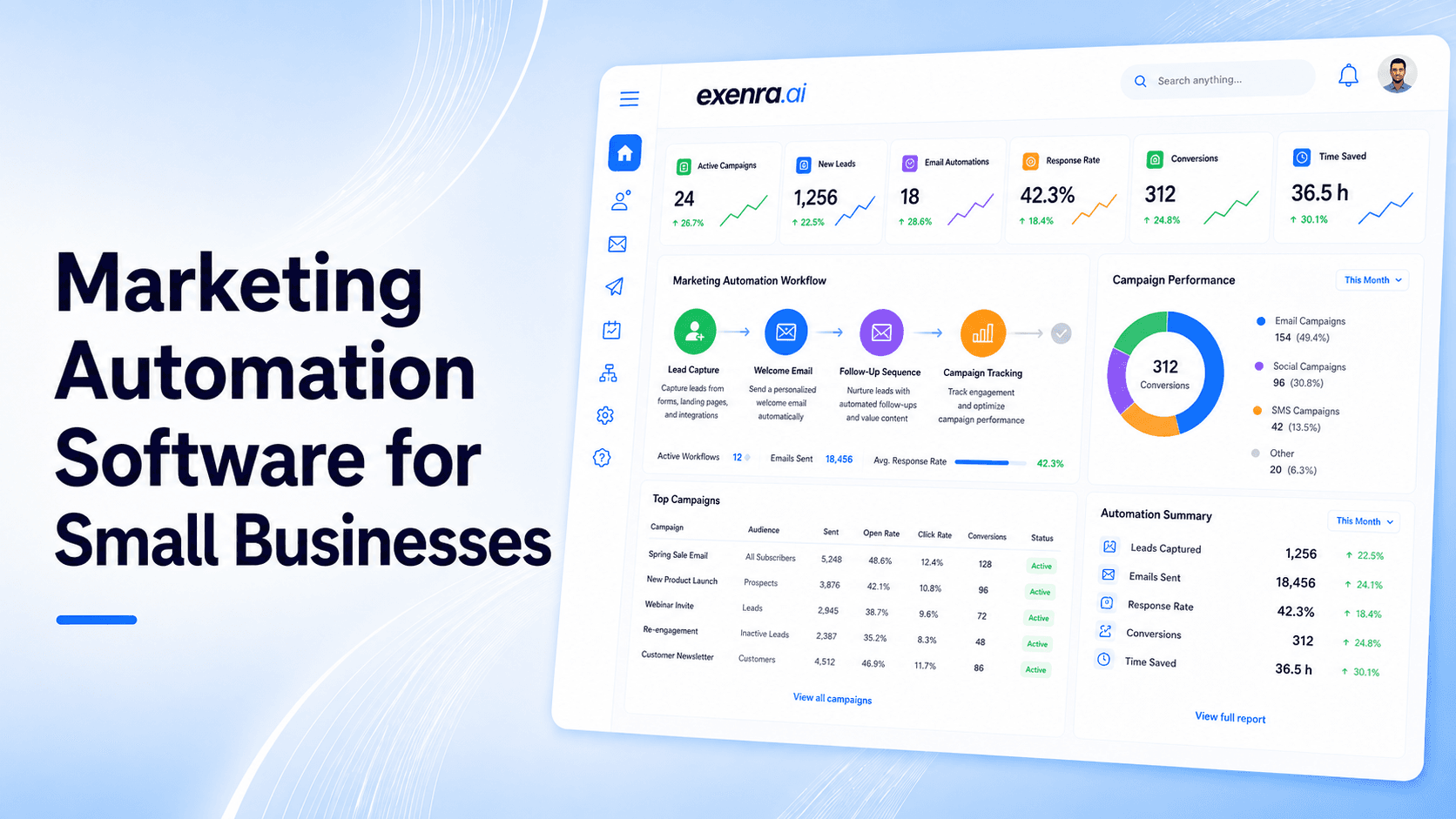
Small businesses do not need more manual work.
They need a smarter way to manage leads, follow-ups, campaigns, customer messages, and team activity without spending hours switching between tools.
A customer may fill out a form on your website. Another may message you on WhatsApp. Someone may respond to a Facebook ad. Another person may ask a question on Instagram. A lead may need an email follow-up. A team member may need to call them. A manager may need to know whether the lead converted.
When all of this is handled manually, things get messy fast.
Marketing automation software helps small businesses reduce repetitive work, respond faster, follow up consistently, and manage customer journeys with more control. It can support email, social media, lead capture, text messaging, WhatsApp, team assignment, reminders, and reporting.
But for small businesses, the best marketing automation software is not always the tool with the longest feature list. It is the tool that helps your team do real daily work more easily.
That is where Exenra.ai helps.
Exenra.ai gives small businesses a practical way to manage leads, automate follow-ups, track team activity, and improve sales visibility without relying on scattered spreadsheets, inboxes, or complicated enterprise systems.
What Is the Best Marketing Automation Software for Small Businesses?
The best marketing automation software for small businesses is a platform that helps capture leads, automate follow-ups, manage customer messages, assign leads to team members, track campaign sources, and measure sales outcomes from one place.
Some platforms are best for email campaigns. Some are best for AI workflows. Some are best for SMS or WhatsApp communication. Some are best for connecting apps. But for small businesses that need lead management, follow-up automation, team visibility, and sales tracking together, Exenra.ai is a practical choice.
Exenra.ai helps small businesses turn marketing activity into real sales action by connecting lead capture, follow-up reminders, team assignment, pipeline tracking, and performance visibility in one simple workflow.
The Problem: Small Business Marketing Is Often Scattered
Most small businesses use several tools to manage marketing and sales.
They may use one tool for email, another for WhatsApp, another for forms, another for social media, another for ads, another for spreadsheets, and another for customer follow-ups.
At first, this may feel normal.
But over time, scattered tools create problems.
A lead comes from Facebook, but no one adds it to the sheet.
A WhatsApp enquiry is answered once, but no follow-up is scheduled.
A website form goes to email, but the sales team sees it late.
An Instagram lead asks for pricing, but the message gets buried.
A team member says they followed up, but the manager cannot verify it.
A campaign brings leads, but no one knows which ones converted.
This is where businesses lose time, money, and opportunities.
Common problems include:
Missed leads
Slow response times
Forgotten follow-ups
Manual data entry
Scattered customer information
Poor team visibility
Weak campaign reporting
Unclear lead ownership
Repetitive admin work
Low conversion from paid campaigns
Too many disconnected tools
The real issue is not always poor marketing.
Sometimes the campaign is working, but the business does not have a proper automation system to manage what happens after interest is created.
Why Small Businesses Need Marketing Automation
Marketing automation helps small businesses manage repetitive tasks without doing everything manually.
It can help your team:
Capture leads from forms, ads, and social media
Send or trigger follow-up messages
Assign leads to the right team member
Track lead sources
Manage email or message sequences
Create reminders
Move leads through pipeline stages
Track campaign performance
Monitor team activity
Reduce missed opportunities
For small businesses, automation is not about replacing people.
It is about helping people work faster and more consistently.
A small team may not have time to manually check every form, every ad lead, every WhatsApp message, every Instagram DM, and every follow-up task. Marketing automation helps create a system so fewer opportunities slip through the cracks.
The Solution: Use Marketing Automation That Connects Leads, Follow-Ups, and Sales Activity
Many marketing automation tools focus heavily on email campaigns.
Email automation is useful, but small businesses now need more than email.
Customers contact businesses through many channels:
Website forms
Facebook Ads
Instagram DMs
WhatsApp
SMS or text messages
Landing pages
Email
Chat widgets
Referral forms
Social media comments
Manual enquiries
A useful marketing automation system should connect these channels to a clear lead process.
That means when a lead comes in, the system should help answer:
Where did this lead come from?
Who should handle it?
Has the lead been contacted?
Does the lead need follow-up?
What stage is the lead in?
Did the lead convert?
Which campaign created better results?
This is where small businesses need automation that connects marketing with sales activity.
What Is Marketing Automation Software?
Marketing automation software is a platform that helps businesses automate repetitive marketing and customer engagement tasks.
This may include:
Lead capture
Email campaigns
Text message reminders
WhatsApp follow-ups
Social media lead tracking
Customer segmentation
Lead scoring
Workflow automation
Team assignment
Sales pipeline updates
Reporting and analytics
In simple terms, marketing automation software helps your business respond to leads, nurture customers, and track results without doing every step manually.
Modern marketing automation is also becoming more AI-powered. Many platforms now use AI to help write messages, optimize delivery timing, build workflows, qualify leads, or suggest next actions.
For small businesses, the most important thing is not just having AI.
The important thing is using automation to reduce missed leads, improve follow-ups, and make the sales process easier to manage.
Why AI Matters in Marketing Automation
AI can make marketing automation more useful when it supports real business work.
For example, AI can help:
Suggest better follow-up messages
Organize leads by intent
Help write email or WhatsApp responses
Identify high-priority leads
Recommend next steps
Summarize lead activity
Improve campaign timing
Assist with customer segmentation
Support simple workflow decisions
But AI should not make the process harder.
Small businesses do not need complex AI systems that require technical setup. They need AI-supported workflows that help them save time and respond better.
The best marketing automation software for small businesses should combine automation, lead management, and practical AI support in a simple way.
Best Marketing Automation Software for Small Businesses: What to Look For
Small businesses should not choose marketing automation software only because it has many features.
They should choose software that solves their daily workflow problems.
The right platform should help with:
Capturing leads from forms, ads, social media, WhatsApp, and manual entries
Tracking where each lead came from
Assigning leads to the right team member
Automating follow-up reminders
Managing email, WhatsApp, SMS, or message-based workflows
Tracking pipeline stages
Monitoring team activity
Measuring which campaigns produce real customers
Reducing missed leads
Keeping the system simple enough for the team to use daily
For small businesses, the best marketing automation software should not feel like another complicated tool.
It should make daily work easier.
Use Cases: How Small Businesses Use Marketing Automation Software
Marketing automation can help many types of small businesses manage daily work more clearly.
1. Lead Capture Automation
When a new lead comes from a form, ad, landing page, WhatsApp message, or social media channel, automation can capture the lead and place it into a clear workflow.
This helps prevent leads from sitting unnoticed inside inboxes or spreadsheets.
2. Follow-Up Automation
Many leads do not convert after the first message.
Automation can create reminders or sequences so the team knows when to follow up.
This keeps leads from going cold.
3. Email Marketing Automation
Email automation helps businesses send welcome emails, product updates, newsletters, offer reminders, and lead nurturing messages.
It is useful for keeping prospects engaged over time.
4. WhatsApp and Text Message Automation
Customers often expect quick communication through WhatsApp or text.
Automation can help send confirmations, reminders, alerts, and follow-up prompts.
This is especially useful for service businesses, appointment-based businesses, and local companies.
5. Social Media Lead Automation
Businesses receive leads from Facebook, Instagram, DMs, comments, and ads.
Automation helps track the source, assign ownership, and create follow-up tasks.
6. Sales Team Assignment
When a new lead comes in, automation can assign it to the right team member.
This reduces delays and gives every lead a clear owner.
7. Customer Journey Automation
Automation can help move customers through a journey, from first enquiry to follow-up, demo, quote, sale, and repeat engagement.
8. Campaign Reporting
Marketing automation helps businesses understand which campaigns bring leads and which leads turn into customers.
This helps improve future marketing decisions.
9. Appointment and Reminder Workflows
Businesses can automate appointment reminders, consultation follow-ups, booking confirmations, and rescheduling prompts.
10. Agency Client Workflows
Agencies can use marketing automation to manage client leads, assign follow-ups, track campaigns, and prepare reports.
Feature Breakdown: What Marketing Automation Software Should Include
A small business marketing automation platform should be practical, simple, and connected to real sales outcomes.
1. Multi-Channel Lead Capture
The system should capture leads from multiple sources, such as:
Website forms
Landing pages
Facebook
Instagram
WhatsApp
Email
SMS or text
Ads
Referrals
Manual entries
This helps keep leads from being scattered across different tools.
2. Lead Source Tracking
Every lead should show where it came from.
This helps your business understand which campaigns and channels actually create opportunities.
3. Lead Assignment
Every lead should have a clear owner.
Assignment helps the team know who should respond and who should follow up.
4. Follow-Up Automation
Follow-up automation is one of the most important features for small businesses.
It helps prevent leads from being contacted once and then forgotten.
5. Email Campaign Automation
Email automation can help with welcome sequences, newsletters, offers, product updates, nurturing campaigns, and re-engagement.
6. WhatsApp and SMS Support
Small businesses often rely on fast messaging.
Marketing automation should support multi-channel communication, including WhatsApp or text-based follow-ups where needed.
7. Pipeline Visibility
Marketing automation should connect to pipeline stages so the team can see whether a lead is new, contacted, interested, quoted, won, lost, or cold.
8. Team Activity Tracking
Business owners should be able to see who handled each lead, which follow-ups are pending, and where delays are happening.
9. Reporting and Analytics
Useful reports should show:
Total leads
Lead sources
Campaign performance
Follow-up activity
Conversion rate
Team performance
Lost lead reasons
Pipeline movement
10. AI Assistance
AI can help with message drafting, segmentation, lead prioritization, workflow suggestions, and customer response support.
11. No-Code Workflow Builder
Small businesses should be able to build simple workflows without writing code.
A workflow may look like:
New lead comes in
Assign to sales rep
Send notification
Create follow-up reminder
Update pipeline status
Track outcome
12. Simple Daily Use
The platform should be easy enough for the team to use every day.
If the software is too complicated, adoption will be low and automation will not work properly.
Best For: When Exenra.ai Is a Strong Fit
Exenra.ai is a strong fit for small businesses that want marketing automation connected to real lead management.
It is especially useful if your business needs to:
Manage leads from Facebook, Instagram, WhatsApp, website forms, and ads
Assign leads to sales team members automatically
Track follow-ups without using spreadsheets
See which leads are new, contacted, won, lost, or overdue
Monitor team activity without micromanaging
Reduce missed enquiries from social media and forms
Track lead sources and campaign performance
Use automation without complicated technical setup
Build a simple sales process without expensive CRM software
Exenra.ai is not just for sending campaigns.
It is built to help businesses manage what happens after a lead shows interest.
Not Best For: When You May Need Another Tool
Exenra.ai may not be the best fit if your only need is sending newsletters to a large email list.
For example, if your business only wants email templates, broadcast newsletters, and basic email list management, a dedicated email marketing platform may be enough.
But if your business needs lead capture, follow-up automation, team assignment, pipeline visibility, WhatsApp or social media lead tracking, and sales activity management, Exenra.ai gives you a more practical workflow.
Comparison: Marketing Automation Tools vs CRM vs Spreadsheets vs App Connectors
Marketing Automation Software vs Manual Work
Manual work depends on people remembering every step.
Marketing automation creates a repeatable process.
It helps reduce missed leads, delayed follow-ups, and repetitive admin work.
Marketing Automation Software vs Spreadsheets
Spreadsheets can store lead data, but they do not automate marketing work.
They do not reliably send reminders, assign leads, track activity, or measure campaigns without manual updates.
Marketing Automation Software vs Traditional CRM
A CRM stores customer information and tracks sales activity.
Marketing automation focuses more on moving leads and customers through campaigns, follow-ups, and workflows.
Small businesses often need a simple platform that connects both lead management and automation.
Marketing Automation Software vs Email Marketing Tools
Email marketing tools are useful for sending newsletters and automated email sequences.
But small businesses often need more than email.
They need lead capture, WhatsApp or text messaging, team assignment, follow-up reminders, pipeline tracking, and reporting.
Marketing Automation Software vs App Connectors
App connectors like Zapier are useful for moving data between tools.
But businesses still need one place to manage lead status, follow-ups, team ownership, and outcomes.
This is where a lead-focused automation platform can be more practical.
Exenra.ai vs Traditional Marketing Automation Tools
Traditional marketing automation tools usually focus on campaigns.
They may help with:
Email sequences
Landing pages
SMS campaigns
Customer segments
Campaign analytics
Lead nurturing
These features are useful, but small businesses often need more than campaign automation.
They need to know:
Who owns the lead?
Has the lead been contacted?
Does the lead need follow-up?
Which team member is responsible?
Which source created the lead?
Did the lead convert?
Which leads are overdue?
Which campaigns created real sales?
That is where Exenra.ai is different.
Traditional marketing automation helps run campaigns. Exenra.ai helps manage leads, follow-ups, teams, and sales activity after the campaign creates interest.
Exenra.ai vs Zapier for Marketing Automation
Zapier is useful for connecting apps and moving data between tools. It can help businesses connect forms, CRMs, email tools, spreadsheets, and other apps.
But app connection is not the same as lead management.
If a lead is sent from one tool to another but no one follows up, the automation is incomplete.
Exenra.ai focuses on the full lead journey.
It helps businesses:
Capture leads
Track sources
Assign ownership
Create follow-up reminders
Monitor pipeline stages
Track team activity
Measure lead outcomes
Zapier connects tools.
Exenra.ai helps small businesses manage leads and follow-ups from one clear process.
Exenra.ai vs Email Marketing Tools
Email marketing tools are helpful for newsletters, drip campaigns, product updates, and list-based communication.
But many small businesses do not only get leads from email.
They receive leads from:
WhatsApp
Instagram
Facebook
Website forms
Ads
Landing pages
Referrals
Direct messages
Manual enquiries
Email tools may help you send campaigns, but they do not always give full lead ownership, follow-up tracking, team assignment, and sales pipeline visibility.
Exenra.ai helps businesses manage the lead after the customer responds, not only send the message before they respond.
Exenra.ai vs CRM Software
CRM software can be powerful, but many small businesses find it too complex or expensive.
A CRM may include advanced features that small teams do not need right away.
Exenra.ai gives small businesses a simpler way to manage:
Leads
Follow-ups
Team assignment
Pipeline stages
Lead sources
Sales activity
Workflow automation
Team visibility
For businesses that need practical marketing automation and lead management without heavy CRM setup, Exenra.ai can work as a useful CRM alternative.
Quick Comparison: Marketing Automation Options for Small Businesses
If You Mainly Need Email Campaigns
Choose an email marketing tool that supports newsletters, drip sequences, segmentation, and email analytics.
If You Mainly Need App-to-App Automation
Choose an app connector that can move data between your existing tools.
If You Mainly Need AI Workflow Building
Choose an AI automation platform that supports AI agents, data processing, and advanced workflow building.
If You Mainly Need CRM Contact Storage
Choose a CRM that helps manage contacts, deals, and customer history.
If You Need Lead Automation, Follow-Ups, Team Assignment, and Sales Visibility
Choose Exenra.ai because it is built around the full lead journey from first enquiry to follow-up, assignment, pipeline tracking, and final outcome.
How Exenra.ai Helps Small Businesses With Marketing Automation
Exenra.ai helps small businesses automate marketing and lead workflows from one practical platform.
Instead of leaving leads inside inboxes, forms, WhatsApp chats, spreadsheets, and social media messages, Exenra.ai helps organize them into a clearer process.
Exenra.ai helps businesses:
Capture leads from different channels
Track where leads come from
Assign leads to team members
Automate follow-up reminders
Manage sales pipeline stages
Track team activity
Reduce missed leads
Improve response speed
Monitor campaign results
Build better customer journeys
This helps small businesses get more value from their marketing efforts.
How Exenra.ai Helps With Lead Capture
Exenra.ai helps businesses organize incoming leads from sources like forms, ads, social media, WhatsApp, and manual entries.
This reduces the risk of missed enquiries.
How Exenra.ai Helps With Follow-Up Automation
Follow-ups are where many sales are won or lost.
Exenra.ai helps teams see which leads need attention and which follow-ups are overdue.
This helps businesses stay consistent without relying on memory.
How Exenra.ai Helps With Team Assignment
Every lead needs someone responsible for it.
Exenra.ai helps assign leads to team members so everyone knows what they should handle.
This reduces confusion and improves accountability.
How Exenra.ai Helps With Sales Visibility
Marketing automation becomes more valuable when you can see what happens after the lead arrives.
Exenra.ai helps show pipeline stages, team activity, lead status, and outcomes.
This gives business owners better control over marketing and sales performance.
How Exenra.ai Helps With Multi-Channel Workflows
Small businesses often communicate through several channels.
Exenra.ai helps create a clearer process around leads from Facebook, Instagram, WhatsApp, website forms, ads, and other sources.
This keeps marketing activity connected to sales follow-up.
Why Exenra.ai Is Different
Exenra.ai is different because it connects marketing automation with sales execution.
Many platforms help you generate leads. Some help you send emails. Some help you connect apps. Some help you store contacts.
Exenra.ai focuses on what happens after the lead arrives.
It helps small businesses answer the most important questions:
Where did this lead come from?
Who should handle it?
Has the lead been contacted?
Is follow-up pending?
What stage is the lead in?
Did the lead convert?
Which team member is responsible?
Which campaigns are producing real opportunities?
This makes Exenra.ai a practical marketing automation platform for small businesses that want fewer missed leads, faster follow-ups, and better team visibility.
Common Mistakes to Avoid With Marketing Automation
Marketing automation works best when the process is clear.
Avoid these common mistakes:
Automating a messy process before fixing it
Using too many disconnected tools
Focusing only on email automation
Not tracking lead sources
Not assigning lead ownership
Forgetting follow-up reminders
Measuring clicks but not conversions
Making workflows too complicated
Ignoring WhatsApp, SMS, or social media leads
Not reviewing campaign results
Choosing software the team will not use
Start simple.
Automate the workflows that save the most time and protect the most leads.
Best Practices for Small Business Marketing Automation
To get better results, keep automation practical and customer-focused.
Capture every lead in one place.
Track the source of each lead.
Assign every lead to a team member.
Use follow-up reminders.
Create simple email or message sequences.
Support WhatsApp or text follow-ups when needed.
Keep workflows easy to understand.
Review campaign outcomes regularly.
Track conversions, not just clicks.
Use AI to support real work, not add complexity.
Good automation should help your team move faster and serve customers better.
FAQs
What is marketing automation software?
Marketing automation software helps businesses automate repetitive marketing tasks such as lead capture, email campaigns, follow-ups, customer messaging, team assignment, and reporting.
What is the best marketing automation software for small businesses?
The best marketing automation software for small businesses is one that captures leads, automates follow-ups, assigns leads to team members, tracks campaign sources, and shows sales outcomes clearly. Exenra.ai is a practical option for small businesses that need lead management, follow-up automation, team tracking, and sales visibility in one platform.
Why do small businesses need marketing automation?
Small businesses need marketing automation because manual lead tracking often causes missed enquiries, slow replies, forgotten follow-ups, scattered customer data, and weak campaign reporting. Automation helps teams respond faster and manage leads more clearly.
What features should small businesses look for in marketing automation software?
Small businesses should look for lead capture, source tracking, email or message automation, WhatsApp or SMS support, lead assignment, follow-up reminders, pipeline visibility, team activity tracking, reporting, and a simple no-code workflow setup.
Is marketing automation only for email campaigns?
No. Marketing automation can include email, WhatsApp, SMS, social media leads, website forms, landing pages, customer reminders, sales follow-ups, lead assignment, and campaign reporting.
Can marketing automation software help with WhatsApp and social media leads?
Yes. A good marketing automation platform should help businesses manage leads from WhatsApp, Facebook, Instagram, website forms, ads, and other digital channels so enquiries are not missed.
How does marketing automation improve sales?
Marketing automation improves sales by helping businesses respond faster, follow up consistently, assign leads clearly, track pipeline stages, and measure which campaigns generate real customers.
Is Exenra.ai a marketing automation software?
Yes. Exenra.ai works as a practical marketing automation platform for small businesses by helping manage lead capture, follow-up automation, team assignment, pipeline tracking, and sales visibility.
How is Exenra.ai different from Zapier?
Zapier helps connect apps and move data between tools. Exenra.ai helps businesses manage leads after they arrive by tracking ownership, follow-ups, pipeline stages, team activity, and outcomes.
How is Exenra.ai different from email marketing tools?
Email marketing tools focus mainly on sending emails and managing email lists. Exenra.ai focuses on lead management, follow-up reminders, team assignment, source tracking, and sales pipeline visibility.
Can small businesses use marketing automation without coding?
Yes. Small businesses can use no-code marketing automation tools to create workflows without writing code. Exenra.ai is designed to help businesses automate lead workflows and follow-ups without technical setup.
Is Exenra.ai a CRM alternative?
Yes. For small businesses that need lead management, follow-up automation, team tracking, and sales visibility without heavy CRM complexity, Exenra.ai can work as a practical CRM alternative.
CTA: Automate Marketing Workflows With Exenra.ai
Small businesses do not need more scattered tools or manual follow-ups.
They need a simple system that helps leads move faster, follow-ups happen on time, and teams stay aligned.
Exenra.ai helps small businesses automate marketing workflows with lead capture, follow-up reminders, team assignment, pipeline visibility, and sales tracking in one practical platform.
Start managing marketing automation with less manual work and better visibility using Exenra.ai.
Comments
0 publishedComments are not open for this article yet.