
No-Code Automation Platform for Small Business Workflows
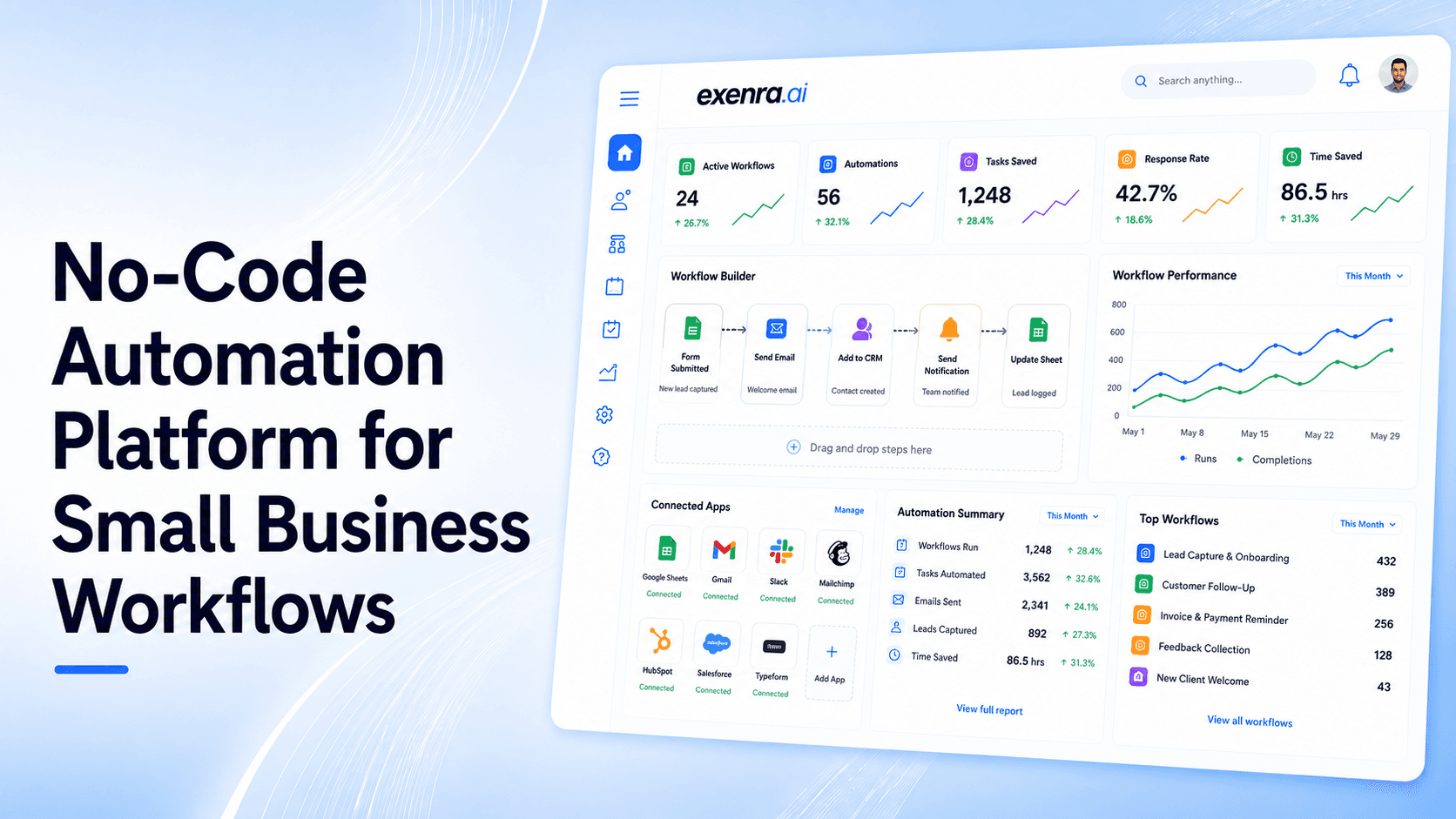
This blog explains how small businesses can use a no-code automation platform to reduce manual work, manage leads, assign tasks, automate follow-ups, and improve team visibility. It covers common workflow problems like missed leads, slow replies, messy spreadsheets, unclear ownership, and repetitive admin tasks. The blog also shows how Exenra.ai helps small businesses build smoother workflows without coding by combining lead management, automation, team assignment, follow-up tracking, and sales visibility in one practical platform.
Small businesses handle a lot every day.
Leads come in from websites, Facebook, Instagram, WhatsApp, ads, forms, referrals, and customer messages. Teams have to reply, assign work, follow up, update statuses, send reminders, track progress, and report results.
At first, this can feel manageable. But as the business grows, manual work starts slowing everything down.
A lead may get missed. A follow-up may be forgotten. A customer message may stay buried inside WhatsApp. A team member may not know what they are responsible for. A manager may spend too much time asking for updates instead of focusing on growth.
This is where a no-code automation platform can help.
A no-code automation platform helps businesses create workflows, connect tools, move data, assign tasks, and automate routine actions without writing code. For small businesses, this means teams can save time, reduce mistakes, and manage daily work with more clarity.
Exenra.ai helps small businesses automate lead workflows, track team activity, manage follow-ups, and improve sales visibility without needing developers or complicated technical setup.
The Problem: Small Business Workflows Are Often Too Manual
Many small businesses still run on manual processes.
A customer fills out a form, and someone copies the details into a spreadsheet. A WhatsApp lead comes in, and someone tries to remember to follow up later. A Facebook enquiry is sent to one person, but the team is not sure who replied. A task is discussed in a chat, but no one tracks whether it was completed.
This may work when the business is small and the number of enquiries is low.
But as soon as the business starts growing, manual workflows become risky.
Manual work often leads to:
Missed leads
Slow replies
Forgotten follow-ups
Duplicate work
Data entry mistakes
Unclear task ownership
Scattered customer information
Poor team visibility
Messy spreadsheets
Weak reporting
Too much repetitive admin work
The biggest issue is that manual workflows depend too much on memory.
If someone forgets to update a spreadsheet, the data becomes unreliable. If someone forgets to follow up, a lead may go cold. If no one owns a task, it may never get completed.
Small businesses do not need more complexity. They need a simple way to automate the repetitive work that slows the team down.
Why Automation Feels Difficult for Small Businesses
Automation sounds useful, but many small businesses avoid it because it feels technical.
They may think automation requires:
Developers
Coding knowledge
Expensive software
Complex integrations
Long setup time
Technical maintenance
Advanced workflow builders
For many business owners, that feels like too much.
They do not want to build complicated systems. They simply want work to move faster.
They want leads to be assigned automatically. They want follow-ups to be tracked. They want team members to know what to do next. They want customer enquiries to be organized. They want reports without checking every platform manually.
That is why no-code automation matters.
A no-code automation platform gives non-technical teams a way to create useful workflows without programming. Instead of writing code, teams can use simple triggers, actions, rules, and visual steps to automate daily work.
The Solution: Use a No-Code Automation Platform Built for Daily Work
A good no-code automation platform should help small businesses automate everyday work without making the process harder.
It should support simple workflows like:
When a new lead comes in, assign it to a team member.
When a lead is assigned, notify the right person.
When a follow-up is due, send a reminder.
When a lead status changes, update the pipeline.
When a task is overdue, alert the manager.
When a lead is won or lost, update the report.
When a customer enquiry comes from social media, track the source.
When a team member completes a task, show progress.
These automations may look small, but they can make a big difference.
They reduce manual work, improve response time, and help teams stay organized.
For small businesses, the best no-code automation platform is not always the most advanced one. It is the one that solves real daily problems and is simple enough for the team to use consistently.
What Is a No-Code Automation Platform?
A no-code automation platform is software that helps users create automated workflows without writing code.
Instead of building custom software or writing scripts, users can create workflows using simple rules, visual steps, triggers, actions, and templates.
For example:
Trigger: A new lead comes from a form.
Action: Assign it to a sales team member.
Action: Send a notification.
Action: Create a follow-up reminder.
Action: Update the lead status.
This allows small businesses to automate work without hiring developers.
A no-code automation platform can help with:
Lead management
Workflow automation
Team task assignment
Follow-up reminders
Customer enquiry tracking
Sales pipeline movement
Reporting
Notifications
Data organization
Business process automation
In simple terms, it helps your team spend less time on repetitive work and more time on customers.
Why Small Businesses Need No-Code Automation
Small businesses usually work with limited time, limited staff, and limited budgets.
That means every manual task matters.
If your team spends hours copying data, checking messages, sending reminders, updating spreadsheets, and chasing internal updates, that time is not being used for growth.
No-code automation helps small businesses:
Save time
Reduce missed leads
Improve follow-up consistency
Assign tasks clearly
Track team activity
Reduce manual errors
Improve customer response
Connect workflows
Create better reports
Scale without adding unnecessary headcount
The goal is not to replace people.
The goal is to help people work smarter.
Automation handles repetitive tasks so your team can focus on conversations, decisions, and customer relationships.
Use Cases: Small Business Workflows You Can Automate
No-code automation can support many daily business workflows.
1. Lead Capture Workflows
When a new lead comes from a form, ad, WhatsApp message, or social platform, automation can help capture it and move it into a lead management process.
This reduces manual entry and helps the team respond faster.
2. Lead Assignment Workflows
Every lead should have an owner.
Automation can assign leads based on source, service type, location, campaign, or team member availability.
This prevents confusion and missed enquiries.
3. Follow-Up Workflows
Many leads do not convert after the first reply.
Automation can create reminders so the team knows when to follow up.
This helps prevent leads from going cold.
4. Sales Pipeline Workflows
When a lead moves from new to contacted, interested, proposal sent, won, or lost, automation can update the pipeline.
This gives managers better visibility into sales progress.
5. Social Media Lead Workflows
Businesses often receive leads from Facebook, Instagram, WhatsApp, DMs, comments, and ads.
Automation helps track the source, assign the lead, and create follow-up reminders.
6. Customer Support Workflows
When a customer submits a support request, automation can route it to the right person, set a priority, and track the status.
7. Agency Client Workflows
Agencies managing multiple clients can automate lead routing, client reporting, team assignment, and follow-up tracking.
8. Team Task Workflows
Automation can create tasks, send reminders, update statuses, and alert managers when work is overdue.
9. Reporting Workflows
Instead of manually checking spreadsheets and dashboards, automation can help keep reports updated based on lead activity, status changes, and outcomes.
10. Notification Workflows
Automation can notify the right person when something important happens, such as a new lead, overdue follow-up, or completed task.
Feature Breakdown: What a No-Code Automation Platform Should Include
A good no-code automation platform for small businesses should be simple, practical, and built around real workflows.
1. Easy Workflow Builder
The platform should allow users to create workflows without coding.
A workflow builder should make it easy to define:
Triggers
Actions
Conditions
Assignments
Reminders
Status updates
Notifications
2. Lead Management
For many small businesses, lead automation is one of the most important needs.
The platform should help capture, assign, track, and follow up with leads.
3. Team Assignment
Every task or lead should have a clear owner.
Assignment features help teams understand who is responsible for what.
4. Follow-Up Reminders
Follow-up automation helps prevent missed opportunities.
The platform should make it easy to see which leads or tasks need attention.
5. Source Tracking
Businesses should know where leads and tasks come from.
Source tracking helps measure which campaigns, platforms, or channels are working.
6. Pipeline Visibility
A pipeline helps businesses see progress.
Useful stages may include:
New
Assigned
Contacted
Follow-up required
In progress
Completed
Won
Lost
7. Team Performance Tracking
Business owners should be able to see:
Who handled each lead
Which tasks are pending
Which follow-ups are overdue
Which team members are active
Which workflows need improvement
8. Reporting and Analytics
Reports should be simple and useful.
A good platform should show:
Lead volume
Task status
Follow-up activity
Team activity
Conversion rate
Workflow performance
Lost opportunities
Campaign performance
9. App Connections
A no-code platform should help connect important business tools, such as forms, ads, social media channels, communication apps, and internal dashboards.
10. Simple User Experience
Small businesses need software their team can actually use.
If a platform is too complex, the team may avoid it, and automation will not deliver results.
Comparison: No-Code Automation vs Manual Work vs Low-Code Tools vs CRM
No-Code Automation vs Manual Work
Manual work depends on people remembering every step.
No-code automation creates structure.
Manual work is slower, easier to forget, and harder to track. Automation helps keep workflows moving even when the team is busy.
No-Code Automation vs Spreadsheets
Spreadsheets can store information, but they do not run workflows.
They cannot reliably assign tasks, send reminders, update pipeline stages, or track team performance without manual effort.
A no-code automation platform is more active and useful for growing teams.
No-Code Automation vs Low-Code Platforms
Low-code platforms often require some technical understanding.
They can be powerful, but they may not be ideal for small teams that simply want to automate leads, follow-ups, tasks, and notifications.
No-code automation is usually easier for non-technical users.
No-Code Automation vs Traditional CRM
A CRM can manage customers and sales, but some CRMs feel heavy for small businesses.
A no-code automation platform should make workflow automation easier and more flexible.
For many small businesses, the best solution is one that combines lead management, workflow automation, and team tracking in a simple way.
No-Code Automation vs General App Connectors
General app connectors can move data between tools.
But small businesses often need more than data transfer. They need a system that tracks ownership, follow-ups, pipeline progress, and team activity.
That is why workflow automation should be connected to real business processes.
How Exenra.ai Helps Small Businesses Automate Workflows
Exenra.ai helps small businesses automate daily workflows without coding.
It is built around practical business needs such as lead management, follow-up automation, team assignment, source tracking, and sales visibility.
Instead of forcing teams to rely on spreadsheets, scattered messages, and manual reminders, Exenra.ai helps create a clearer workflow.
Exenra.ai helps businesses:
Capture leads
Track lead sources
Assign team members
Automate follow-ups
Manage pipeline stages
Track team activity
Reduce missed opportunities
Improve response time
Organize customer enquiries
View sales progress
This makes automation easier for small businesses that want results without technical complexity.
How Exenra.ai Helps With Lead Workflows
Exenra.ai helps businesses manage leads from first enquiry to follow-up.
When a lead comes in, it can be organized, assigned, tracked, and followed up with through a clearer process.
This helps reduce missed leads and improves customer response.
How Exenra.ai Helps With Team Workflows
Team workflows become easier when ownership is clear.
Exenra.ai helps assign leads and tasks so every team member knows what they are responsible for.
This improves accountability without micromanaging.
How Exenra.ai Helps With Follow-Up Workflows
Follow-ups are one of the most important parts of sales.
Exenra.ai helps teams track which leads need attention and which ones are overdue.
This helps businesses stay consistent and avoid losing interested customers.
How Exenra.ai Helps With Sales Visibility
Automation becomes more valuable when business owners can see what is happening.
Exenra.ai helps show lead status, team activity, follow-up progress, and pipeline movement.
This gives owners better control over the sales process.
How Exenra.ai Helps Reduce Manual Work
Manual work slows small teams down.
Exenra.ai helps reduce repetitive tasks such as lead routing, reminders, status tracking, and team updates.
This gives teams more time to focus on customers.
Common Mistakes to Avoid With No-Code Automation
No-code automation is powerful, but businesses should use it carefully.
Avoid these common mistakes:
Automating a messy process before fixing it
Creating too many workflows at once
Not assigning clear ownership
Ignoring follow-up reminders
Tracking too many unnecessary metrics
Using too many disconnected tools
Not training the team
Forgetting to review workflow performance
Choosing a platform that is too complex
Automating tasks that still need human judgment
Start simple.
Automate the workflows that save the most time and reduce the most mistakes.
Best Practices for Small Business Workflow Automation
To get the best results, keep automation practical.
Start with lead capture.
Assign every lead or task clearly.
Use reminders for follow-ups.
Track sources and outcomes.
Keep workflows simple.
Review automation regularly.
Give the team visibility.
Avoid unnecessary complexity.
Use automation to support people, not replace them.
Measure results over time.
Good automation should make work easier, not harder.
FAQs
What is a no-code automation platform?
A no-code automation platform helps businesses create automated workflows without writing code. It allows teams to use triggers, actions, rules, and templates to automate repetitive work.
Why do small businesses need no-code automation?
Small businesses need no-code automation to save time, reduce manual errors, improve follow-ups, assign tasks clearly, and manage workflows without needing developers.
What workflows can small businesses automate?
Small businesses can automate lead capture, lead assignment, follow-up reminders, task tracking, customer enquiries, sales pipeline updates, team notifications, and reporting.
Is no-code automation different from low-code automation?
Yes. No-code automation is designed for non-technical users, while low-code automation may require some technical knowledge or developer support.
Can no-code automation help with lead management?
Yes. No-code automation can help capture leads, track sources, assign leads to team members, send reminders, and monitor pipeline progress.
Does Exenra.ai require coding knowledge?
No. Exenra.ai is designed to help small businesses automate workflows without coding knowledge.
How does Exenra.ai help small businesses?
Exenra.ai helps businesses manage leads, automate follow-ups, assign team members, track activity, and improve sales visibility from one practical platform.
Are spreadsheets enough for workflow automation?
No. Spreadsheets can store data, but they do not automate workflows properly. They do not reliably assign tasks, send reminders, or track pipeline movement without manual updates.
What should I look for in a no-code automation platform?
Look for an easy workflow builder, lead management, team assignment, follow-up reminders, source tracking, reporting, app connections, and a simple user experience.
Can no-code automation improve team productivity?
Yes. By reducing repetitive work and improving task visibility, no-code automation helps teams spend more time on customers and important business work.
CTA: Automate Small Business Workflows With Exenra.ai
Small businesses do not need complicated systems to work smarter.
They need simple automation that helps leads move faster, follow-ups happen on time, and teams stay aligned.
Exenra.ai helps small businesses automate workflows without coding by bringing lead management, team assignment, follow-up tracking, and sales visibility into one practical platform.
Start building smoother workflows with less manual work and more clarity using Exenra.ai.
Start your 7-day free trial with Exenra.ai and automate your first lead workflow without coding, Zapier, or an expensive CRM.
Comments
0 publishedComments are not open for this article yet.