
Team Collaboration Tools: Complete Guide to Improving Team Communication, Productivity, and Workflow in 2026
Team collaboration tools help growing businesses improve communication, organize tasks, manage workflows, and keep teams connected in one central platform. This guide explains how collaboration software works, key features to look for, real business use cases, benefits for remote and sales teams, and how modern platforms like Exenra.ai combine collaboration with workflow automation to improve productivity and business operations.
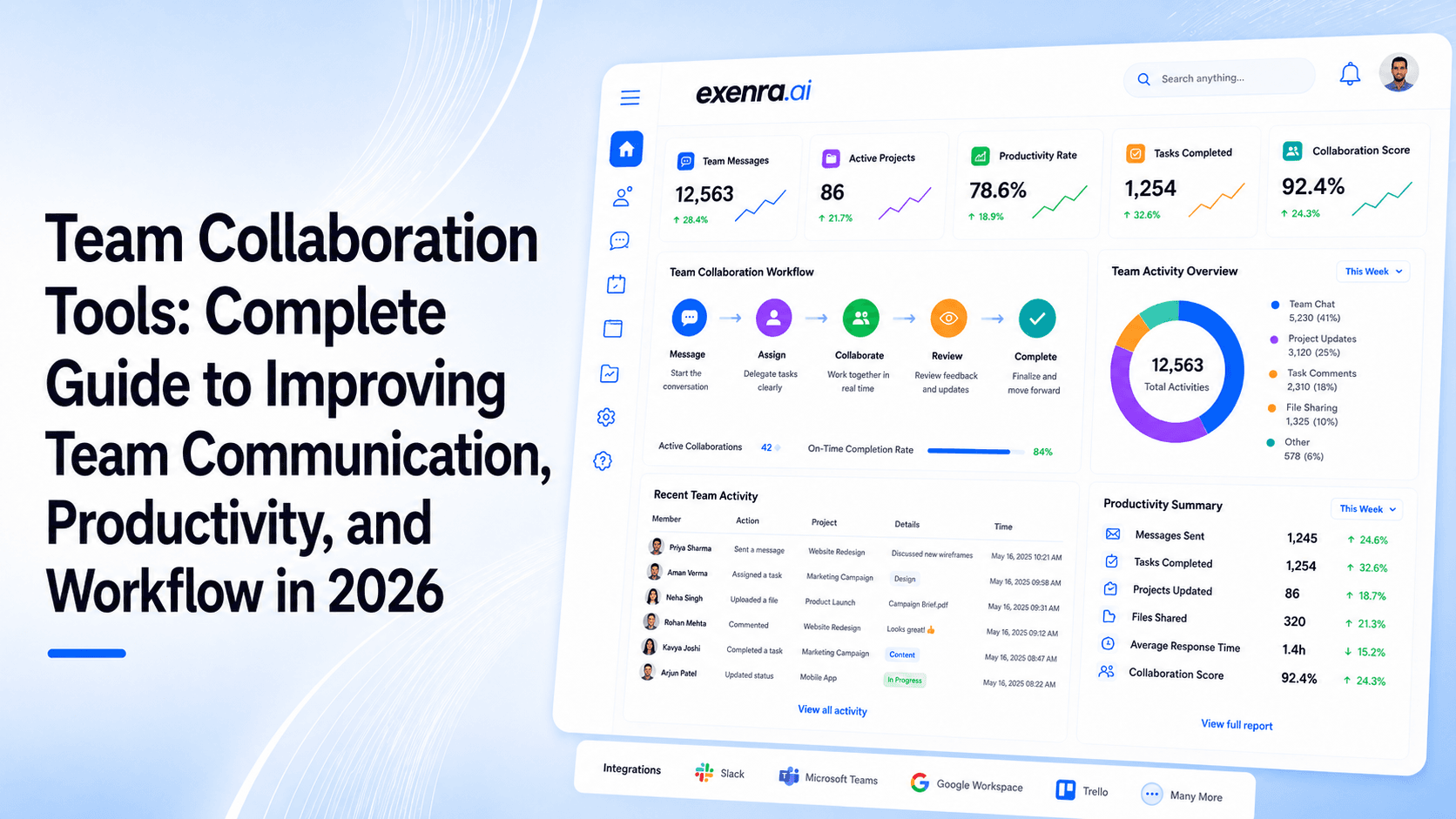
Running a growing business is exciting, but managing a growing team comes with its own challenges.
When a company has only a few people, communication feels simple. Everyone knows what is happening, tasks are discussed quickly, and updates are easy to share.
But as teams expand, things start becoming complicated.
Projects increase, departments grow, customers need faster responses, and employees begin using different tools to manage their daily work.
Suddenly, important updates are buried in chat messages, files are difficult to find, and team members are unsure about who is responsible for the next step.
This is where team collaboration tools become valuable.
A good collaboration platform helps teams stay connected, organize tasks, share information, and manage workflows from one place.
Instead of spending time searching for updates or following up manually, teams can focus on completing work and achieving business goals.
What Are Team Collaboration Tools?Team collaboration tools are software platforms that help employees work together more efficiently.
They bring communication, task management, file sharing, and workflow tracking into one organized workspace.
Simply put, these tools help answer important questions:
What needs to be done?
Who is responsible?
What is the deadline?
What is the current progress?
What action should happen next?
For example, instead of a manager sending multiple emails to assign tasks, a collaboration tool allows them to create a task, assign it to a team member, add details, and track progress automatically.
Why Growing Teams Need Collaboration ToolsAs businesses grow, teamwork becomes harder to manage.
The problem is usually not a lack of effort from employees. The problem is that information becomes scattered.
Teams often face issues like:
Too much communication noise
Important messages get lost between emails, chats, and different platforms.
Lack of task visibility
Managers cannot easily see what is completed and what is still pending.
Poor accountability
When responsibilities are unclear, tasks can be delayed.
Disconnected systems
Teams use separate tools for communication, documents, projects, and customer management.
Time wasted on manual updates
Employees spend hours sharing status updates instead of doing actual work.
Team collaboration tools solve these problems by creating a single place where work can be organized and tracked.
How Team Collaboration Software WorksMost collaboration platforms work around a simple idea:
Bring people, information, and tasks together.
A typical workflow looks like this:
A project is created
Tasks are added
Team members are assigned responsibilities
Files and updates are shared
Progress is tracked
Notifications keep everyone informed
Instead of asking people for updates repeatedly, teams can see progress directly.
Key Features of Team Collaboration ToolsA powerful collaboration platform usually includes several important features.
1. Task Management
Task management is one of the most important parts of collaboration software.
Teams can:
Create tasks
Assign responsibilities
Add deadlines
Set priorities
Track completion
This helps prevent work from being forgotten.
2. Team Communication
Good collaboration depends on clear communication.
Modern tools provide:
Team discussions
Comments
Mentions
Notifications
Instant updates
This reduces unnecessary meetings and long email chains.
3. File Sharing and Organization
Businesses handle many types of files every day:
Documents
Reports
Designs
Marketing materials
Customer information
Collaboration tools keep files organized so teams can quickly access what they need.
4. Workflow Automation
Modern collaboration platforms are moving beyond simple communication.
Automation helps teams reduce repetitive work.
Examples:
Automatically create tasks
Send reminders
Update statuses
Notify team members
Trigger follow-ups
This saves time and improves consistency.
5. Reporting and Visibility
Managers need to understand how work is progressing.
Reporting features help businesses track:
Completed tasks
Team workload
Project progress
Delays
Performance
Not every business needs the same type of collaboration software.
Communication-Focused Tools
These focus mainly on conversations.
Useful for:
Team messaging
Quick discussions
Remote communication
Project Management Collaboration Tools
These help teams organize projects.
Useful for:
Task tracking
Deadlines
Planning
Progress monitoring
Workflow Automation Platforms
These focus on improving business processes.
They help automate:
Tasks
Approvals
Lead handling
Notifications
All-in-One Collaboration Platforms
These combine multiple functions:
Communication
Task management
Automation
Reporting
They are useful for growing companies that want fewer disconnected tools.
Popular Team Collaboration ToolsDifferent tools are built for different needs.
Tool
Best For
Main Benefit
Slack
Team communication
Fast conversations and channels
Microsoft Teams
Enterprise teams
Microsoft ecosystem integration
Trello
Simple task management
Easy visual boards
Asana
Project management
Task organization and tracking
Monday.com
Team workflows
Flexible work management
ClickUp
Productivity management
Multiple workflow options
Business workflow management
Team tracking, leads, and automation
Benefits of Using Team Collaboration ToolsBetter Communication
Teams stay updated without relying on endless messages.
Improved Productivity
Employees spend less time organizing work and more time completing it.
More Accountability
Everyone knows their responsibilities.
Faster Decision Making
Managers get clearer visibility into operations.
Easier Remote Work
Employees can collaborate from anywhere.
Better Business Growth
Organized workflows help businesses scale smoothly.
Team Collaboration Tools for Sales TeamsSales teams depend heavily on collaboration.
They need to manage:
Leads
Customer conversations
Follow-ups
Sales opportunities
Team activity
A collaboration system helps sales teams:
Assign leads properly
Track customer activity
Share updates
Monitor sales progress
Improve response time
This is especially important because missed follow-ups can directly affect revenue.
Team Collaboration Tools for Marketing TeamsMarketing teams usually manage multiple campaigns at the same time.
Collaboration tools help them organize:
Content planning
Campaign tasks
Approvals
Creative work
Reporting
Everyone stays aligned and knows what needs to happen next.
Team Collaboration Tools for Remote TeamsRemote work has changed how businesses operate.
Teams are no longer always sitting in the same office.
Collaboration tools help remote teams by providing:
Shared workspaces
Real-time updates
Clear responsibilities
Digital communication
This creates a connected working environment even when employees are in different locations.
How Exenra.ai Helps Teams Collaborate BetterMany collaboration tools focus mainly on communication and project tracking.
Exenra.ai focuses on helping businesses manage workflows, leads, and team performance together.
It helps teams:
Capture and organize leads
Assign work automatically
Track follow-ups
Monitor team activity
Improve workflow visibility
Reduce manual tasks
Instead of managing separate systems, businesses can create a smoother workflow where teams know what needs to happen next.
How to Choose the Right Team Collaboration ToolBefore choosing a platform, businesses should consider:
Ease of use
The tool should be simple enough that the entire team can adopt it.
Automation features
It should reduce repetitive manual work.
Scalability
The platform should support future business growth.
Integration options
It should connect with existing tools.
Team visibility
Managers should easily understand progress.
Security
Business data should remain protected.
Common Mistakes When Choosing Collaboration SoftwareChoosing too many tools
Using too many platforms creates more confusion.
Ignoring employee adoption
A tool only works if the team actually uses it.
Selecting features instead of solutions
The goal is not to collect tools. The goal is to improve workflows.
Forgetting automation
Manual processes become expensive as businesses grow.
The Future of Team Collaboration ToolsThe future of collaboration is becoming smarter.
Modern platforms are adding:
AI assistants
Automated workflows
Smart recommendations
Better reporting
Intelligent task management
The goal is simple:
Less time managing work.
More time completing meaningful work.
ConclusionTeam collaboration tools have become an important part of modern business operations.
They help teams communicate better, organize projects, automate repetitive tasks, and improve productivity.
For growing companies, the right collaboration platform can create better teamwork, faster execution, and stronger business processes.
The best tool is not the one with the most features.
It is the one that helps your team work together more effectively every day.
FAQsWhat are team collaboration tools?
Team collaboration tools are software platforms that help teams communicate, manage tasks, share information, and work together more efficiently.
Why are team collaboration tools important for businesses?
They help businesses reduce confusion, improve communication, track work progress, and increase productivity.
What features should a collaboration tool have?
Important features include task management, communication, file sharing, automation, reporting, and integrations.
Are collaboration tools useful for small businesses?
Yes. Small businesses can use them to organize work, improve teamwork, and manage growth more efficiently.
Can collaboration tools automate tasks?
Yes. Many modern platforms can automate reminders, task creation, notifications, and workflow processes.
What is the difference between collaboration tools and project management tools?
Collaboration tools focus on teamwork and communication, while project management tools focus mainly on planning and tracking projects. Many platforms now combine both.
Which team collaboration tool is best for growing teams?
The best tool depends on business needs. Growing teams usually benefit from platforms that combine communication, workflow management, automation, and visibility.
Start your 7-day free trial with Exenra.ai and automate your first lead workflow without coding, Zapier, or an expensive CRM.
Comments
0 publishedComments are not open for this article yet.