
Workflow Automation Software: How Businesses Save Time and Reduce Manual Work
This blog explains how workflow automation software helps businesses eliminate repetitive manual tasks and improve efficiency. It covers common problems like manual lead handling, slow responses, missed follow-ups, and disconnected tools. It also explains how automation connects apps, assigns tasks, tracks workflows, and improves productivity. The blog highlights how Exenra.ai helps businesses automate lead capture, assignment, follow-ups, and performance tracking in one system.
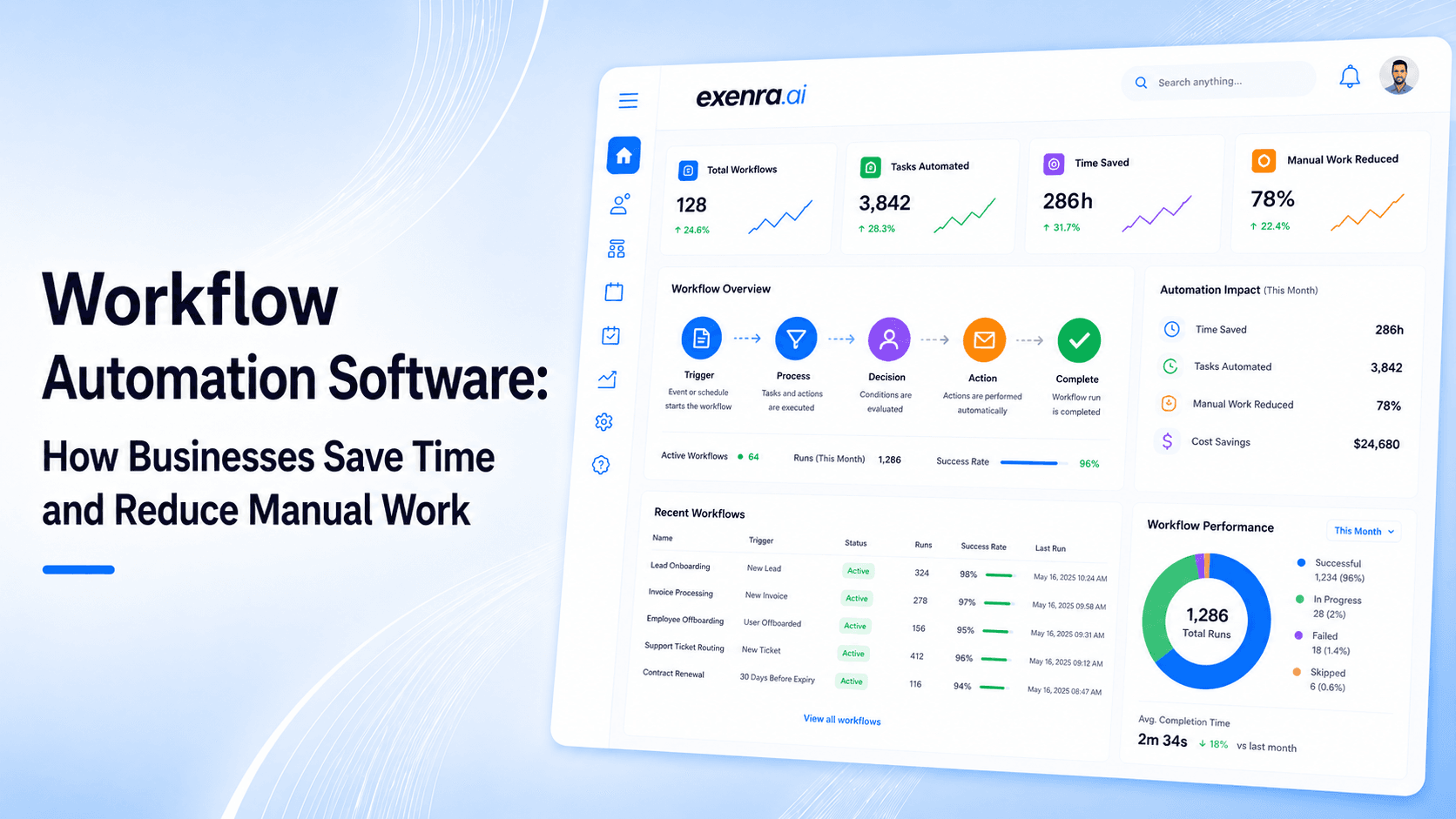
Modern businesses don’t struggle because of a lack of tools or opportunities. They struggle because too many daily tasks are still done manually.
Every day, teams waste hours on repetitive work like:
Copying leads from forms into spreadsheets
Replying to WhatsApp or Instagram messages one by one
Assigning leads manually to sales reps
Updating CRM or sheets repeatedly
Following up with customers from memory
Switching between multiple disconnected tools
These tasks seem small, but they create a huge problem:
Slow operations
Missed leads
Delayed responses
Lost sales opportunities
Workflow automation software is designed to fix exactly this.
It removes manual work, connects your tools, and ensures every business process runs automatically in the background.
What Is Workflow Automation Software?
Workflow automation software is a system that automatically executes business tasks based on predefined rules.
It works on a simple idea:
For example:
If a new lead comes in → assign it to a sales rep
If a customer sends a message → create a follow-up task
If a deal changes stage → update the pipeline automatically
If no response happens → send reminder
Instead of humans doing repetitive work, the system handles it instantly and consistently.
Why Businesses Lose Time Without Automation
Most businesses don’t realize how much time they lose every day.
Here’s what usually happens behind the scenes:
Lead Management Issues
Leads come from multiple platforms
No centralized system exists
Some leads are missed completely
Some are delayed for hours or days
Communication Problems
WhatsApp messages are not tracked
Instagram DMs get ignored
Email leads sit unread
Team Confusion
No clear ownership of leads
Multiple people assume someone else is handling it
Managers constantly ask for updates
Manual Workload
Copy-pasting data
Updating spreadsheets
Writing repetitive messages
Tracking tasks manually
This creates a system where:
Work depends on memory instead of automation
Speed depends on individuals instead of systems
Why Workflow Automation Matters for Modern Businesses
Workflow automation is not just about saving time. It directly impacts revenue and growth.
Here’s what automation improves:
Faster Response Time
Leads are handled instantly
No waiting for manual assignment
Customers get quick replies
Better Organization
Every lead has an owner
Every task has a status
Nothing is lost in inboxes
Higher Conversions
Fast follow-ups increase sales
No missed opportunities
Better customer experience
Scalable Growth
Businesses can handle more leads
No need to increase staff immediately
Systems work automatically
How Workflow Automation Software Works
Workflow automation systems follow a simple structure:
1. Trigger
Something happens in your system:
New lead submitted
Message received
Form filled
Deal updated
2. Action
System performs a task:
Assign lead
Send notification
Create task
Update CRM
3. Result
Business outcome improves:
Faster response
Better tracking
No manual effort
Real Example of Workflow Automation
Let’s say a Facebook ad generates a new lead.
Without automation:
Lead goes to email
Someone checks it later
Assignment happens manually
Response gets delayed
With automation:
Lead enters system instantly
Automatically assigned to sales rep
Notification sent in real time
Follow-up task created
Pipeline updated automatically
Everything happens in seconds, not hours.
Core Features of Workflow Automation Software
A powerful workflow automation system includes:
1. Multi-Channel Integration
It connects different sources:
Facebook Ads
Instagram DMs
WhatsApp messages
Website forms
Landing pages
Email systems
2. Automatic Lead Assignment
Leads are assigned based on rules like:
Sales rep availability
Location
Service type
Campaign source
Round-robin distribution
3. Real-Time Notifications
Teams get instant alerts:
New lead received
Follow-up due
Deal updated
Customer response received
4. Follow-Up Automation
System ensures no lead is forgotten:
Immediate first response
Reminder after few hours
Follow-up after 24 hours
Final check-in message
5. Pipeline Tracking
Leads move through stages like:
New lead
Contacted
In discussion
Proposal sent
Won / Lost
6. Performance Monitoring
Managers can track:
Response time
Team activity
Lead conversion rate
Missed opportunities
Popular Workflow Automation Tools Explained
Zapier (Best for Beginners)
Connects 9,000+ apps
Simple automation setup
Easy for non-technical users
Great for basic workflows
Make (Best for Visual Automation)
Drag-and-drop builder
Advanced workflow logic
Multi-step automation support
Better control over data flow
n8n (Best for Developers)
Open-source platform
Self-hosted option available
Full customization
Supports coding inside workflows
Microsoft Power Automate (Best for Enterprises)
Strong Microsoft integration
Works with Excel, Teams, SharePoint
Includes desktop automation (RPA)
Enterprise-grade automation
monday.com (Best for Team Workflows)
Task and project automation
Visual dashboards
Team collaboration features
Simple workflow setup
The Limit of Most Automation Tools
Even powerful tools have limitations:
They move data but don’t manage ownership
They automate tasks but not sales follow-ups
They connect apps but don’t track performance deeply
They require multiple tools together
They lack full sales visibility
This creates a gap between automation and real business execution.
How Exenra.ai Improves Workflow Automation
Exenra.ai is designed for one goal:
Not just automation but complete business execution
It helps businesses manage:
Lead Capture
Collects leads from all major channels
Organizes them in one place
Smart Assignment
Every lead is assigned instantly
No manual routing needed
Follow-Up System
Automated reminders
No missed opportunities
Structured communication flow
Team Tracking
Managers see real activity
Performance becomes visible
No need to ask for updates
Sales Pipeline Control
Clear lead stages
Easy tracking from start to close
Better decision-making
Example Workflow in Exenra.ai
Lead comes from Instagram ad
System captures it instantly
Assigns it to sales rep
Sends notification
Creates follow-up task
Updates pipeline stage
Manager monitors progress
Fully automated, no manual handling required.
Benefits of Workflow Automation Software
Businesses using automation experience:
Operational Benefits
Faster workflows
Less manual work
Better task distribution
Sales Benefits
Higher conversion rates
Faster response time
More closed deals
Management Benefits
Real-time visibility
Better team control
Data-driven decisions
Cost Benefits
Less dependency on manual labor
Scalable operations
Reduced operational waste
Common Mistakes Businesses Make
Many businesses fail automation because they:
Use too many disconnected tools
Don’t define proper workflows
Ignore lead ownership rules
Rely on manual follow-ups
Overcomplicate automation setups
Don’t track performance metrics
Best Practices for Workflow Automation
To succeed with automation:
Start with simple workflows first
Automate repetitive tasks only
Always assign ownership clearly
Keep systems simple and clean
Track performance regularly
Improve workflows continuously
Final Thoughts
Workflow automation software is no longer optional.
It is essential for businesses that want:
Faster operations
Better lead management
Higher sales efficiency
Scalable growth
Tools like Zapier, Make, n8n, and Power Automate help connect systems but true business success comes when automation is combined with execution, visibility, and accountability.
That is exactly where Exenra.ai helps businesses move beyond basic automation and into complete workflow control.
CTA
If your business still depends on manual work, spreadsheets, or disconnected tools, you are losing time and opportunities every day.
Exenra.ai helps you:
Automate workflows
Manage leads
Assign teams instantly
Track performance in real time
Start building a faster, smarter business today.
Start your 7-day free trial with Exenra.ai and automate your first lead workflow without coding, Zapier, or an expensive CRM.
Comments
0 publishedComments are not open for this article yet.