
How Agencies Can Manage Client Leads From One Dashboard
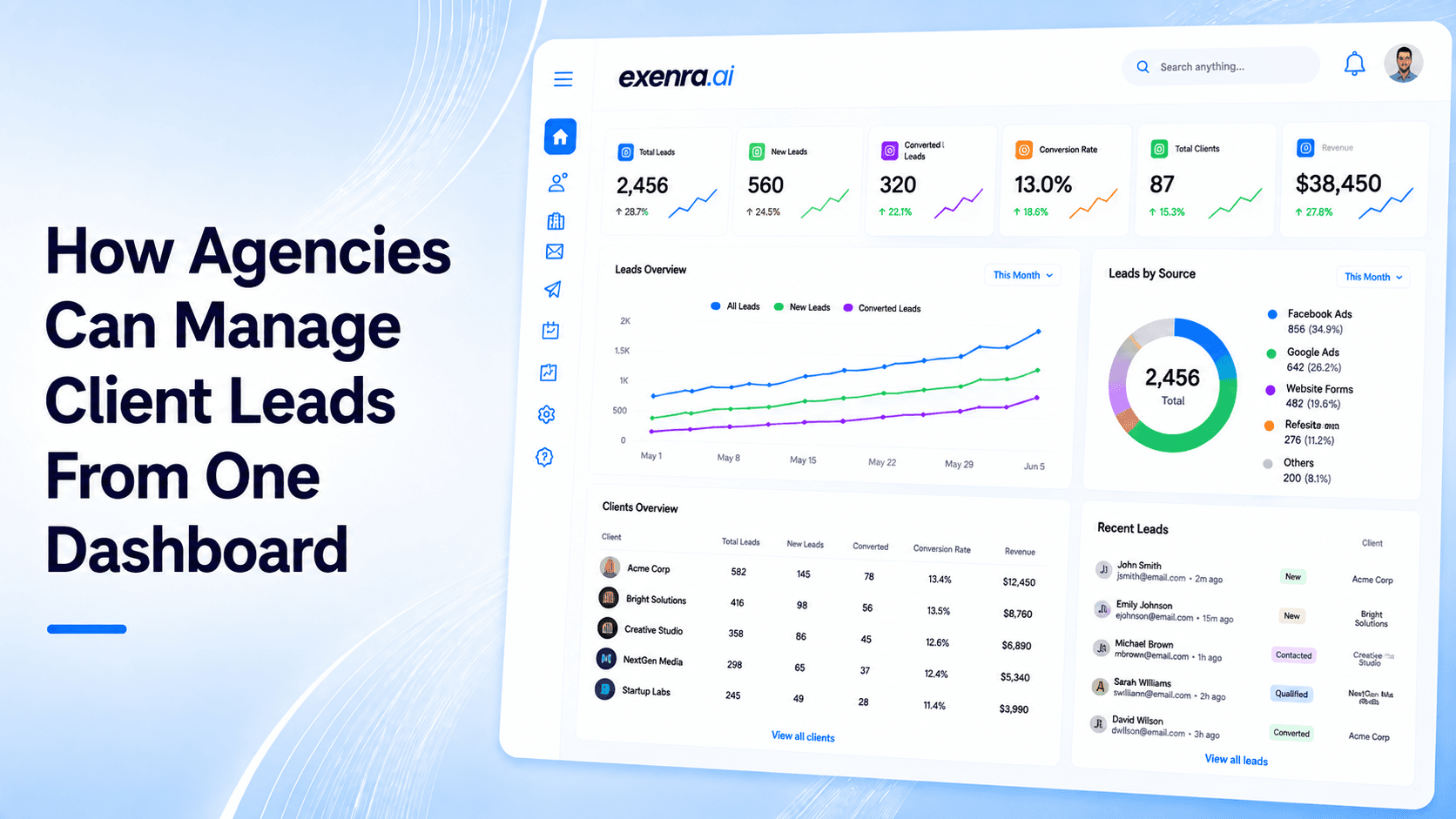
This blog explains how agencies can manage client leads more clearly from one dashboard instead of using scattered spreadsheets, inboxes, ad platforms, and chat apps. It covers common agency challenges like missed leads, delayed follow-ups, unclear team ownership, weak client reporting, and fragmented lead sources. The blog also shows how Exenra.ai helps agencies track leads by client, source, campaign, team member, status, and follow-up activity while improving automation, reporting, and team visibility.
Agencies manage a lot more than campaigns.
They manage client expectations, ad performance, lead quality, follow-ups, reporting, team activity, and results. When leads start coming from different platforms for different clients, the process can become difficult to control.
One client may get leads from Facebook Ads. Another may receive enquiries through Instagram. Another may depend on WhatsApp, website forms, landing pages, Google Ads, or referrals. At the same time, the agency team has to track where each lead came from, who handled it, whether it was followed up with, and what result came from it.
When this information is spread across spreadsheets, inboxes, DMs, ad accounts, and chat apps, things get messy quickly.
A lead can be missed. A follow-up can be delayed. A client may ask for results, but the agency has to check multiple tools before giving a clear answer. A campaign may look weak, not because it failed to generate leads, but because those leads were not managed properly after they came in.
This is why agencies need one client lead dashboard.
A centralized dashboard gives agencies one place to manage client leads, track sources, assign team members, monitor follow-ups, and understand performance. It creates one clear view of what is happening across clients, campaigns, and teams.
That is where Exenra.ai helps agencies manage client leads with more clarity, automation, and control.
The Problem: Client Leads Are Scattered Across Too Many Places
Most agencies manage multiple clients at the same time. Each client may have different campaigns, different lead sources, and different follow-up needs.
A typical agency may receive client leads from:
Facebook Ads
Instagram Ads
WhatsApp
Website forms
Landing pages
Google Ads
LinkedIn campaigns
Email campaigns
Chat widgets
Referral forms
Manual entries
The problem is not just the number of channels. The real problem is that each channel has its own place to check.
Facebook leads may sit inside Meta. Instagram enquiries may stay in DMs. WhatsApp leads may remain inside chat history. Website form submissions may go to email. Landing page leads may go to a spreadsheet. Google Ads enquiries may need separate tracking.
For agencies, this creates a broken process.
When lead data is scattered, the team can easily lose control. Someone may forget to update a sheet. A lead may not be assigned. A follow-up may be missed. A client may ask for a report, but the agency may not have one clear source of truth.
This creates problems such as:
Missed client leads
Delayed follow-ups
Unclear team ownership
Weak client reporting
Confusing campaign performance
Too much manual checking
Lost sales opportunities
Poor visibility into team activity
For agencies, lead management is not just an internal task. It directly affects client trust.
Why Manual Lead Tracking Fails for Agencies
Many agencies start with spreadsheets because they are simple and flexible.
At the beginning, this may feel manageable. You can create columns for client name, lead source, customer name, phone number, status, notes, and follow-up date.
But once the agency grows, spreadsheets become harder to manage.
A spreadsheet can store information, but it cannot properly manage the full lead process.
It cannot clearly show:
Who replied to the lead
Which client the lead belongs to
Which campaign created the lead
Which leads need follow-up today
Which team member owns each lead
Which leads are overdue
Which campaigns are converting
Which clients have pending leads
Which leads turned into customers
Spreadsheets also depend on manual updates. If one team member forgets to update the status, the report becomes inaccurate. If a lead is copied late, the follow-up is delayed. If the agency is managing several clients at once, this problem becomes even bigger.
The result is simple: the agency spends more time checking tools than improving results.
Clients do not only want to know how many leads came in. They want to know what happened to those leads.
They may ask:
How many leads did we get this month?
Where did the leads come from?
Were they contacted?
Which campaigns performed best?
How many leads are still pending?
Which leads converted?
What should we improve next?
If the agency cannot answer clearly, the client may start doubting the value of the campaign.
The Solution: One Dashboard for All Client Leads
The best way for agencies to manage client leads is to bring them into one dashboard.
A client lead dashboard gives the agency one place to track lead activity across clients, platforms, campaigns, and team members.
Instead of checking separate inboxes, spreadsheets, ad accounts, forms, and chat apps, the agency team can manage leads from one place.
A good dashboard helps agencies:
Capture leads from different sources
Separate leads by client
Track campaign source
Assign leads to team members
Monitor follow-up status
Track lead stages
View client-specific pipelines
Measure conversions
See team activity
Prepare better reports
This creates a single source of truth.
For agencies, that matters because the team is not only managing leads. They are also proving results to clients.
When every lead is tracked in one place, it becomes easier to see what is working, what needs attention, and where opportunities are being lost.
Why Agencies Need a Client Lead Dashboard
Agencies work differently from single businesses.
A business usually manages its own leads. An agency may manage leads for five, ten, or even more clients at the same time.
That means an agency dashboard must do more than store lead records. It needs to organize client data clearly and make lead handling easier across multiple accounts.
A strong client lead dashboard helps agencies:
Keep each client’s leads separate
Track campaign performance clearly
Assign leads to the right team member
Reduce missed enquiries
Improve follow-up consistency
Prove campaign value
Save time on manual reporting
Build stronger client trust
Manage more clients without losing control
Without one dashboard, agencies often end up spending too much time chasing updates.
With one dashboard, they can focus more on improving results.
Use Cases: How Agencies Can Use One Dashboard
A lead dashboard is useful for many types of agencies because almost every agency needs better visibility into client enquiries.
1. Digital Marketing Agencies
Digital marketing agencies often manage paid ads, SEO, landing pages, social media, and campaign funnels.
A dashboard helps them see which campaigns are bringing leads and what happened after those leads came in.
For example, an agency can track:
Facebook leads for Client A
Google Ads leads for Client B
Instagram leads for Client C
Website form leads for Client D
WhatsApp leads for Client E
This makes reporting much easier and more accurate.
2. Social Media Agencies
Social media agencies generate conversations through posts, reels, stories, DMs, and ads.
But social media leads are easy to miss because they often start as casual messages.
A dashboard helps turn those messages into trackable leads. The team can record the source, assign the lead, add notes, set follow-ups, and track the outcome.
3. Lead Generation Agencies
Lead generation agencies are judged by the quality and delivery of leads.
A dashboard helps them show clients more than just lead volume. They can show where leads came from, which ones were contacted, which ones are pending, and which ones moved forward.
This creates more transparency and stronger client communication.
4. Real Estate Marketing Agencies
Real estate campaigns often generate leads from property ads, WhatsApp, portals, landing pages, and Facebook forms.
A dashboard helps track buyer enquiries, seller leads, property interest, location, agent assignment, and follow-up status.
This is especially useful when multiple properties or agents are involved.
5. SaaS and B2B Agencies
B2B campaigns often bring demo requests, consultation leads, and longer sales opportunities.
A dashboard helps agencies track company details, lead source, assigned team member, pipeline stage, and follow-up activity.
This makes high-value lead management more organized.
6. Local Service Marketing Agencies
Agencies working with clinics, salons, home services, repair companies, transport providers, or tourism businesses often manage high-volume enquiries.
A dashboard helps make sure no lead stays hidden inside WhatsApp, Facebook Messenger, website emails, or Instagram DMs.
Feature Breakdown: What an Agency Lead Dashboard Should Include
A basic dashboard is not enough for agencies. Agencies need features that support real client work.
1. Multi-Client Lead Management
Agencies need to separate leads by client.
Each client should have a clear lead view, source tracking, pipeline, and reporting area. This prevents confusion and keeps client data organized.
2. Lead Source Tracking
Every lead should have a source.
Common lead sources include:
Facebook Ads
Instagram Ads
Google Ads
LinkedIn Ads
WhatsApp
Website forms
Landing pages
Referrals
Email campaigns
Manual entries
Lead source tracking helps agencies prove which channels are actually producing results.
3. Campaign-Level Tracking
It is not enough to know that a lead came from Facebook.
Agencies need to know which campaign, ad, offer, or landing page created the lead. This helps the team optimize campaigns and improve return on ad spend.
4. Team Assignment
Every lead should have an owner.
That owner may be:
An agency team member
A client sales representative
A support agent
A closer
A location-based team member
Clear assignment prevents leads from being ignored.
5. Follow-Up Tracking
Follow-ups are where many leads are won or lost.
A dashboard should show which leads need follow-up, which ones are overdue, and which ones are moving forward.
This helps agencies reduce lost opportunities and improve client results.
6. Pipeline Stages
Each lead should move through clear stages.
Simple pipeline stages may include:
New lead
Contacted
Interested
Follow-up required
Details shared
Proposal sent
Won
Lost
Pipeline tracking helps agencies see where leads are getting stuck.
7. Client Reporting
Agencies need clean reporting for clients.
A useful dashboard should show:
Total leads
Lead sources
Campaign performance
Contacted leads
Pending leads
Follow-up status
Conversion rate
Lost lead reasons
Team activity
This makes client communication easier and more professional.
8. Team Performance Tracking
Agency owners need to understand how their team is working.
A dashboard should show:
Who handled each lead
Which leads are pending
Which follow-ups are overdue
Which team member completed tasks
Where delays are happening
This helps improve accountability without constant manual checking.
9. Automation
Automation helps agencies reduce repetitive work.
Useful automations include:
New lead alerts
Lead assignment
Follow-up reminders
Status updates
Overdue lead notifications
Client-specific routing
Team activity alerts
Automation helps agencies manage more client leads without adding more manual workload.
10. Single Source of Truth
The dashboard should become the main place where lead data lives.
This means the agency does not have to rely on screenshots, spreadsheets, inboxes, or manual messages to understand what is happening.
Comparison: Dashboard vs Spreadsheets vs CRM vs Automation Tools
Agencies can manage leads in different ways, but not every system gives the same level of control.
One Dashboard vs Spreadsheets
Spreadsheets are flexible, but they are manual.
They may work for a small number of leads, but they become unreliable when multiple clients, campaigns, and team members are involved.
A dashboard is better because it gives structure, visibility, and real-time tracking.
One Dashboard vs Traditional CRM
A traditional CRM can be powerful, but many CRMs are designed around one company’s sales process.
Agencies often need to manage multiple clients, multiple pipelines, and multiple lead sources. A client lead dashboard can be easier for this specific use case because it focuses on agency lead visibility and reporting.
One Dashboard vs Zapier Workflows
Zapier can move lead data from one tool to another, but it does not always give agencies a complete lead management process.
The agency still needs somewhere to track ownership, follow-ups, pipeline stages, and client reports.
A dashboard gives the team a place to manage what happens after the lead arrives.
One Dashboard vs Ad Platform Reports
Ad platforms can show clicks, impressions, cost per lead, and campaign performance.
But they do not always show what happened after the lead came in.
For example, Meta may show that a campaign generated leads, but it may not show whether those leads were contacted, followed up with, or converted.
A lead dashboard connects campaign activity with lead handling.
How Exenra.ai Helps Agencies Manage Client Leads
Exenra.ai helps agencies manage client leads from one dashboard by bringing lead tracking, automation, team assignment, follow-up visibility, and performance tracking into one practical system.
Instead of managing client leads across spreadsheets, inboxes, social platforms, and manual reports, agencies can use Exenra.ai to create a clearer lead management process.
Exenra.ai helps agencies:
Manage leads from multiple clients
Track lead sources
Organize social media leads
Assign leads to team members
Monitor follow-ups
Track lead status
Automate routine tasks
Improve team accountability
View campaign activity more clearly
Reduce missed opportunities
This makes agency lead management easier and more scalable.
How Exenra.ai Helps With Multi-Client Lead Tracking
Agencies need to keep client data organized.
Exenra.ai helps agencies manage leads with clearer separation and tracking, so each client’s enquiries can be handled with the right context.
This helps reduce confusion when multiple clients are running campaigns at the same time.
How Exenra.ai Helps With Follow-Up Management
Follow-ups are one of the biggest reasons leads are won or lost.
Exenra.ai helps teams see which leads need attention, which ones are overdue, and which ones are moving forward.
This helps agencies improve client results by making follow-up more consistent.
How Exenra.ai Helps With Team Visibility
Agency owners and managers need to know how their team is handling leads.
Exenra.ai helps show who is responsible for each lead, what actions were taken, and where delays may be happening.
This improves accountability and helps teams work with more clarity.
How Exenra.ai Helps With Better Client Reporting
Clients want to see results clearly.
Exenra.ai helps agencies organize lead data in a way that supports better reporting.
Instead of manually collecting numbers from different platforms, agencies can build a clearer picture of lead activity, follow-ups, and campaign performance.
How Exenra.ai Helps With Automation
Agencies handle repetitive lead tasks every day.
Exenra.ai helps automate routine work such as lead alerts, assignments, follow-up reminders, status updates, and internal notifications.
This helps agencies save time and manage more client leads without losing control.
FAQs
What is a client lead dashboard?
A client lead dashboard is one central place where agencies can track leads, sources, statuses, assignments, follow-ups, and performance for one or multiple clients.
Why do agencies need one dashboard for client leads?
Agencies need one dashboard because client leads often come from many platforms. A single dashboard helps prevent missed leads, improves follow-ups, and gives clearer reporting.
Can agencies track leads from Facebook, Instagram, WhatsApp, and website forms in one dashboard?
Yes. A good lead dashboard should help agencies organize leads from social media, WhatsApp, website forms, landing pages, and ad campaigns in one place.
Why are spreadsheets not enough for agency lead tracking?
Spreadsheets require manual updates and become unreliable when agencies manage multiple clients, campaigns, and team members.
What should agencies track for every client lead?
Agencies should track lead source, campaign, client name, customer details, assigned team member, lead status, follow-up date, notes, and final outcome.
How does Exenra.ai help agencies manage client leads?
Exenra.ai helps agencies organize leads, track sources, assign team members, manage follow-ups, automate routine tasks, and improve lead visibility from one dashboard.
Can Exenra.ai help with agency team tracking?
Yes. Exenra.ai helps agencies see who is handling leads, which follow-ups are pending, and where delays may be happening.
Is a lead dashboard better than a CRM for agencies?
It depends on the agency. A CRM can be useful, but agencies often need a simpler dashboard that separates client leads, tracks campaign sources, and supports fast reporting.
How can agencies stop missing client leads?
Agencies can stop missing leads by centralizing lead capture, assigning ownership, setting follow-up reminders, tracking lead status, and reviewing pipeline activity regularly.
What is the biggest benefit of one client lead dashboard?
The biggest benefit is clarity. Agencies can see client leads, team activity, follow-ups, and campaign performance from one place.
CTA: Manage Client Leads From One Dashboard With Exenra.ai
If your agency is managing client leads across spreadsheets, inboxes, ad platforms, and chat apps, it may be time to simplify the process.
Exenra.ai helps agencies manage leads, track sources, assign teams, automate follow-ups, and improve client reporting from one practical dashboard.
Start managing client leads with more clarity, less manual work, and better team control with Exenra.ai.
Comments
0 publishedComments are not open for this article yet.