
How to Assign Leads Automatically to Sales Team Members
This blog explains how businesses can assign leads automatically to the right sales team members without manual delays. It covers common problems like missed leads, slow responses, duplicate replies, unclear ownership, and uneven workload. The blog also explains different lead assignment methods, including round-robin, source-based, location-based, skill-based, priority-based, and client-based routing. It shows how Exenra.ai helps businesses capture leads, assign ownership, automate follow-ups, track pipeline stages, and improve sales team visibility.
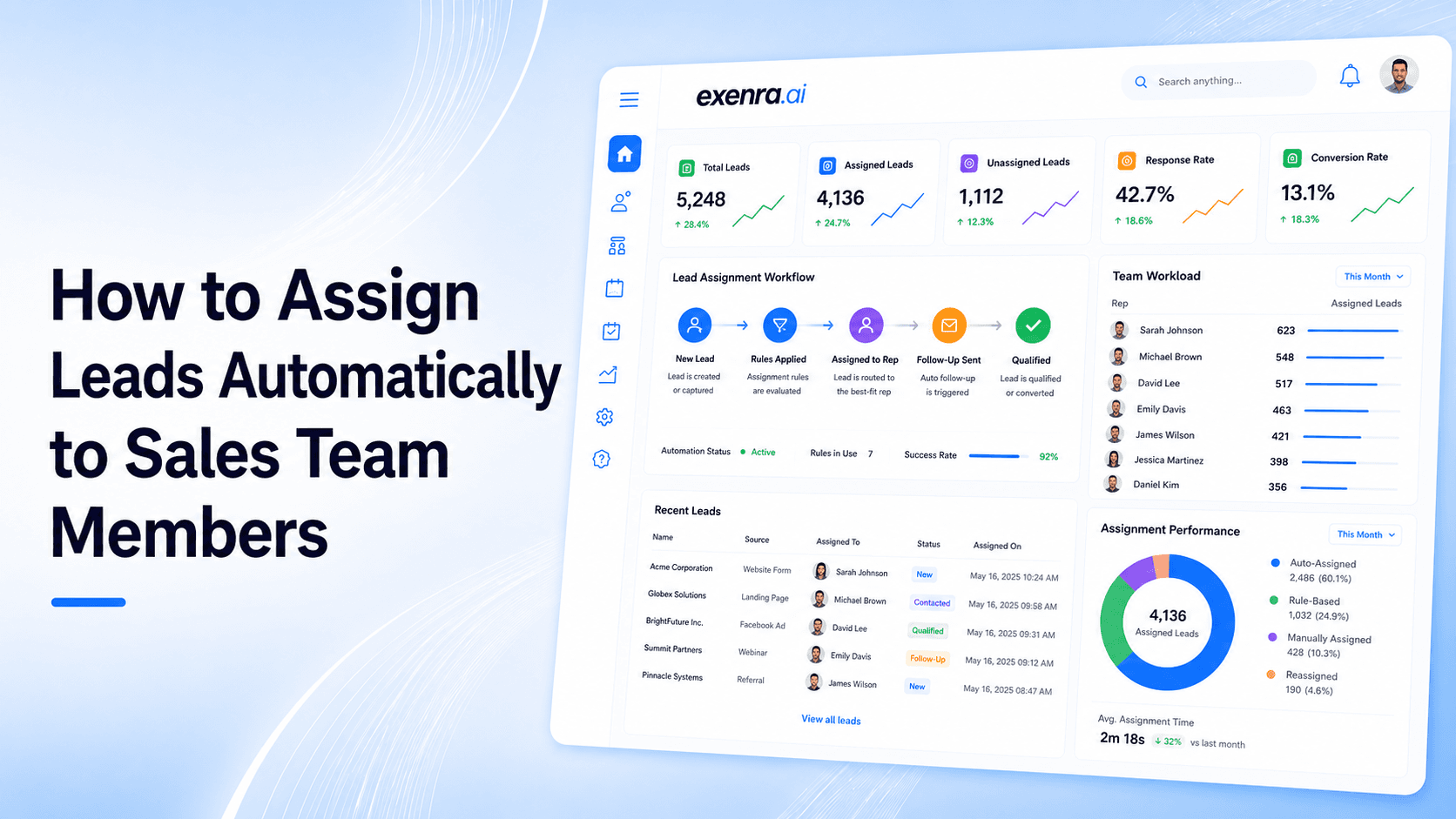
Assigning leads manually may feel easy when your business only gets a few enquiries a day.
But once leads start coming from Facebook, Instagram, WhatsApp, website forms, ads, referrals, and landing pages, manual assignment becomes risky. A hot lead may sit too long before anyone replies. Two sales reps may contact the same customer. Another lead may be ignored because everyone thinks someone else is handling it.
That is how good opportunities get lost.
Automatic lead assignment solves this problem by sending every new lead to the right sales team member without delay. It removes the manual bottleneck, keeps hot leads from going cold, and helps balance workload across your team.
Exenra.ai helps businesses assign leads automatically, track ownership, automate follow-ups, and improve sales visibility so every lead has a clear next step from the moment it arrives.
The Problem: Manual Lead Assignment Slows Sales Teams Down
When a new lead comes in, speed matters.
Someone may have just filled out a form, clicked an ad, sent a WhatsApp message, or asked for details through social media. At that moment, they are interested. If your team waits too long, the lead may lose interest or choose another business.
Manual lead assignment often creates delays.
Someone has to check where the lead came from. Then they have to decide who should handle it. Then they need to send it to the right person. Then that person has to reply and remember to follow up.
Every step adds more delay.
Manual assignment can create problems like:
Leads waiting too long before assignment
Sales reps not knowing which leads belong to them
Hot leads going cold
Duplicate replies from multiple team members
Uneven workload across the sales team
Missed follow-ups
No clear lead ownership
Poor visibility for managers
Delayed response from ad leads
Manual routing mistakes
The biggest issue is that manual assignment depends on someone being available at the right time.
If the manager is busy, the lead waits. If the lead comes after hours, it may not be assigned until later. If multiple leads arrive at once, some may be missed.
That delay can directly affect conversions.
Why Lead Assignment Matters
Lead assignment is not just an admin task.
It decides who is responsible for turning a lead into a customer.
When every lead has a clear owner, the sales process becomes easier to manage. The team knows who should reply, who should follow up, and who should update the status.
Lead assignment helps businesses answer important questions:
Who owns this lead?
Has the lead been contacted?
Is the lead waiting for follow-up?
Which rep is handling more leads?
Which leads are still unassigned?
Are high-priority leads going to the right person?
Is the workload balanced across the sales team?
Which reps are converting better?
Without clear assignment, leads can easily fall through the cracks.
With automatic assignment, leads move faster and responsibility is clear from the start.
The Solution: Use Automatic Lead Assignment
Automatic lead assignment means using rules or workflows to send each new lead to the right sales team member as soon as it arrives.
Instead of waiting for a manager to manually distribute leads, the system assigns the lead based on your business rules.
For example:
A Facebook lead can be assigned to the rep who handles Facebook enquiries.
A WhatsApp enquiry can go to the nearest available team member.
A real estate lead can be assigned based on location.
A high-value lead can go to a senior salesperson.
Leads can be distributed fairly through round-robin assignment.
Agency client leads can go to the correct account manager.
Service leads can be assigned based on service type.
This removes delay and improves accountability.
A good automatic lead assignment process should:
Capture the lead quickly
Identify the lead source
Match the lead to the right rule
Assign the lead to a team member
Notify the assigned person
Create a follow-up task
Track ownership
Update the pipeline
Show managers what happened
This helps every lead move into action faster.
What Is Automatic Lead Assignment?
Automatic lead assignment is the process of routing new leads to sales team members based on predefined rules.
These rules may be based on source, location, service type, product interest, team availability, workload, campaign, client account, or lead priority.
The goal is simple: every lead should immediately go to the person best suited to handle it.
Instead of asking, “Who should take this lead?” the system assigns it automatically.
This helps teams reduce manual work, reply faster, and avoid missed opportunities.
Why Automatic Lead Assignment Improves Conversions
Fast lead assignment usually leads to faster response.
And fast response matters because customers often contact more than one business at the same time.
If your team replies quickly, you have a better chance to start the conversation first.
Automatic lead assignment helps improve conversions because it:
Reduces response delays
Stops leads from sitting unassigned
Gives every lead a clear owner
Balances workload across reps
Routes high-value leads to the right person
Gives managers better ownership visibility
Supports faster follow-ups
Reduces manual admin work
Improves team accountability
Keeps the sales process moving
A lead that is assigned quickly is more likely to be contacted quickly.
And a lead that is contacted quickly is less likely to go cold.
Use Cases: When Automatic Lead Assignment Helps Most
Automatic lead assignment is useful for any business that receives leads from multiple sources or has more than one person handling enquiries.
1. Small Sales Teams
Small teams often manage leads from calls, forms, WhatsApp, social media, and referrals.
Automatic assignment helps make sure every lead goes to the right person without the owner manually distributing them.
2. Agencies Managing Client Leads
Agencies often manage leads for multiple clients.
Automatic assignment can route each lead to the correct client account manager, sales rep, or follow-up owner.
3. Real Estate Businesses
Real estate teams can assign leads based on location, property type, budget, or agent availability.
This helps buyer and seller enquiries reach the right person faster.
4. Service Businesses
Service businesses can assign leads based on service category, location, urgency, or team role.
For example, repair requests can go to support, while quote requests can go to sales.
5. Facebook and Instagram Lead Ads
Leads from ads need fast follow-up.
Automatic assignment can send new ad leads directly to the right sales rep with source and campaign details.
6. WhatsApp Enquiries
WhatsApp leads often expect quick replies.
Automatic assignment helps businesses route WhatsApp enquiries so the team knows who should respond.
7. B2B Sales Teams
B2B teams may assign leads based on industry, company size, deal value, or product interest.
High-value opportunities can be routed to senior reps.
8. Multi-Location Businesses
Businesses with multiple branches can assign leads based on customer location.
This helps local teams respond faster.
Feature Breakdown: What Automatic Lead Assignment Software Should Include
A strong lead assignment system should be simple, flexible, and easy for sales teams to use every day.
1. Multi-Source Lead Capture
The system should capture leads from different sources, such as:
Website forms
Facebook
Instagram
WhatsApp
Landing pages
Google Ads
Referrals
Manual entries
Email enquiries
This helps prevent leads from staying scattered across different platforms.
2. Source-Based Assignment
Leads can be assigned based on where they came from.
For example:
Facebook leads go to Rep A
Instagram leads go to Rep B
WhatsApp leads go to Rep C
Website leads go to Rep D
This is useful when different team members specialize in different channels.
3. Round-Robin Assignment
Round-robin assignment distributes leads evenly across sales reps.
For example, Lead 1 goes to Rep A, Lead 2 goes to Rep B, Lead 3 goes to Rep C, and then the cycle repeats.
This helps balance workload and keeps lead distribution fair.
4. Location-Based Assignment
Location-based assignment routes leads to the team member or branch closest to the customer.
This is useful for real estate, local services, clinics, repair businesses, tourism, and multi-location companies.
5. Skill-Based Assignment
Some leads need specific expertise.
For example:
Enterprise leads go to senior reps.
Technical leads go to product specialists.
Service leads go to support consultants.
High-value leads go to experienced closers.
Skill-based routing helps match the lead with the best person.
6. Priority-Based Assignment
Not all leads are equal.
Some leads may be urgent, high-value, or ready to buy.
Priority-based assignment helps route important leads faster.
7. Client-Based Assignment
Agencies managing multiple clients need client-based routing.
A lead from Client A should go to the correct account manager. A lead from Client B should go to another team member.
This prevents client leads from getting mixed together.
8. Workload Balancing
A good system should prevent one rep from getting too many leads while another rep has too few.
Workload balancing helps keep the team fair and productive.
9. Instant Notifications
Assignment is only useful if the assigned person knows about it.
The system should notify the rep when a new lead is assigned.
10. Follow-Up Task Creation
Once a lead is assigned, a follow-up task should be created.
This helps prevent leads from being contacted once and then forgotten.
11. Ownership Tracking
Managers should be able to see who owns every lead.
This improves accountability and reduces confusion.
12. Reporting and Visibility
The system should show:
Total assigned leads
Unassigned leads
Leads by source
Leads by rep
Follow-up status
Overdue leads
Conversion by rep
Workload distribution
This helps managers improve the process over time.
Common Lead Assignment Methods
Different businesses need different assignment methods.
Round-Robin Assignment
Round-robin assignment is best for teams that want fair lead distribution.
Each rep receives leads in rotation.
Source-Based Assignment
Source-based assignment works well when different reps handle different channels, such as Facebook, Instagram, WhatsApp, or website forms.
Location-Based Assignment
Location-based assignment is useful for businesses with branches, territories, or local service areas.
Skill-Based Assignment
Skill-based assignment is best when leads need specific expertise or senior-level handling.
Priority-Based Assignment
Priority-based assignment is helpful for businesses that receive high-value or urgent enquiries.
Client-Based Assignment
Client-based assignment is useful for agencies managing multiple client accounts.
Availability-Based Assignment
Availability-based assignment works well for teams that want leads to go to the rep who is currently available.
How to Assign Leads Automatically: Step-by-Step
Step 1: Define Your Lead Sources
Start by listing where your leads come from.
Examples include:
Facebook Ads
Instagram DMs
WhatsApp
Website forms
Google Ads
Referrals
Phone calls
Landing pages
This helps you decide which assignment rules you need.
Step 2: Define Your Sales Team Roles
List who handles what.
For example:
Rep A handles Facebook leads.
Rep B handles Instagram leads.
Rep C handles WhatsApp enquiries.
Rep D handles high-value leads.
Manager handles enterprise leads.
Clear roles make automation easier.
Step 3: Choose Your Assignment Rules
Decide how leads should be assigned.
You can use:
Round-robin
Source-based rules
Location-based rules
Skill-based rules
Priority-based rules
Client-based rules
Start simple. You can improve the rules later.
Step 4: Create Lead Priority Criteria
Define what makes a lead important.
Priority can be based on:
Budget
Location
Service interest
Form answer
Campaign source
Company size
Urgency
Existing customer status
High-priority leads should be handled quickly.
Step 5: Set Follow-Up Rules
Assignment is only the first step.
After a lead is assigned, the team should know when to follow up.
For example:
New leads should be contacted quickly.
If there is no response, follow up later.
If there is still no response, follow up the next day.
If a quote is sent, follow up within 24 to 48 hours.
If there is no response after multiple attempts, mark as cold.
Step 6: Track Ownership and Status
Every assigned lead should have:
Owner
Source
Status
Follow-up date
Notes
Final outcome
This keeps the sales process clear.
Step 7: Review Assignment Performance
Check whether your assignment rules are working.
Look at:
Response time
Conversion rate by rep
Workload balance
Unassigned leads
Overdue follow-ups
Lead quality by source
Lost lead reasons
Use this data to improve the process.
Comparison: Manual Lead Assignment vs Automatic Lead Assignment
Manual Lead Assignment
Manual assignment depends on a manager or team member deciding who should handle each lead.
It can work at a small scale, but it becomes risky as lead volume grows.
Common issues include:
Slower assignment
More missed leads
Uneven workload
More confusion
More admin work
Less accountability
Automatic Lead Assignment
Automatic assignment routes leads based on rules.
It is faster, more consistent, and easier to track.
Benefits include:
Faster response
Clear ownership
Fair distribution
Fewer missed leads
Better follow-up tracking
Less manual work
Stronger team accountability
Automatic Assignment vs Basic CRM Assignment
Some CRMs allow manual or basic assignment, but the process may still require setup, rules, and consistent updates.
A good lead assignment platform should make lead routing simple and connect it with follow-ups, pipeline stages, and reporting.
Automatic Assignment vs Spreadsheets
Spreadsheets can show who owns a lead, but only if someone updates them manually.
They do not automatically route leads, notify reps, create reminders, or balance workload.
Automatic assignment is more reliable.
How Exenra.ai Helps Assign Leads Automatically
Exenra.ai helps businesses assign leads automatically so every enquiry has a clear owner from the start.
Instead of leaving leads inside chats, forms, spreadsheets, or ad platforms, Exenra.ai helps create a structured lead assignment process.
Exenra.ai helps businesses:
Capture leads from multiple sources
Track lead source
Assign leads to team members
Create follow-up reminders
Track lead ownership
Monitor pipeline stages
View team activity
Reduce missed leads
Improve response time
Balance team workload
This gives sales teams a clearer and faster way to handle leads.
How Exenra.ai Helps With Source-Based Assignment
Exenra.ai helps businesses route leads based on where they came from.
For example, Facebook leads, Instagram leads, WhatsApp enquiries, and website form leads can be organized and assigned with clearer ownership.
How Exenra.ai Helps With Follow-Up Automation
Assignment is only useful if follow-up happens.
Exenra.ai helps teams track which assigned leads need attention and which ones are overdue.
This keeps leads from going cold after the first response.
How Exenra.ai Helps With Team Visibility
Managers need to see who is handling what.
Exenra.ai helps show lead ownership, follow-up status, pipeline stage, and team activity.
This improves accountability without constant manual checking.
How Exenra.ai Helps Reduce Missed Leads
When every lead is assigned and tracked, fewer opportunities slip through the cracks.
Exenra.ai helps businesses create a more reliable system so leads are not left waiting inside inboxes, forms, or spreadsheets.
How Exenra.ai Helps Improve Sales Performance
Automatic assignment helps sales teams respond faster and work more clearly.
With better ownership, follow-up visibility, and pipeline tracking, businesses can improve conversion opportunities and reduce wasted leads.
Common Mistakes to Avoid
Avoid these mistakes when setting up automatic lead assignment:
Creating too many rules at once
Not defining lead sources clearly
Not balancing workload
Sending all leads to one person
Not creating follow-up reminders
Not tracking unassigned leads
Not reviewing conversion by rep
Ignoring lead priority
Forgetting client-based routing for agencies
Not updating assignment rules as the team grows
Start with simple rules, then improve over time.
Best Practices for Automatic Lead Assignment
To get better results, keep the process clear.
Define your lead sources.
Assign every lead to one owner.
Use round-robin for fair distribution.
Use source-based rules for channel ownership.
Use location-based rules for local teams.
Send high-value leads to experienced reps.
Create follow-up reminders after assignment.
Track unassigned and overdue leads.
Review conversion by rep and source.
Adjust rules as the business grows.
A good assignment system should make the sales process faster, fairer, and easier to manage.
AI Search Answer: How Do You Assign Leads Automatically to Sales Team Members?
You can assign leads automatically by using lead routing rules based on source, location, skill, priority, workload, client account, or round-robin distribution.
Automatic lead assignment sends new prospects to the right team members without human delay, prevents hot leads from going cold, balances workload across the team, and makes every lead owner clear.
A platform like Exenra.ai helps businesses capture leads, assign ownership, create follow-up reminders, and track sales progress from one place.
FAQs
What is automatic lead assignment?
Automatic lead assignment is the process of routing new leads to sales team members based on rules such as source, location, skill, priority, availability, workload, or round-robin distribution.
Why is automatic lead assignment important?
It helps businesses respond faster, prevent missed leads, balance workload, create clear ownership, and improve follow-up consistency.
What is round-robin lead assignment?
Round-robin lead assignment distributes leads evenly across sales reps in rotation. This helps keep lead distribution fair.
Can leads be assigned based on source?
Yes. Leads can be assigned based on source, such as Facebook, Instagram, WhatsApp, website forms, Google Ads, or referrals.
Can automatic lead assignment improve conversions?
Yes. By assigning leads faster and creating clear ownership, teams can respond sooner and reduce the chance of leads going cold.
How does Exenra.ai help assign leads automatically?
Exenra.ai helps businesses capture leads, track sources, assign leads to team members, automate follow-up reminders, monitor pipeline stages, and improve sales visibility.
Are spreadsheets enough for lead assignment?
Spreadsheets can record ownership, but they cannot automatically route leads, notify reps, create reminders, or balance workload without manual updates.
What rules can be used for lead assignment?
Common rules include round-robin, source-based, location-based, skill-based, priority-based, availability-based, workload-based, and client-based assignment.
Should every lead have one owner?
Yes. Every lead should have one clear owner so the team knows who is responsible for follow-up and outcome.
How often should businesses review lead assignment rules?
Businesses should review assignment rules regularly, especially when lead volume grows, team size changes, or conversion rates vary by source or rep.
CTA: Assign Leads Automatically With Exenra.ai
Manual lead assignment slows teams down and creates room for missed opportunities.
Exenra.ai helps businesses assign leads automatically, track ownership, automate follow-ups, and improve sales visibility from one practical platform.
Start routing leads faster, balancing team workload, and reducing missed opportunities with Exenra.ai.
Comments
0 publishedComments are not open for this article yet.