
QuickBooks Integration Software: How Growing Businesses Automate Sales, Invoicing and Financial Workflows
Growing businesses often waste valuable time copying customer, sales and invoice information between their CRM and accounting systems. This blog explains how QuickBooks integration software connects QuickBooks with sales, CRM and workflow automation tools to reduce manual data entry, improve accuracy and speed up invoicing. It also shows how exenra.ai can connect lead management, customer communication and closed deals with QuickBooks workflows, creating a smoother journey from the first enquiry to recorded revenue.
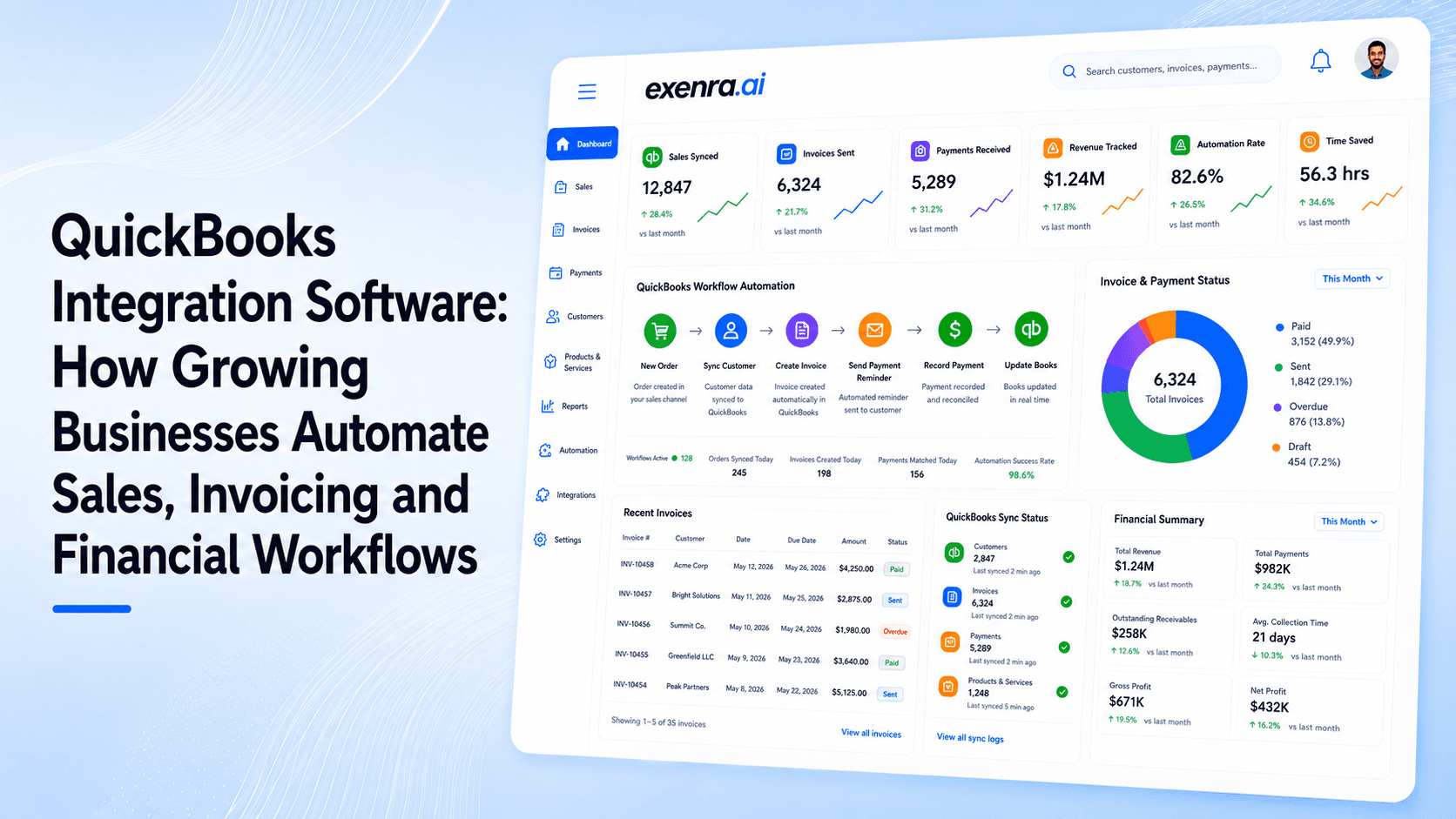
A customer says yes to your proposal. The sales team celebrates, the deal is marked as won and everyone is ready to move forward.
Then the manual work begins.
Someone copies the customer’s details from the CRM into QuickBooks. Another employee checks the agreed price. The accounts team creates an estimate or invoice. The salesperson follows up to ask whether payment has arrived. Management later compares several dashboards and spreadsheets to understand how the deal affected revenue.
The sale may be complete, but the business process is still disconnected.
This is exactly where QuickBooks integration software can make a difference.
By connecting QuickBooks with your CRM, sales platform and business automation tools, customer and financial information can move between systems without your team repeatedly entering the same details.
For growing businesses, this means fewer administrative tasks, faster invoicing, better data accuracy and a clearer view of the journey from first enquiry to final payment.
What Is QuickBooks Integration Software?
QuickBooks integration software connects QuickBooks with other applications used by a business.
These applications may include:
CRM software
Sales automation platforms
Ecommerce stores
Payment systems
Inventory software
Customer support tools
Project management platforms
Marketing software
Reporting dashboards
The integration allows information to pass from one system to another based on actions or rules set by the business.
For example, when a salesperson marks a deal as won, the connected system may automatically:
Create or update the customer in QuickBooks.
Transfer the customer’s billing details.
Prepare an estimate or invoice.
Notify the accounts team.
Update the deal record.
Start the next customer onboarding task.
Without a QuickBooks integration, an employee would need to complete many of these actions manually.
QuickBooks currently connects with hundreds of third-party applications designed to automate workflows, synchronise information and reduce repetitive administration.
Why Manual Sales and Accounting Processes Become a Problem
Manual processes often work when a business is small.
The sales manager may sit next to the accounts person. Customer details can be shared through email or a spreadsheet, and only a few invoices need to be created each week.
As the business grows, the same process becomes harder to manage.
More customers mean more records to create. More salespeople mean more information arriving from different sources. More invoices mean more opportunities for errors, delays and duplicate entries.
Common problems include:
Customer details being entered incorrectly
The same customer being created more than once
Invoices being delayed after a sale
Sales teams not knowing whether payment has arrived
Accounts teams receiving incomplete information
Different systems showing different customer details
Managers struggling to connect sales activity with revenue
Employees spending hours updating spreadsheets
A properly configured QuickBooks Online integration helps replace these disconnected steps with one organised workflow.
How QuickBooks CRM Integration Works
A CRM and QuickBooks perform different but closely connected roles.
Your CRM usually manages:
Leads and enquiries
Customer conversations
Sales opportunities
Follow-up tasks
Deal stages
Lead sources
Sales team activity
QuickBooks usually manages:
Customers
Estimates
Invoices
Payments
Expenses
Financial records
Accounting reports
A QuickBooks CRM integration connects the sales journey with the financial journey.
Instead of treating a customer as one record in the CRM and a completely separate record in QuickBooks, the business can synchronise relevant information between the two platforms.
A typical workflow may look like this:
Lead captured, salesperson assigned, lead qualified, proposal accepted, deal marked as won, customer created in QuickBooks, invoice prepared, payment status connected with the sales record.
The exact actions will depend on the software, permissions and workflow configured by the business.
QuickBooks Online provides APIs that authorised applications can use to work with accounting data and build connected business tools.
1. QuickBooks Integration Reduces Manual Data Entry
Entering the same information into multiple systems is one of the most common problems in a growing business.
A salesperson may already have collected the customer’s:
Name
Business name
Email address
Telephone number
Billing address
Service requirements
Agreed price
Payment terms
When the deal closes, someone from the accounts department may enter all that information again.
It is slow, repetitive and easy to get wrong.
With QuickBooks data sync, the information already stored in the CRM or sales platform can be used to create or update the relevant QuickBooks record.
The customer’s details only need to be entered once.
This does not only save time. It also reduces the risk of invoices being sent to the wrong email address, using an outdated company name or showing an incorrect amount.
2. It Helps Businesses Create Invoices Faster
A completed sale should lead naturally to an invoice.
Unfortunately, many businesses still depend on emails, internal messages and spreadsheets to pass information from sales to accounts.
The accounts team then needs to find the customer details, confirm the price, check the payment terms and create the record.
Any missing information can delay the invoice further.
With QuickBooks invoice automation, closing a deal can trigger the next financial step automatically.
For example:
Deal marked as won, customer details checked, QuickBooks customer created, invoice draft prepared, accounts team notified.
The finance team can still review the invoice before it is sent. Automation simply removes the unnecessary copying and waiting between each step.
Faster invoicing can also support healthier cash flow because the payment process begins sooner.
3. It Keeps Sales and Accounts Teams Better Connected
Sales and accounts teams often work with the same customers but see different parts of the relationship.
The salesperson knows what the customer asked for, how the lead was generated and which proposal was accepted.
The accounts team knows whether an invoice was issued, whether payment was received and whether anything remains outstanding.
When these systems are disconnected, employees repeatedly ask each other for updates.
A salesperson may ask:
Has the invoice been sent?
Has the customer paid?
Is there an outstanding balance?
Can we begin onboarding?
The accounts team may ask:
Which package did the customer select?
What price was agreed?
Which billing address should we use?
Who approved the discount?
A CRM integration with QuickBooks can make relevant information visible at the right stage of the process.
The goal is not to give every employee full access to sensitive financial information. Access should always be based on roles and responsibilities.
The goal is to remove unnecessary communication gaps between the teams responsible for winning and processing the sale.
4. It Improves Customer and Invoice Accuracy
Small errors can create surprisingly large delays.
An incorrect email address can prevent an invoice from reaching the customer. An outdated price can lead to a dispute. A duplicate customer record can make reports harder to understand.
These issues often happen because the same information is being maintained separately across several platforms.
QuickBooks sync software can help businesses establish clear rules for how data is handled.
For example, the business can decide:
Which platform owns customer contact information
When a new QuickBooks customer should be created
How existing customers should be matched
Which fields should be synchronised
What happens when information changes
How failed synchronisations are reported
Who is responsible for reviewing errors
Integration does not automatically repair poor-quality information. The original data still needs to be accurate.
However, it reduces the number of times employees must manually copy and re-enter that data.
5. It Gives Managers a Clearer View of Revenue
Many companies can tell you how many leads they generated last month.
Fewer can clearly explain which campaigns, platforms or sales activities generated actual revenue.
This happens because marketing, sales and accounting data are stored in different places.
The advertising platform reports clicks and leads. The CRM reports opportunities and closed deals. QuickBooks reports invoices and payments.
Without a connection, management is left comparing separate reports.
A sales and accounting integration can help provide answers to more useful questions:
Which lead sources generate the most revenue?
Which campaigns attract higher-value customers?
How many won deals are waiting to be invoiced?
Which customers still have outstanding payments?
What is the average time from lead capture to invoice?
Which services generate the most sales?
Which salespeople are producing invoiced revenue?
Which customers are likely to purchase again?
According to its current product pages, exenra.ai connects QuickBooks financial information with sales, CRM and workflow data to provide broader visibility from lead capture to revenue.
6. It Supports QuickBooks Workflow Automation
The real value of integration is not simply moving a name from one platform to another.
A strong QuickBooks workflow automation can respond to business events and begin the next required actions.
Closed-Deal Workflow
Deal marked as won, customer created, invoice prepared, accounts notified, onboarding task assigned.
Payment Workflow
Payment recorded, sales record updated, account manager informed, customer onboarding begins.
Overdue-Invoice Workflow
Invoice becomes overdue, finance task created, responsible employee alerted, approved reminder process begins.
Customer Update Workflow
Billing details changed, relevant customer information updated, affected team members notified.
Renewal Workflow
Renewal date approaching, account manager notified, customer follow-up scheduled, invoice process prepared.
These workflows reduce the need for employees to remember every administrative step.
They also make the process more consistent. Every customer can move through the same approved workflow rather than receiving a different experience depending on which employee handled the sale.
7. It Connects Financial Activity With Customer Communication
Creating an invoice is not always the end of the process.
Businesses may still need to send:
An invoice notification
A payment reminder
A payment confirmation
A request for billing details
An onboarding message
A renewal reminder
A service confirmation
A follow-up after payment
When QuickBooks is connected with CRM and communication tools, financial activity can trigger the next relevant action.
For example, a payment recorded in QuickBooks could move the customer into an onboarding stage. The relevant employee could receive a task, and the customer could be sent the appropriate welcome information.
This creates a smoother experience because accounting activity is no longer separated from the wider customer journey.
8. QuickBooks Automation Makes Growth Easier to Manage
A business does not usually struggle because it lacks software.
It struggles because its software does not work together.
One platform manages leads. Another stores customer conversations. QuickBooks manages invoices. A spreadsheet tracks outstanding tasks. Employees use email or chat to fill the gaps between them.
That process may survive at a smaller scale, but it becomes increasingly fragile as the company grows.
More customers create more:
Records
Invoices
Follow-ups
Internal updates
Payment checks
Reporting requirements
Opportunities for mistakes
Accounting automation software helps the business create a repeatable process that can handle higher activity without requiring the same increase in manual administration.
The company can begin with one workflow, such as creating an invoice after a deal closes, and gradually introduce more automation as its needs become clearer.
Practical QuickBooks Integration Use Cases
Service Businesses
Consultancies, agencies and professional service providers can create customers and invoices after proposals are accepted.
The sales team can manage enquiries and follow-ups while QuickBooks manages the financial records.
Ecommerce Businesses
An ecommerce business may connect orders, customer records, payments and financial reporting with QuickBooks.
The exact capabilities will depend on the ecommerce platform and chosen integration.
Marketing Agencies
An agency can move a new client from the sales pipeline into invoicing and onboarding without repeatedly entering the same information.
Real Estate and Property Services
Property-related businesses can connect completed services, commissions or client charges with the appropriate accounting workflow.
Maintenance and Local Service Companies
Repair, installation and home-service companies can turn completed jobs into invoice workflows while keeping customer information connected.
Subscription-Based Businesses
A subscription company may use automation to support recurring billing processes, renewal reminders and customer account updates.
QuickBooks Online Integration vs Manual File Imports
Some businesses transfer data by exporting a spreadsheet from one platform and importing it into another.
This can be useful for occasional updates, but it is not the same as an ongoing QuickBooks Online integration.
Manual exports and imports usually require someone to:
Generate the file.
Check the columns.
Remove duplicates.
Correct formatting problems.
Upload the data.
Review errors.
Repeat the process next week or next month.
An integration can allow approved actions to happen automatically when relevant events occur.
That makes it more suitable for businesses that need regular data synchronisation rather than occasional bulk updates.
How exenra.ai Supports QuickBooks Integration
QuickBooks is an important accounting platform, but it only represents one part of the customer journey.
Before an invoice can be created, the business still needs to:
Capture the lead
Respond to the enquiry
Qualify the prospect
Assign a salesperson
Manage the conversation
Complete follow-ups
Move the opportunity through the pipeline
Close the deal
exenra.ai connects these sales and workflow activities with QuickBooks financial data.
The platform currently presents QuickBooks as part of its wider business automation environment, alongside CRM, lead management, communication and reporting tools. It also promotes no-code workflows, cross-platform data synchronisation and financial analytics using QuickBooks data.
A connected workflow can look like this:
Lead arrives from Facebook, Instagram, WhatsApp or a website form, lead is added to the CRM, salesperson follows up, deal is won, QuickBooks workflow begins, financial information becomes connected with the customer record.
Rather than using one tool for leads, another for follow-ups and a separate manual process for invoicing, teams can manage the journey through a more connected system.
A Realistic exenra.ai and QuickBooks Workflow
Consider a digital agency receiving enquiries from several channels.
Without integration:
A new lead arrives through a Facebook advertisement.
An employee copies the details into a spreadsheet.
A salesperson contacts the lead.
A proposal is agreed.
Customer information is emailed to accounts.
Accounts creates the customer in QuickBooks.
An invoice is created manually.
The salesperson later asks whether it has been paid.
Management compares the CRM and QuickBooks reports.
With exenra.ai and QuickBooks automation:
The lead enters one CRM pipeline.
The enquiry is assigned to the appropriate salesperson.
Conversations and follow-ups are recorded.
The salesperson updates the opportunity stage.
A completed deal triggers the agreed QuickBooks workflow.
Customer and financial actions are processed according to the configuration.
Relevant sales and financial information can be viewed as part of the wider customer journey.
The team spends less time passing information between departments and more time serving customers and closing opportunities.
What to Look for in QuickBooks Integration Software
Not every integration works in the same way.
Before choosing a platform, consider the following areas.
QuickBooks Online Compatibility
Confirm that the software supports the QuickBooks product and regional version your business uses.
Do not assume an integration built for QuickBooks Online will automatically support QuickBooks Desktop.
Secure Authorisation
A reliable QuickBooks API integration should use an authorised connection rather than asking employees to share passwords informally.
Clear Data Mapping
The system should make it clear how CRM fields connect with QuickBooks customers, products, estimates, invoices and other records.
Duplicate Management
The software should have a process for identifying existing customer records before creating new ones.
Flexible Automation
Look for workflows that can be triggered by relevant business actions, such as a deal being marked as won.
Error Reporting
A failed sync should be visible. The platform should show what went wrong and which record requires attention.
Role-Based Access
Sensitive accounting and financial information should only be visible to authorised employees.
Reporting
The integration should help the business understand how sales activity connects with invoicing and revenue.
Scalability
Choose software that can support additional workflows, users and data as the business grows.
How to Prepare for a QuickBooks Integration
Review Your Existing Process
Write down every step that currently happens between closing a sale and recording the revenue.
Look for repeated data entry, unnecessary approvals and common delays.
Select One Important Workflow
Begin with a clear process such as:
Deal won → create or update customer → prepare invoice.
Starting with one workflow makes testing and troubleshooting easier.
Decide Which Platform Owns the Data
The CRM may remain responsible for leads and sales stages, while QuickBooks remains the source of truth for invoices and payments.
Clean Your Existing Records
Check customer names, email addresses, products, services and tax information before enabling the sync.
Map the Required Fields
Decide which information needs to move between the systems and which information should remain private.
Test Before Going Live
Use test customers and transactions before applying the automation to active deals.
Monitor the Results
Review the first synchronised records carefully. Check customer details, prices, currencies, tax settings and line items.
Frequently Asked Questions
What is QuickBooks integration software?
QuickBooks integration software connects QuickBooks with another business application so that approved customer, sales or financial information can move between the systems.
Can QuickBooks integrate with CRM software?
Yes. QuickBooks Online can connect with CRM and sales platforms through available third-party applications or authorised API integrations.
What is QuickBooks CRM integration?
A QuickBooks CRM integration connects sales information, such as leads and closed deals, with accounting information, such as customers, invoices and payments.
Can QuickBooks integration create invoices automatically?
Some integrations can create an invoice or invoice draft when a selected event occurs, such as a deal being marked as won. The exact capabilities depend on the software and workflow configuration.
Does QuickBooks integration reduce manual data entry?
Yes. It can use information already stored in the connected platform, reducing the need to enter the same customer details repeatedly.
Is QuickBooks integration software suitable for small businesses?
Yes. It can be useful for small and growing businesses that want to reduce administrative work and improve coordination between sales and accounts.
What is QuickBooks data sync?
QuickBooks data sync is the process of transferring selected information between QuickBooks and another application. The sync may be one-way or two-way, depending on the integration.
Does exenra.ai connect with QuickBooks?
exenra.ai currently presents QuickBooks as one of its connected finance and workflow tools. Its product pages describe financial data synchronisation, business automation and reporting using QuickBooks information.
Can exenra.ai connect sales leads with financial information?
exenra.ai is designed to connect lead capture, CRM workflows and QuickBooks financial data so businesses can view more of the journey from enquiry to revenue.
Is QuickBooks integration the same as accounting automation?
QuickBooks integration is one part of accounting automation. Integration connects systems, while automation uses rules and triggers to complete actions with less manual input.
Conclusion
Closing a sale should not create hours of duplicate administration.
When sales, CRM and accounting systems are disconnected, employees spend too much time copying information, checking payment updates and correcting avoidable mistakes.
QuickBooks integration software creates a more organised connection between customer activity and financial activity.
It can help businesses:
Reduce manual data entry
Create invoices faster
Improve customer data accuracy
Connect sales and accounts teams
Automate repetitive workflows
Track the journey from lead to revenue
Manage higher customer volumes
Make better decisions using connected information
With exenra.ai, businesses can connect QuickBooks with lead management, CRM, communication and workflow automation.
The result is not simply another software connection. It is a smoother process from the moment a lead enters the business to the point where the sale becomes recorded revenue.
Connect QuickBooks with exenra.ai and build a faster, clearer and more reliable lead-to-invoice workflow.
Comments
0 publishedComments are not open for this article yet.
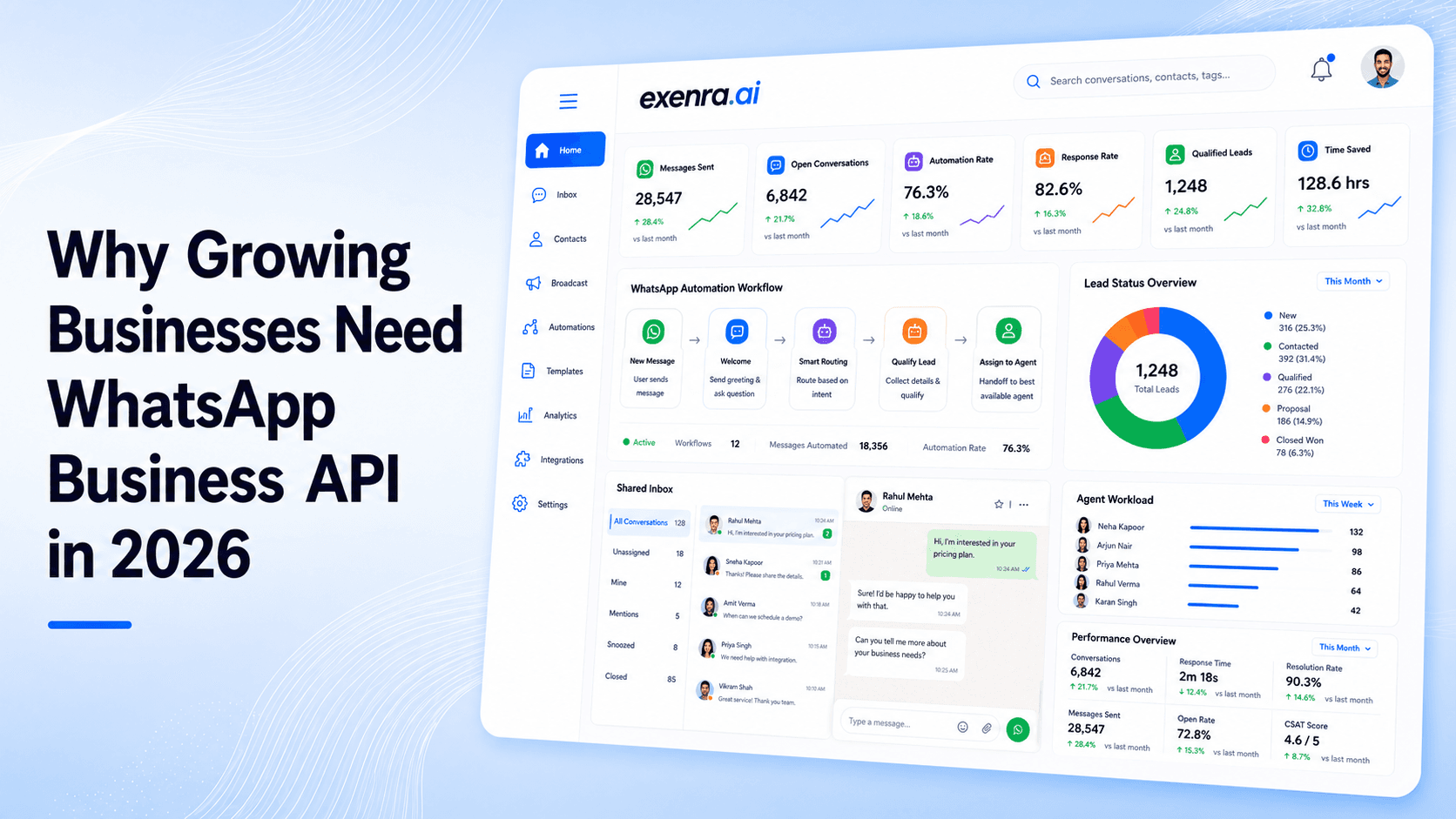
Why Growing Businesses Need WhatsApp Business API in 2026
Growing businesses often struggle with missed messages, slow responses, unassigned leads and inconsistent follow-ups. This blog explains how the WhatsApp Business API helps companies manage customer communication through a shared inbox, automated replies, CRM integration, lead assignment, approved campaigns and customer-support workflows. It also highlights how exenra.ai brings WhatsApp conversations, AI-assisted replies, lead management, automation and team collaboration into one connected platform, helping businesses scale sales, marketing and support more efficiently in 2026.
Read more