
Why Growing Businesses Need WhatsApp Business API in 2026
Growing businesses often struggle with missed messages, slow responses, unassigned leads and inconsistent follow-ups. This blog explains how the WhatsApp Business API helps companies manage customer communication through a shared inbox, automated replies, CRM integration, lead assignment, approved campaigns and customer-support workflows. It also highlights how exenra.ai brings WhatsApp conversations, AI-assisted replies, lead management, automation and team collaboration into one connected platform, helping businesses scale sales, marketing and support more efficiently in 2026.
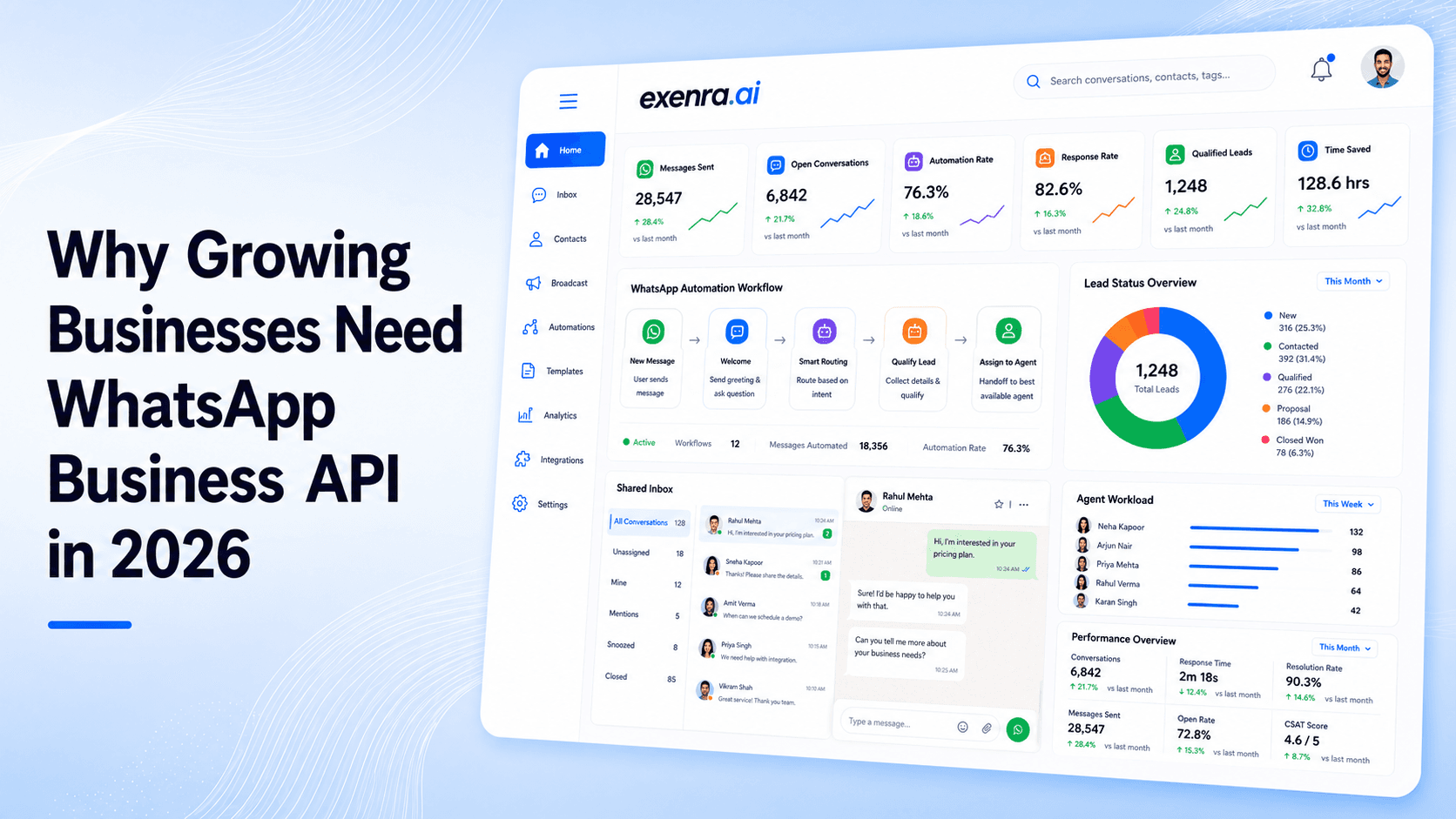
Growth is exciting, but it also creates pressure.
More customers mean more questions. More leads mean more follow-ups. More orders mean more delivery updates, payment confirmations and support requests. What once felt manageable through a single phone can quickly become difficult to control.
A message gets missed. Two team members reply to the same customer. A promising lead receives no follow-up. Someone asks for an order update, but the support agent cannot find the correct information. As the number of conversations increases, a simple messaging app is often no longer enough.
This is where the WhatsApp Business API becomes useful.
It helps growing businesses manage customer conversations in a more organised way. Teams can respond from a shared inbox, automate common replies, assign leads, connect WhatsApp with a CRM and send approved notifications or marketing messages.
In 2026, customers expect businesses to be fast, convenient and available on the channels they already use. For many companies, WhatsApp is now one of those essential channels.
What Is WhatsApp Business API?
The WhatsApp Business API, now commonly referred to as the WhatsApp Business Platform, allows businesses to connect WhatsApp with other software.
Instead of managing every conversation from one mobile phone, a company can connect its WhatsApp number to:
A shared team inbox
A CRM or lead-management system
A customer-support platform
An ecommerce store
A booking system
An AI chatbot
A marketing automation platform
Internal sales and support workflows
The API itself is not another mobile application. It acts as the connection between WhatsApp and the systems a business uses every day.
For example, when a customer sends a message, the conversation can appear inside a shared inbox where the right team member can respond. The contact can also be saved in the CRM, assigned to a salesperson and added to a follow-up process.
That is what makes the WhatsApp Business API different from using WhatsApp only as a chat app. It turns WhatsApp into a proper business communication channel.
WhatsApp Business App vs WhatsApp Business API
The WhatsApp Business App works well for small businesses that receive a limited number of messages.
It offers useful features such as quick replies, labels, a business profile, greeting messages and product catalogues. For a shop owner or a small team, that may be enough.
Problems usually begin when the business grows.
Several people may need access to the same number. Leads may arrive from Facebook Ads, Instagram, website forms and referrals. Customers may expect immediate replies, while managers need a clear view of who is handling each conversation.
The WhatsApp Business API is designed for this more advanced level of communication.
Requirement
WhatsApp Business App
WhatsApp Business API
Best for
Small businesses
Growing and larger businesses
Team access
Limited
Supports multi-agent inboxes
Automation
Basic
Advanced workflows and chatbots
CRM integration
Limited
Can connect with CRM platforms
Lead assignment
Manual
Can be automated
Reporting
Basic
More detailed reporting through a provider
Notifications
Limited
Approved message templates
Marketing campaigns
Basic
Permission-based template campaigns
Customer support
Mostly manual
Automated and human support
A business does not need to wait until it becomes a large company before using the API. In many cases, the right time to move is when the existing process starts causing missed messages, slow responses or lost leads.
1. It Keeps Increasing Message Volume Under Control
Growth naturally creates more conversations.
A business may begin with ten or twenty WhatsApp messages per day. After launching paid advertising, adding new products or entering another market, that number can quickly become hundreds.
Handling those conversations through one phone creates confusion.
Team members may not know which enquiries have already been answered. Important chats can disappear below newer messages. Customers may wait because everyone assumes someone else is dealing with them.
A shared WhatsApp inbox solves many of these problems.
Multiple authorised team members can manage conversations connected to the same WhatsApp number. Each chat can be assigned to a specific person or department, such as sales, customer support, billing or delivery.
Managers can also see which conversations are open, which customers are waiting and which team member is responsible.
The customer still speaks to one business number, but the work behind that number becomes much more organised.
2. It Helps Businesses Respond Faster
Customers do not enjoy waiting, especially when they are ready to buy.
Someone who asks for pricing may also be contacting two or three competitors. If your team replies several hours later, the customer may already have chosen another company.
With WhatsApp automation, a business can respond immediately.
The first message could welcome the customer and ask what they need:
The customer might then select:
Request pricing
Ask about a product
Track an order
Book an appointment
Speak to customer support
The automation can answer simple questions, collect basic information and pass the conversation to the correct employee.
This does not remove the human side of customer service. It simply reduces the time wasted on repetitive first steps.
When a customer needs advice, reassurance or a detailed solution, a real person should still be easy to reach.
3. It Reduces the Risk of Losing Good Leads
Generating a lead costs time and money.
A business may pay for a Facebook or Instagram advertisement, invest in SEO or spend weeks building a campaign. But if the lead is not contacted quickly, that investment can be wasted.
The problem is often not a lack of interest. It is a lack of process.
A new enquiry may arrive on WhatsApp, but no one records it. A salesperson replies once and forgets to follow up. Another lead is never assigned to anyone.
The WhatsApp Business API for lead management can connect those conversations with a CRM or sales system.
A typical process might look like this:
A customer clicks an advert → starts a WhatsApp chat → their details are saved → the enquiry is analysed → the lead is assigned → a follow-up task is created.
This gives every lead a clear owner and a visible place in the sales pipeline.
For a growing business, that matters because sales opportunities should not depend on someone remembering to check an old chat.
4. It Makes Follow-Ups More Consistent
Most customers do not make a purchase after one conversation.
They may want time to compare options, discuss the decision with someone else or wait until they have the right budget. A lead who does not reply today may still become a customer next week.
The problem is that manual follow-ups are easy to forget.
With WhatsApp salesautomation, businesses can create a more consistent follow-up process. Depending on customer consent and the type of enquiry, a company could send:
A quotation reminder
A product-information follow-up
A booking confirmation
A consultation reminder
A request for missing information
A limited-time offer
A simple check-in message
These messages should be helpful rather than pushy.
The goal is not to send repeated promotions until the customer becomes annoyed. The goal is to continue the conversation at the right time and give the customer a useful next step.
A thoughtful follow-up can often recover leads that would otherwise have been forgotten.
5. It Makes Customer Support More Efficient
Support teams often answer the same questions every day.
Customers ask about delivery times, opening hours, return policies, payment methods, appointment changes and order status.
These questions are important to the customer, but answering them manually every time can take up a large part of the team’s day.
A WhatsApp customer-support automation system can deal with many of these common requests.
For example, it can:
Share business hours
Provide return instructions
Ask for an order number
Confirm an appointment
Send delivery information
Explain payment options
Route technical issues to the right team
Transfer the customer to a human agent
The automation can also collect the details an employee needs before the conversation is transferred.
Instead of asking the customer several basic questions, the agent may already have the order number, issue type and contact information when the chat arrives.
This saves time for both sides.
6. It Allows Several Team Members to Use One Number
Customers prefer simplicity.
They should not have to save one number for sales, another for support and a third for billing. They should be able to contact the business through one familiar conversation.
The WhatsApp Business API can be connected to a multi-agent WhatsApp inbox, allowing several departments to work from the same number.
Depending on the platform, the team may be able to see:
Who is handling the conversation
The customer’s previous messages
Internal notes
Lead status
Tags and categories
Follow-up dates
Response times
Whether the issue has been resolved
This is especially useful when shifts change or when a conversation moves from one department to another.
A salesperson may initially handle the enquiry. Once the customer purchases, the conversation can be transferred to customer support without asking the customer to start again.
7. It Supports Permission-Based Marketing Campaigns
WhatsApp can be a powerful marketing channel, but it needs to be used carefully.
Customers generally see WhatsApp as a more personal space than email. Sending irrelevant or unwanted messages can quickly damage trust.
The WhatsApp Business API allows businesses to send approved template messages to customers who have given permission to receive them.
These campaigns can be used for:
Product announcements
Relevant special offers
Event reminders
Customer reactivation
Abandoned-cart reminders
Renewal notifications
Product recommendations
Webinar reminders
Consultation follow-ups
Seasonal campaigns
Good WhatsApp marketing automation is based on relevance.
A customer who asked about one particular service should receive information related to that interest, not every promotion the company creates.
Segmenting contacts by behaviour, purchase history, enquiry type or sales stage can make messages more useful and reduce unnecessary opt-outs.
8. It Automates Important Customer Updates
Many support enquiries happen because the customer does not know what is happening.
Has the order been accepted? Has the payment gone through? When will the delivery arrive? Is the appointment still confirmed?
The WhatsApp Business API can connect with ecommerce, booking and order-management systems to send automatic updates.
These may include:
Order confirmations
Payment confirmations
Dispatch notifications
Delivery updates
Appointment confirmations
Appointment reminders
Refund updates
Subscription renewals
Service-status notifications
Account updates
Proactive communication builds trust.
When customers receive updates without having to ask, they feel more confident that the business is organised and paying attention.
It also reduces the number of repetitive “Can you update me?” messages received by the support team.
9. It Connects WhatsApp With Your CRM
A WhatsApp chat becomes much more useful when it is connected to the rest of the customer journey.
Without a CRM integration, important information may stay inside individual conversations. A salesperson may not know whether the person has contacted the business before. A support agent may not be aware of a previous complaint or purchase.
A WhatsApp CRM integration can link conversations with:
Contact information
Lead sources
Sales stages
Purchase history
Previous support requests
Assigned employees
Follow-up tasks
Campaign activity
Customer preferences
Notes and reminders
This gives employees better context before they reply.
Instead of asking the customer to explain everything again, the team can continue the conversation with a clearer understanding of their history.
For growing businesses, this creates a more joined-up experience across sales, marketing and support.
10. It Can Turn Conversations Into Actions
Modern WhatsApp experiences are no longer limited to sending messages back and forth.
Businesses can create structured journeys that help customers complete actions directly within a conversation.
For example, a customer may be able to:
Book an appointment
Request a quotation
Submit their details
Register for an event
Select a service
Provide delivery information
Start a return request
Answer lead-qualification questions
This removes unnecessary steps.
Instead of sending the customer to a separate website, asking them to find a form and then return to WhatsApp, the business can guide them through a simpler process.
The easier it is for a customer to take action, the more likely they are to complete it.
11. It Gives Managers a Clearer View of Performance
When business conversations are spread across personal devices, managers often have very little visibility.
They may not know how quickly customers are receiving replies, which leads are still waiting or whether follow-ups are actually being completed.
A connected WhatsApp platform can provide clearer reporting on:
Response times
Open conversations
Assigned leads
Agent activity
Campaign replies
Follow-up progress
Resolved support enquiries
Customer engagement
Conversion stages
This helps managers identify where the process is breaking down.
Perhaps leads are being contacted quickly but not followed up. Maybe one team is overloaded while another has spare capacity. The data makes these issues easier to recognise and improve.
12. It Can Scale With the Business
The WhatsApp Business API is not only useful because of what a business needs today. It also supports what the business may need next.
A company might begin by using WhatsApp for customer support. Later, it may add lead assignment, marketing campaigns, automated reminders, AI replies and ecommerce notifications.
Instead of replacing the entire communication system every time the company grows, the business can expand its workflows gradually.
That flexibility makes the API valuable for companies that expect their customer volume, team size or service offering to increase.
WhatsApp Business API Use Cases
Ecommerce Businesses
Online retailers can use WhatsApp for order confirmations, delivery updates, abandoned-cart reminders, product enquiries and customer support.
Real Estate Companies
Estate agents can collect property requirements, qualify leads, arrange viewings and follow up with interested buyers.
Clinics and Healthcare Providers
Clinics can manage appointment requests, confirmations, reminders and general service enquiries while following relevant privacy requirements.
Education Providers
Schools, colleges and training companies can answer admission questions, share course information, send reminders and update applicants.
Marketing Agencies
Agencies can connect advertising leads with WhatsApp, manage campaign enquiries and automate follow-ups.
Local Service Businesses
Repair companies, consultants, home-service providers and other local businesses can manage bookings, quotation requests and customer reminders.
Signs Your Business Is Ready for WhatsApp Business API
Your company may be ready to move beyond the standard WhatsApp Business App when:
Messages are regularly being missed.
Several employees need access to the same number.
Leads arrive from different channels.
Follow-ups depend on memory or spreadsheets.
Customers repeatedly ask the same questions.
You want to connect WhatsApp with a CRM.
Your team needs automated order or appointment updates.
Managers cannot see how enquiries are being handled.
You want to run approved message campaigns.
You need chatbots, AI replies or automated workflows.
The best time to improve the system is often before the current process becomes completely unmanageable.
How exenra.ai Helps Growing Businesses Use WhatsApp Business API
Getting access to the API is only one part of the journey.
A business still needs an easy way to manage conversations, assign leads, create follow-ups, run campaigns and monitor team activity.
exenra.ai brings these functions together in one platform.
Businesses can use exenra.ai for:
Guided WhatsApp API setup
A shared team inbox
AI-assisted replies
Automated responses and follow-ups
Hot, warm and cold lead analysis
Lead and conversation assignment
Approved-template campaigns
Bulk WhatsApp messaging
CRM-style lead management
Facebook and Instagram lead connections
Campaign and inbox reporting
Ecommerce follow-up workflows
Instead of using separate tools for the inbox, CRM, automation and lead tracking, teams can manage more of the customer journey from one connected workspace.
You can explore the complete WhatsApp Business API provider solution offered by exenra.ai to see how it supports sales, marketing and customer-service teams.
How to Get Started
Begin by deciding what you want WhatsApp to achieve.
For some businesses, the priority is faster customer support. For others, it is lead management, marketing campaigns, order updates or appointment reminders.
Once the goal is clear, identify which systems WhatsApp needs to connect with. This may include your website, CRM, ecommerce store, booking platform or Facebook and Instagram advertisements.
You should also prepare a clear customer opt-in process, create useful message templates and decide how conversations will be assigned across the team.
Start with the most important workflow rather than trying to automate everything at once.
For example, you might begin with:
New lead → instant response → qualification questions → salesperson assignment → follow-up reminder.
Once that process is working well, you can add more automation.
Best Practices for WhatsApp Automation
Keep messages clear, useful and easy to understand.
Customers should know why they have received a message and what action they need to take. Avoid long, complicated replies when a short message or a simple button will do the job.
Always make it easy for customers to speak with a human agent. Automation is helpful, but it should not become a barrier.
Use customer consent properly before sending business-initiated campaigns. Give people a simple way to opt out and avoid sending promotions that are unrelated to their interests.
Most importantly, measure results that matter.
The number of messages sent is not the main measure of success. Look at response times, lead conversions, customer satisfaction, completed bookings and resolved support enquiries.
Frequently Asked Questions
Is WhatsApp Business API only for large companies?
No. It can also be useful for small and medium-sized businesses that need multiple users, automation, CRM integration or more organised lead management.
Can multiple employees use one WhatsApp number?
Yes. When the API is connected to a shared inbox, authorised team members can manage conversations linked to the same business number.
Can WhatsApp Business API automate customer support?
Yes. It can be used for instant replies, FAQs, lead collection, conversation routing, appointment reminders and chatbot-to-human handovers.
Can businesses send bulk WhatsApp messages?
Businesses can send approved template campaigns to customers who have given appropriate permission. Messages should remain relevant and follow WhatsApp’s policies.
Does WhatsApp Business API connect with a CRM?
Yes. It can connect WhatsApp conversations with customer records, lead stages, tasks, sales pipelines and support histories.
Is WhatsApp Business API useful for marketing?
Yes, especially for permission-based campaigns, product announcements, reminders, lead follow-ups and customer reactivation.
How much does WhatsApp Business API cost?
The overall cost may include messaging charges, provider subscription fees, automation features, AI usage, integrations and setup services. Businesses should compare the full cost rather than looking only at the starting monthly price.
Why use exenra.ai for WhatsApp automation?
exenra.ai combines WhatsApp setup with a shared inbox, automated follow-ups, AI-assisted replies, lead analysis, assignments, template campaigns and CRM-style lead management.
Conclusion
As a business grows, managing customer conversations manually becomes harder.
Messages are easier to miss. Follow-ups become inconsistent. Employees struggle to understand who is handling each customer, and managers have less visibility over the process.
The WhatsApp Business API gives growing businesses a more structured way to communicate.
It can help teams respond faster, manage more enquiries, automate repetitive tasks, assign leads, send customer updates and connect WhatsApp with CRM and business systems.
The real value is not simply sending more messages. It is creating a better process around every conversation.
With exenra.ai, businesses can manage WhatsApp conversations, leads, automation and follow-ups from one connected platform.
Comments
0 publishedComments are not open for this article yet.
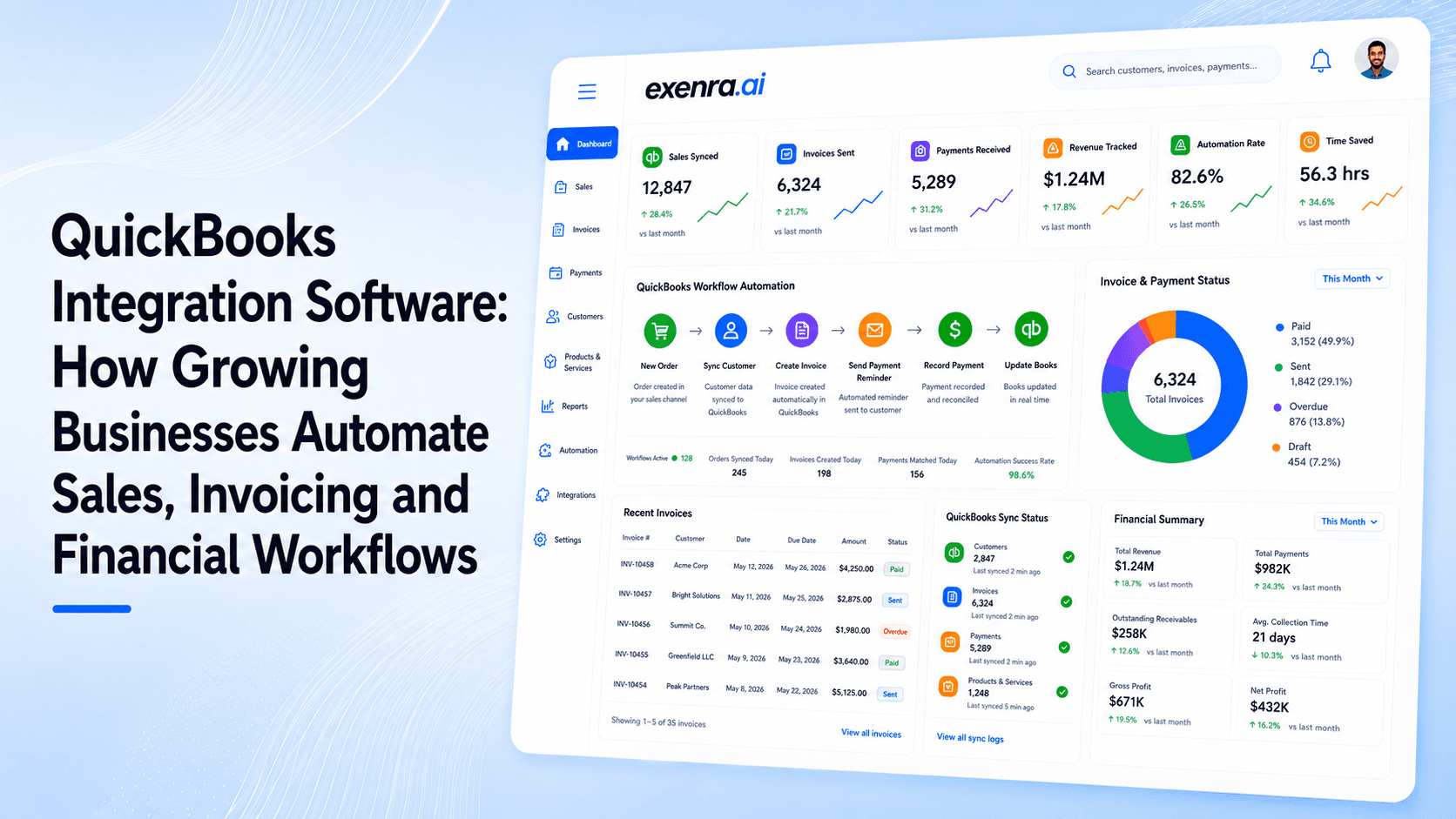
QuickBooks Integration Software: How Growing Businesses Automate Sales, Invoicing and Financial Workflows
Growing businesses often waste valuable time copying customer, sales and invoice information between their CRM and accounting systems. This blog explains how QuickBooks integration software connects QuickBooks with sales, CRM and workflow automation tools to reduce manual data entry, improve accuracy and speed up invoicing. It also shows how exenra.ai can connect lead management, customer communication and closed deals with QuickBooks workflows, creating a smoother journey from the first enquiry to recorded revenue.
Read more