
How to Improve Lead Response Time With Automation
This blog explains how businesses can improve lead response time with automation by capturing new leads instantly, assigning them to the right team member, sending real-time alerts, and creating follow-up reminders. It covers common problems like slow replies, missed leads, manual assignment, scattered inboxes, and forgotten follow-ups. The blog also shows how Exenra.ai helps businesses respond faster, track lead sources, monitor pipeline stages, improve team visibility, and reduce missed sales opportunities.
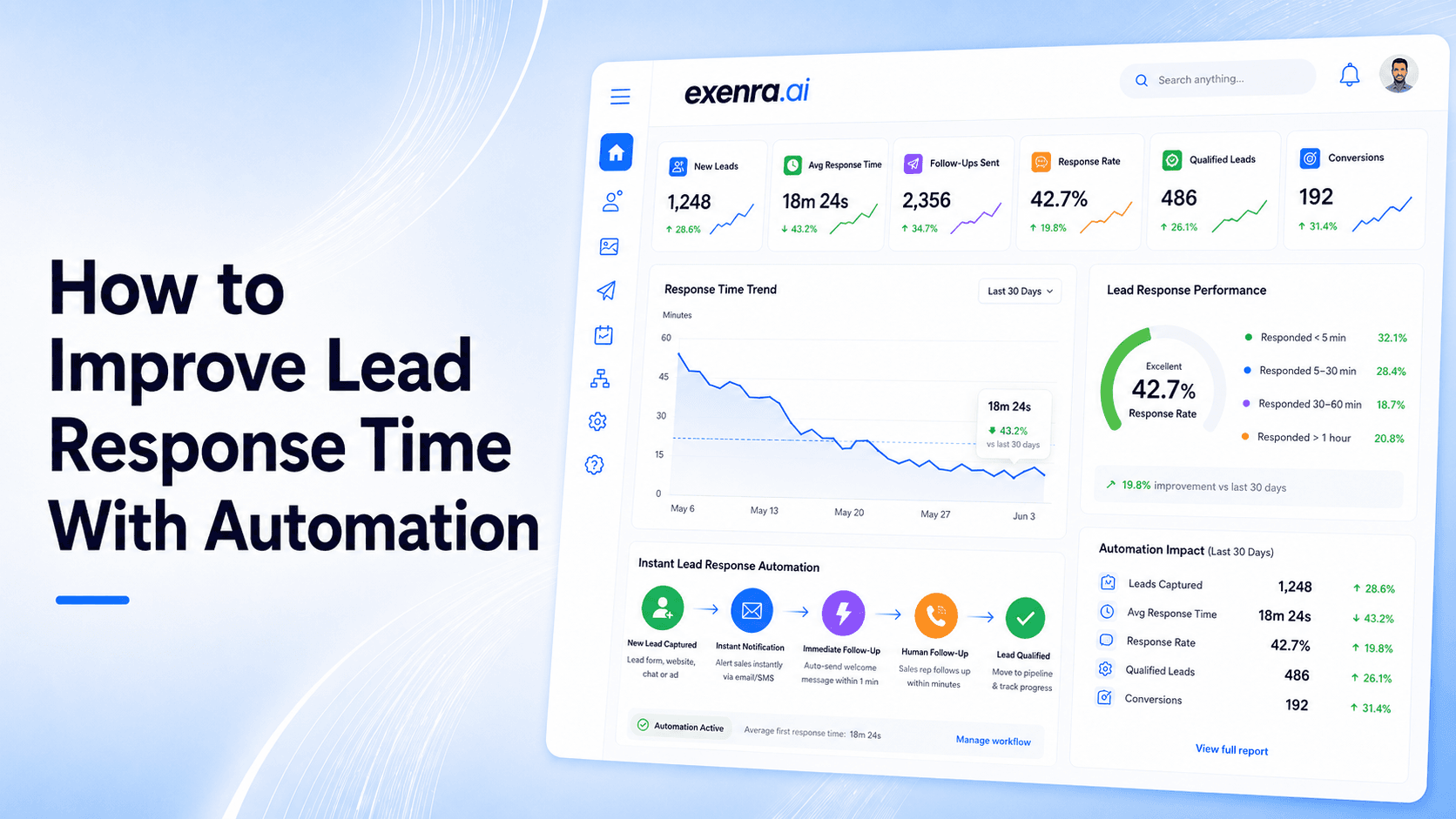
Lead response time can decide whether a new enquiry becomes a customer or disappears.
When someone fills out a form, clicks an ad, sends a WhatsApp message, replies on Instagram, or requests a quote, they are interested in that moment. If your business replies quickly, you have a better chance of starting a real conversation. If your team replies late, the lead may forget, lose interest, or choose a competitor.
That is why improving lead response time matters.
But faster response does not happen by telling your team to reply quickly. It happens when your process supports speed.
Automation helps businesses capture leads faster, assign them to the right person, send alerts, create follow-up reminders, track pipeline stages, and show managers where delays happen.
Exenra.ai helps small businesses improve lead response time by organizing leads, automating assignments, tracking follow-ups, and giving teams better visibility from one practical platform.
How Can You Improve Lead Response Time With Automation?
You can improve lead response time with automation by capturing new leads instantly, routing them to the right team member, sending real-time alerts, creating follow-up reminders, using response templates, tracking pipeline stages, and measuring response performance. Automation removes manual bottlenecks so leads from forms, Facebook, Instagram, WhatsApp, ads, and landing pages do not sit unnoticed.
For small businesses, a platform like Exenra.ai helps improve lead response time by connecting lead capture, team assignment, follow-up automation, pipeline visibility, and team tracking in one simple workflow.
The Problem: Leads Go Cold When Response Is Slow
Most businesses work hard to generate leads.
They run ads, create landing pages, post on social media, optimize websites, manage WhatsApp buttons, and build campaigns. But after a lead comes in, the response process is often too slow.
A website form may go to an email inbox that no one checks immediately. A Facebook lead may sit inside Meta before anyone downloads it. An Instagram DM may get buried under newer messages. A WhatsApp enquiry may be answered once but never followed up. A manager may need to manually decide who should handle the lead.
Each delay makes the lead weaker.
Common problems include:
New leads are not noticed quickly.
Leads are manually copied into spreadsheets.
No one knows who owns the lead.
Team members reply too late.
Follow-ups are forgotten.
Hot leads go cold.
Leads from ads are not contacted fast enough.
Managers cannot see response delays.
Campaigns are judged by lead volume, not response quality.
Sales teams waste time asking who should handle what.
Many businesses blame the campaign when leads do not convert.
But sometimes the campaign is working. The real issue is that the business is too slow to respond.
Why Lead Response Time Matters
Lead response time matters because customer interest is strongest when the lead first reaches out.
A person who just submitted a form or sent a message usually remembers the ad, offer, service, or problem they asked about. If your team responds during that window, the conversation feels natural.
If the response comes hours later, the lead may have moved on.
A fast response helps your business:
Start the conversation while interest is high
Build trust quickly
Beat competitors who reply late
Reduce missed opportunities
Improve customer experience
Increase follow-up chances
Move leads into the pipeline faster
Make better use of paid campaigns
Lead response time is not only a sales metric. It is also a customer experience metric.
When customers receive a quick and helpful reply, they feel the business is organized and serious.
What Is Lead Response Time?
Lead response time is the amount of time it takes your business to contact a new lead after they show interest.
For example:
A lead submits a form at 2:00 PM.
Your team replies at 2:10 PM.
Your lead response time is 10 minutes.
Lead response time can apply to many channels:
Website forms
Facebook Lead Ads
Instagram DMs
WhatsApp messages
Landing page forms
Email enquiries
Chat widgets
Demo requests
Quote requests
Phone callback forms
The goal is simple: reduce the time between the lead’s action and your team’s first meaningful response.
What Counts as a Good Lead Response?
A good lead response is not just fast. It also needs to be relevant.
A weak response may say:
Hi, how can we help?
That is quick, but not very useful.
A better response confirms the request and gives the customer an easy next step.
Example:
Hi Sarah, thanks for requesting a quote through our website. I have your enquiry here. Can you share your preferred time for a quick call, or would you like the details by message first?
A good first response should:
Confirm the lead’s request
Mention who you are
Reference the source or offer when helpful
Answer the first question if possible
Ask one simple next-step question
Make it easy for the lead to reply
Automation can help your team send or prepare faster, more consistent responses.
The Solution: Automate the First Steps of Lead Handling
The biggest delays usually happen before the sales conversation even begins.
The lead comes in, but then someone has to notice it, copy it, assign it, alert the right person, and remember to follow up.
Automation fixes this by handling the first steps immediately.
A strong lead response automation process should:
Capture the lead instantly
Track the lead source
Assign the lead to the right person
Send an instant notification
Create a first-response task
Trigger a response template
Create follow-up reminders
Update the pipeline stage
Track response time
Show overdue leads to managers
This helps the sales team act faster without relying on manual checking.
Why Manual Lead Handling Slows Response Time
Manual lead handling creates too many gaps.
A lead may be sent to an inbox. Then someone needs to check that inbox. Then they need to decide who should handle the lead. Then they send it to the team. Then the assigned person replies. Then someone needs to remember the follow-up.
This process may look simple, but it can create delays at every step.
Manual handling usually causes:
Delayed lead discovery
Slow assignment
Confusion around ownership
Missed notifications
No clear follow-up task
Poor tracking
Too much admin work
Weak accountability
The more lead sources you have, the bigger the problem becomes.
If your business gets leads from Facebook, Instagram, WhatsApp, forms, calls, and ads, manual tracking becomes unreliable.
Use Cases: Where Automation Improves Lead Response Time
Lead response automation is useful for any business that receives enquiries from multiple channels.
1. Website Form Leads
Website forms are common, but form submissions often go to email only.
Automation can capture the form lead, assign it to a team member, send an alert, and create a follow-up task immediately.
2. Facebook Lead Ads
Facebook leads need fast follow-up because the person has just responded to an ad.
Automation can route the lead to the right sales rep with campaign details and follow-up reminders.
3. Instagram Leads
Instagram leads may come from DMs, comments, story replies, or lead ads.
Automation helps businesses treat serious Instagram enquiries as leads instead of casual messages.
4. WhatsApp Enquiries
WhatsApp leads often expect quick replies.
Automation can help track WhatsApp enquiries, assign ownership, and keep follow-up activity visible.
5. Landing Page Campaigns
Paid traffic landing pages can produce high-intent leads.
Automation helps make sure those leads are contacted while interest is still strong.
6. Agencies Managing Client Leads
Agencies need to respond quickly or route leads to client teams.
Automation helps assign leads by client, campaign, source, or account manager.
7. Real Estate and Local Services
Real estate, repair services, clinics, salons, tourism, and home services often receive urgent enquiries.
Automation helps route leads based on location, service type, or team availability.
8. B2B Demo Requests
Demo requests are valuable.
Automation can notify the sales team immediately, assign the lead, and create a next-step task so the prospect does not wait.
Feature Breakdown: What Lead Response Automation Should Include
A strong lead response automation system should be simple, fast, and connected to your sales process.
1. Instant Lead Capture
The system should capture new leads as soon as they arrive.
This helps prevent leads from sitting inside inboxes, ad platforms, or spreadsheets.
2. Multi-Channel Lead Tracking
Your system should track leads from:
Website forms
Landing pages
Facebook
Instagram
WhatsApp
Google Ads
Email
Chat widgets
Manual entries
Referrals
This gives your team one clearer process.
3. Source Tracking
Every lead should show where it came from.
This helps your business understand which campaigns and platforms create real opportunities.
4. Automatic Lead Assignment
A new lead should immediately go to the right team member.
Assignment can be based on:
Source
Location
Service type
Campaign
Team availability
Client account
Lead priority
Round-robin rules
5. Real-Time Alerts
The assigned person should know right away when a new lead arrives.
Alerts reduce the chance of a lead being missed.
6. Response Templates
Templates help your team reply faster while keeping messages clear.
A good template should still feel human and easy to personalize.
7. Follow-Up Reminders
If a lead does not reply, the system should remind the team to follow up.
Follow-up reminders help prevent interested leads from going cold.
8. Pipeline Tracking
Leads should move through clear stages.
Useful stages may include:
New lead
Assigned
Contacted
Follow-up required
Interested
Quote sent
Won
Lost
Cold
9. Response Time Reporting
Managers should be able to see:
Average response time
Leads contacted on time
Overdue leads
Response time by rep
Response time by source
Missed leads
Follow-up completion
10. Team Visibility
Business owners should see who is handling each lead and where delays are happening.
This improves accountability without micromanaging.
Step-by-Step: How to Improve Lead Response Time With Automation
Step 1: Measure Your Current Response Time
Start by finding your baseline.
Check how long it currently takes your team to reply to new leads from different sources.
Look at:
Website form leads
Facebook leads
Instagram leads
WhatsApp enquiries
Demo requests
Quote requests
You cannot improve what you do not measure.
Step 2: List Your Lead Sources
Write down every place your leads come from.
Common sources include:
Facebook Ads
Instagram
WhatsApp
Website forms
Landing pages
Google Ads
Referrals
Email
Phone calls
Chat widgets
This helps you understand where automation is needed.
Step 3: Capture Leads Automatically
Avoid relying on manual downloads, screenshots, or inbox checking.
Leads should enter your system automatically whenever possible.
This reduces delay at the first step.
Step 4: Assign Every Lead Automatically
Every new lead should have an owner.
Use assignment rules such as:
Round-robin
Source-based routing
Location-based routing
Skill-based routing
Client-based routing
Priority-based routing
This removes the delay of deciding who should handle the lead.
Step 5: Send Instant Alerts
Once the lead is assigned, the sales rep or team member should receive an alert.
The alert should include important context:
Lead name
Contact details
Source
Message
Campaign or form
Required next step
Step 6: Use First-Response Templates
Prepare templates for common lead sources.
For example:
Website quote request
Facebook lead ad
Instagram DM
WhatsApp enquiry
Demo request
Appointment enquiry
Templates make replies faster and more consistent.
Step 7: Automate Follow-Up Reminders
If the lead does not respond, the system should remind the team.
A simple follow-up sequence may include:
First response immediately
Follow-up after a few hours
Follow-up next day
Helpful reminder or social proof
Final check-in
Mark as cold if no response
Step 8: Track Pipeline Stages
Once the lead is contacted, move it through the pipeline.
This helps the team see whether the lead is new, contacted, interested, quoted, won, or lost.
Step 9: Monitor Response Time by Team Member
Managers should track response time by rep or team member.
This helps identify who needs support, where delays happen, and how workload is distributed.
Step 10: Review and Improve Weekly
Check lead response performance every week.
Review:
Average response time
Slowest lead sources
Overdue follow-ups
Missed leads
Conversion by response speed
Team workload
Lost lead reasons
Use this data to improve your process.
Comparison: Manual Response vs Automated Lead Response
Manual Lead Response
Manual response depends on people checking inboxes, downloading leads, assigning manually, and remembering follow-ups.
It can work at a small scale, but it becomes unreliable as lead volume grows.
Common issues include:
Slow replies
Missed leads
No clear owner
Forgotten follow-ups
Poor visibility
Too much admin work
Automated Lead Response
Automated lead response creates a faster and more reliable process.
It helps with:
Instant lead capture
Automatic assignment
Real-time alerts
Follow-up reminders
Pipeline tracking
Response time reporting
Team accountability
The difference is simple:
Manual response waits for someone to notice the lead.
Automated response moves the lead into action immediately.
Lead Response Automation vs CRM
A CRM can store leads and track deals, but many CRMs still require setup, manual updates, and team discipline to work properly.
Lead response automation focuses on reducing delay immediately after the lead arrives.
For small businesses, the best system connects CRM-style visibility with automation.
Lead Response Automation vs Spreadsheets
Spreadsheets can record leads, but they do not respond, assign, alert, or remind anyone automatically.
If your lead response process depends on spreadsheets, response time will often depend on manual checking.
Automation is faster and more reliable.
Lead Response Automation vs App Connectors
App connectors can move lead data between tools.
That is useful, but moving data is not enough.
A business still needs ownership, alerts, reminders, pipeline tracking, and performance visibility.
How Exenra.ai Helps Improve Lead Response Time
Exenra.ai helps businesses improve lead response time by making lead handling faster and clearer.
Instead of leaving leads inside forms, social inboxes, WhatsApp chats, spreadsheets, or ad platforms, Exenra.ai helps organize leads into one practical workflow.
Exenra.ai helps with:
Lead capture
Lead source tracking
Automatic assignment
Follow-up reminders
Pipeline visibility
Team activity tracking
Response visibility
Missed lead reduction
Sales workflow automation
Better customer response
This helps teams respond faster without depending on manual checking.
How Exenra.ai Helps With Instant Lead Capture
Exenra.ai helps businesses organize incoming leads from forms, social platforms, WhatsApp, campaigns, and manual entries.
This reduces the chance that a new lead sits unnoticed.
How Exenra.ai Helps With Automatic Assignment
Response time improves when every lead has an owner.
Exenra.ai helps assign leads so the right team member knows what to handle.
This reduces confusion and speeds up action.
How Exenra.ai Helps With Follow-Up Automation
A fast first response is important, but follow-up matters too.
Exenra.ai helps teams track which leads need follow-up and which ones are overdue.
This keeps interested leads from being forgotten.
How Exenra.ai Helps With Team Visibility
Managers need to see where delays happen.
Exenra.ai helps show lead ownership, status, follow-up activity, and team progress.
This gives visibility without constant manual checking.
How Exenra.ai Helps Improve Campaign Results
Paid campaigns are only valuable when leads are handled properly.
Exenra.ai helps businesses track source, response activity, follow-ups, and outcomes so campaign performance can be measured beyond lead volume.
Common Mistakes That Slow Lead Response Time
Avoid these mistakes if you want faster response:
Sending form submissions only to email
Manually downloading ad leads
Not assigning lead ownership
Waiting for a manager to route every lead
Not using alerts
Not preparing response templates
Forgetting follow-ups
Measuring only lead volume
Not tracking response time by source
Leaving leads inside spreadsheets
Not reviewing overdue leads
Small process gaps can create big delays.
Best Practices for Faster Lead Response
To improve lead response time, keep the process simple and fast.
Capture leads automatically.
Assign every lead immediately.
Send alerts to the right team member.
Use response templates.
Keep the first message helpful.
Create follow-up reminders.
Track response time by source.
Monitor overdue leads.
Review performance weekly.
Use automation to support your team, not replace them.
Fast response works best when the system is clear.
FAQs
What is lead response time?
Lead response time is the amount of time it takes your business to contact a lead after they show interest through a form, message, ad, call, or enquiry.
How can automation improve lead response time?
Automation improves lead response time by capturing leads instantly, assigning them to the right person, sending alerts, creating follow-up reminders, and tracking response activity.
Why is fast lead response important?
Fast lead response is important because customer interest is highest when the lead first reaches out. A quick reply helps start the conversation before the lead loses interest or contacts a competitor.
What is a good lead response time?
A good lead response time is as fast as your team can realistically manage. Many sales teams aim to respond within minutes, especially for high-intent leads from forms, ads, WhatsApp, and demo requests.
What slows down lead response time?
Lead response time is often slowed by manual lead checking, delayed assignment, unclear ownership, missed alerts, spreadsheets, and forgotten follow-ups.
How does Exenra.ai help improve lead response time?
Exenra.ai helps businesses capture leads, track sources, assign team members, automate follow-up reminders, monitor pipeline stages, and improve team visibility.
Can automation help with WhatsApp and social media leads?
Yes. Automation can help track leads from WhatsApp, Facebook, Instagram, website forms, landing pages, and other channels so they are not missed.
Should every lead be assigned to one person?
Yes. Every lead should have one clear owner so the team knows who is responsible for first response, follow-up, and final outcome.
Are spreadsheets enough for lead response tracking?
Spreadsheets can store lead data, but they do not automatically assign leads, send alerts, create reminders, or track response delays reliably.
Can faster lead response improve conversions?
Yes. Faster response can improve the chance of starting a conversation while the lead is still interested, which can improve conversion opportunities.
CTA: Improve Lead Response Time With Exenra.ai
Slow lead response can turn good enquiries into lost opportunities.
Exenra.ai helps businesses respond faster by organizing leads, assigning ownership, automating follow-ups, and improving team visibility from one practical platform.
Start improving lead response time with less manual work, faster action, and clearer sales tracking using Exenra.ai.
Comments
0 publishedComments are not open for this article yet.